
Sell your agents as MCPs
Choose the workspace you want to configure, then follow the steps below.
What it does
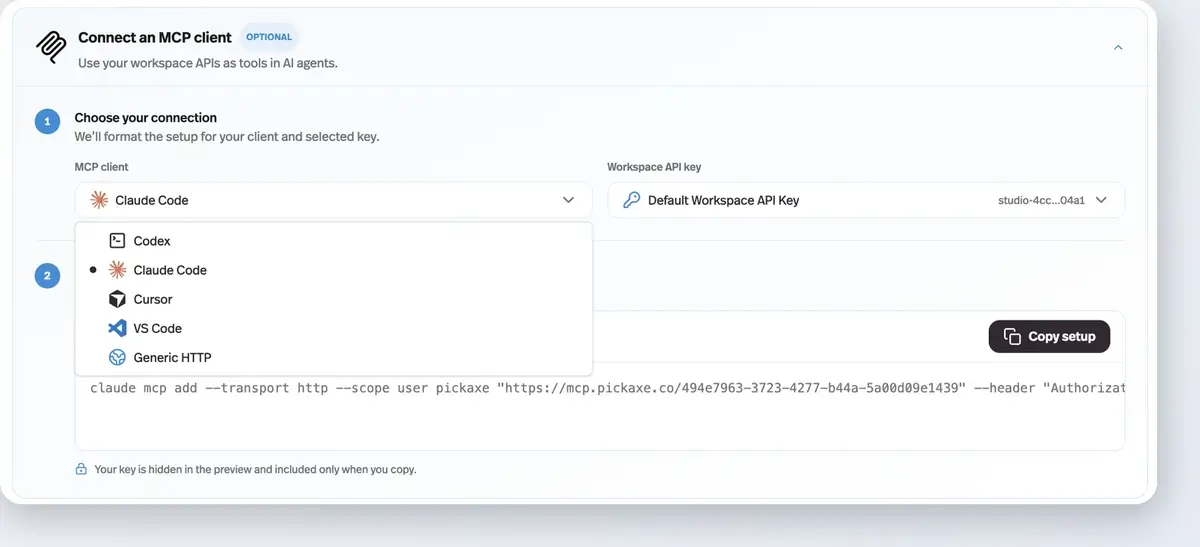
Any agent can be deployed as an MCP server your customers connect to from Claude Code, Codex, Cursor, VS Code, and other MCP clients — with the setup instructions generated for them.
Before this
An expansion. The API deployment already existed and spoke REST, which meant your customer needed a developer. This added the MCP half, so the same deployment can be consumed by an AI client directly.
Why it matters
Your expertise stops being a website people visit and becomes a tool that lives inside the environment where your customers already work.
How it works
This is the API/MCP deployment type. The same deployment that gives you REST endpoints also carries a Connect an MCP client panel: pick Claude Code, Codex, Cursor, VS Code, or generic HTTP, and copy the configuration your customer pastes into their client.
It authenticates with that deployment's own token, so a client set up this way can run that one agent and nothing else. That is the difference from the workspace-wide Pickaxe MCP Server, which exposes an entire workspace and is meant for you rather than for your customers.
Because it is a deployment like any other, the access control comes with it: you can require sign-in, put it behind an access group, and meter it — which is what makes selling it, rather than just sharing it, possible.