
The Pickaxe CLI
What it does
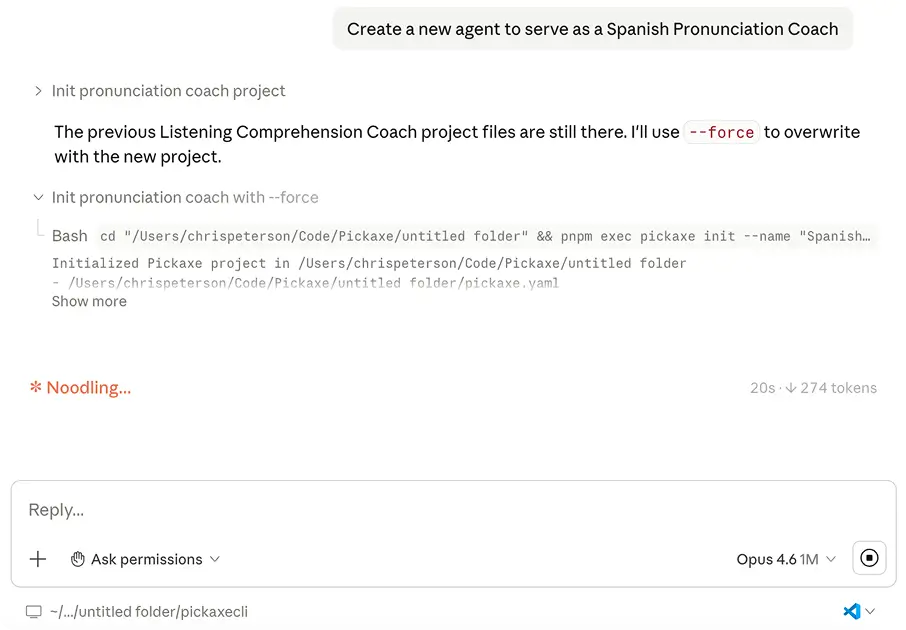
A command line interface for building and updating everything in a workspace — agents, documents, deployments, custom styling — driven either by you or by a coding agent like Claude Code.
Before this
New. Every change to a workspace was a click in the dashboard. There was no scriptable surface, which also meant no way for a coding agent to touch a workspace on your behalf.
Why it matters
"Make me an agent that helps me sell real estate" becomes a real workflow, and custom portal styling stops being a design-tool problem.
How it works
The CLI covers the same surface as the dashboard — agents, documents, deployments, portals, pages, access groups, custom styling — as commands rather than clicks.
The interesting part is the second driver. Point Claude Code, Codex, or Cursor at the CLI and "make me an agent that helps me sell real estate" becomes a real sequence of commands it can run and check. Custom portal styling stops being a design-tool problem and becomes a code problem, which coding agents are good at.
It is also the layer Wingman runs on: the same commands, driven from inside the product with your workspace credentials already loaded.