
Personal API Keys
Open Account Settings and find Personal API Keys.
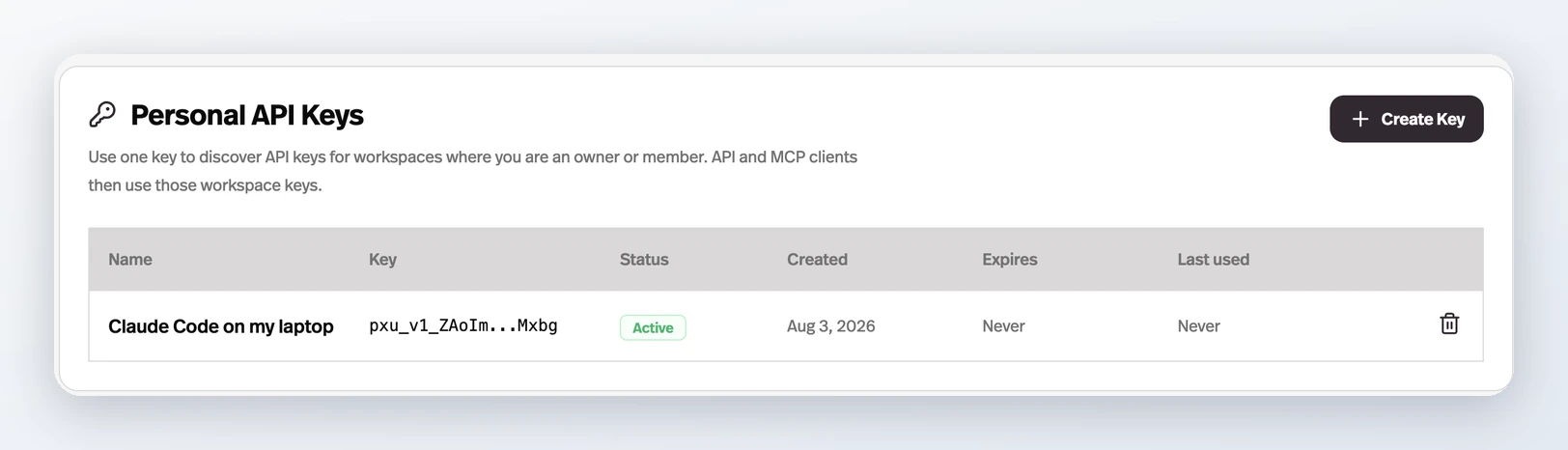
What it does
One key, created in Account Settings, discovers the Workspace API keys for every workspace you own or belong to; API and MCP clients then use those workspace keys.
Before this
New. Keys were per workspace only. A client that needed three workspaces needed three keys pasted into it, and cutting off a contractor meant rotating every key they had ever touched.
Why it matters
You stop pasting a separate key per workspace into every client, and a contractor who leaves can be cut off at their personal key instead of a rotation across all of them.
How it works
A Personal API Key does not replace Workspace API Keys — it discovers them. A client authenticates with your personal key, asks Pickaxe which workspaces you can reach, and gets back each workspace with its enabled keys. Only keys with the Use toggle switched on come back.
- Where
- Account Settings → Personal API Keys. Every account can create them; there is nothing to enable first.
- MCP
- The Pickaxe MCP Server accepts one in place of a Workspace API Key, so a client can name the workspace it wants per call instead of being pinned to one.
- Over the API
- GET /user/workspace-keys returns every workspace you can reach and its enabled keys — the piece a deploy script needs to configure itself.
- Revoking
- Takes effect immediately. The Last used column is the one to check before you revoke something.
The key is shown once and stored only as a hash, so nobody — Pickaxe support included — can read it back to you. It also reaches every workspace you belong to, which is the reason to give it only to a client you would trust with the whole account.