
The Page Editor
Choose the workspace where you want to use this feature, then follow the steps below.
What it does
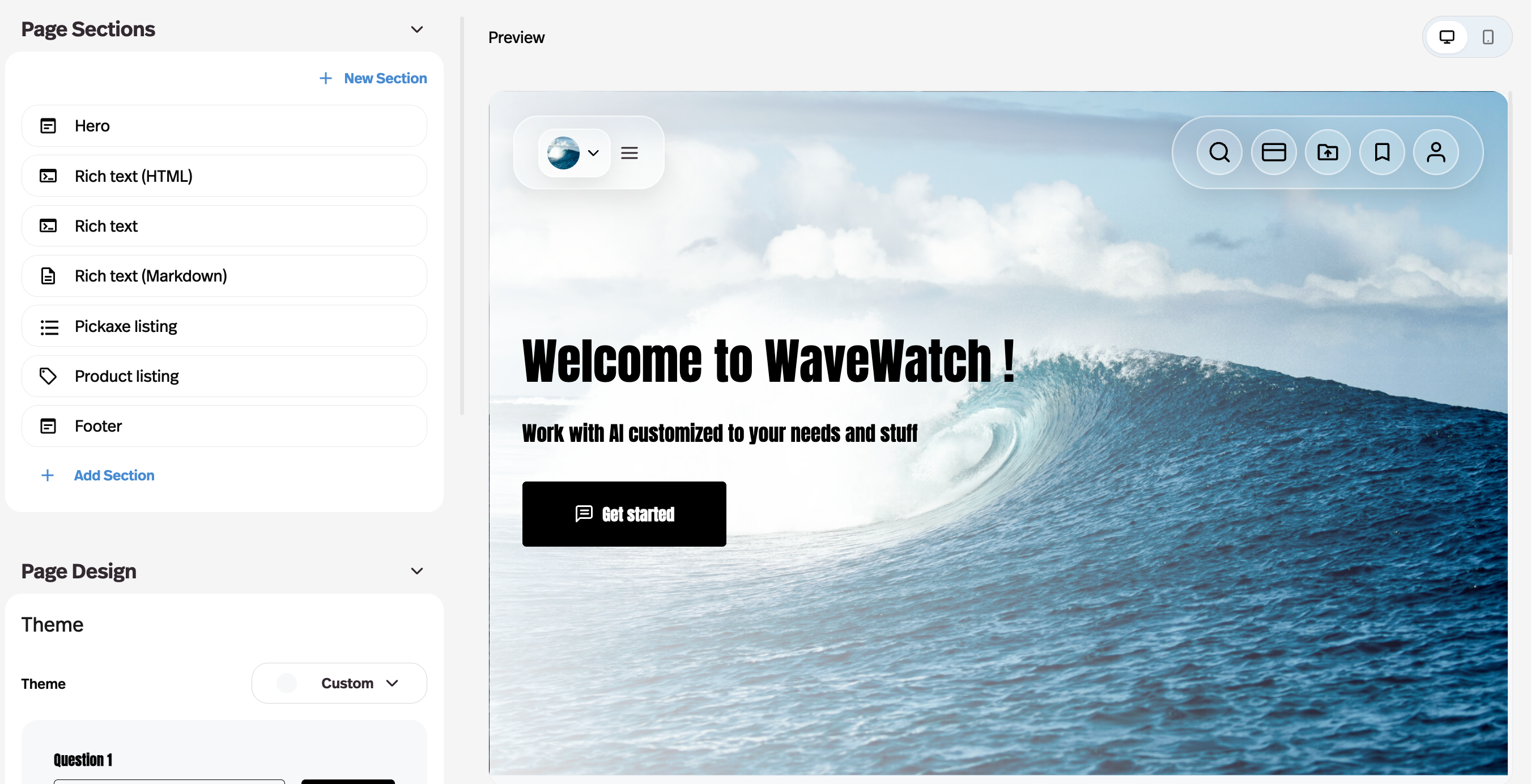
Build custom pages from editable sections — including agent and product listing sections — with a live preview and theme controls.
Before this
New. A portal could list your agents, but it could not carry a page you had written. A landing page or a pricing page meant a website builder somewhere else and a link back.
Why it matters
Your portal gets a real landing page, a pricing page, and a home page, without leaving Pickaxe for a website builder.
How it works
Pages are built from sections rather than from a blank canvas, with a live preview and theme controls beside them.
- Hero section
- Large text with a call-to-action button.
- Text blocks
- Markdown, or a rich-text editor if you would rather not write markdown.
- Agent listings
- A browsable collection of your agents.
- Access group listings
- Your groups with their pricing and upgrade paths — the section that turns a page into a pricing page.
- Footer
- Links, branding, and the closing content.
The listing sections are the ones that earn their keep: they pull live portal content, so a page advertising your tiers does not go stale the moment you change one.