
Set fractional usage rates and edit package quantities
What it does
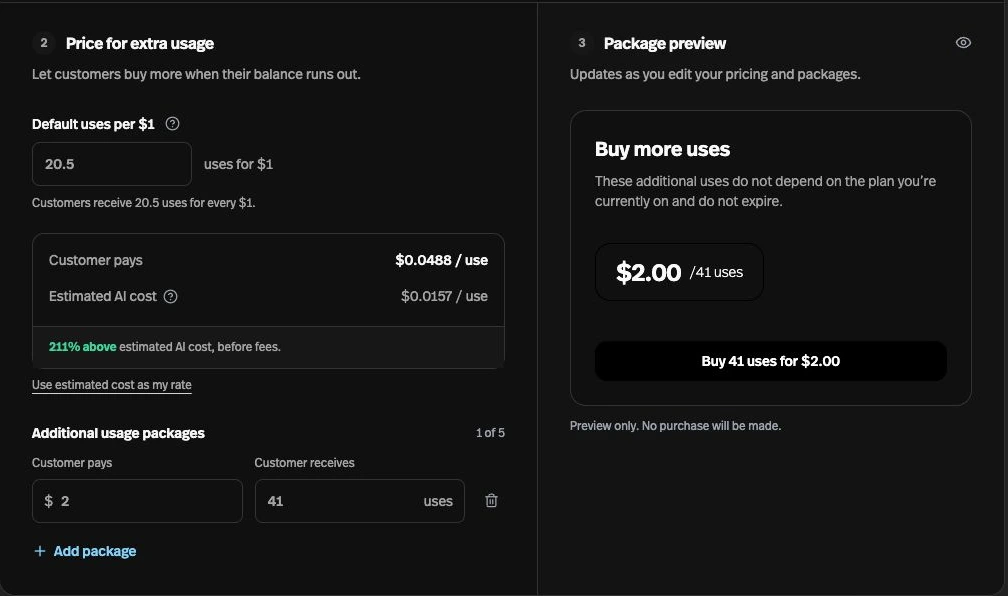
You can enter a decimal or fraction for your default usage rate and edit the quantity included in each extra-usage package.
Before this
An expansion. Extra-usage packages already existed, but the default uses rate accepted only whole numbers and package quantities were calculated for you.
Why it matters
Price higher-cost interactions and custom packages without forcing a whole-number uses-per-dollar rate.
How it works
Open Settings → User → Usage and pricing. Default uses per $1 accepts decimals or fractions such as 0.5 or 1/2; calculated package quantities round up to whole uses.
Edit Customer pays and Customer receives in Additional usage packages, review Package preview, then choose Save Settings. Changing the default rate recalculates package quantities; opening the page alone preserves existing packages.