
Let an access group past the paywall
Choose the workspace you want to configure, then follow the steps below.
What it does
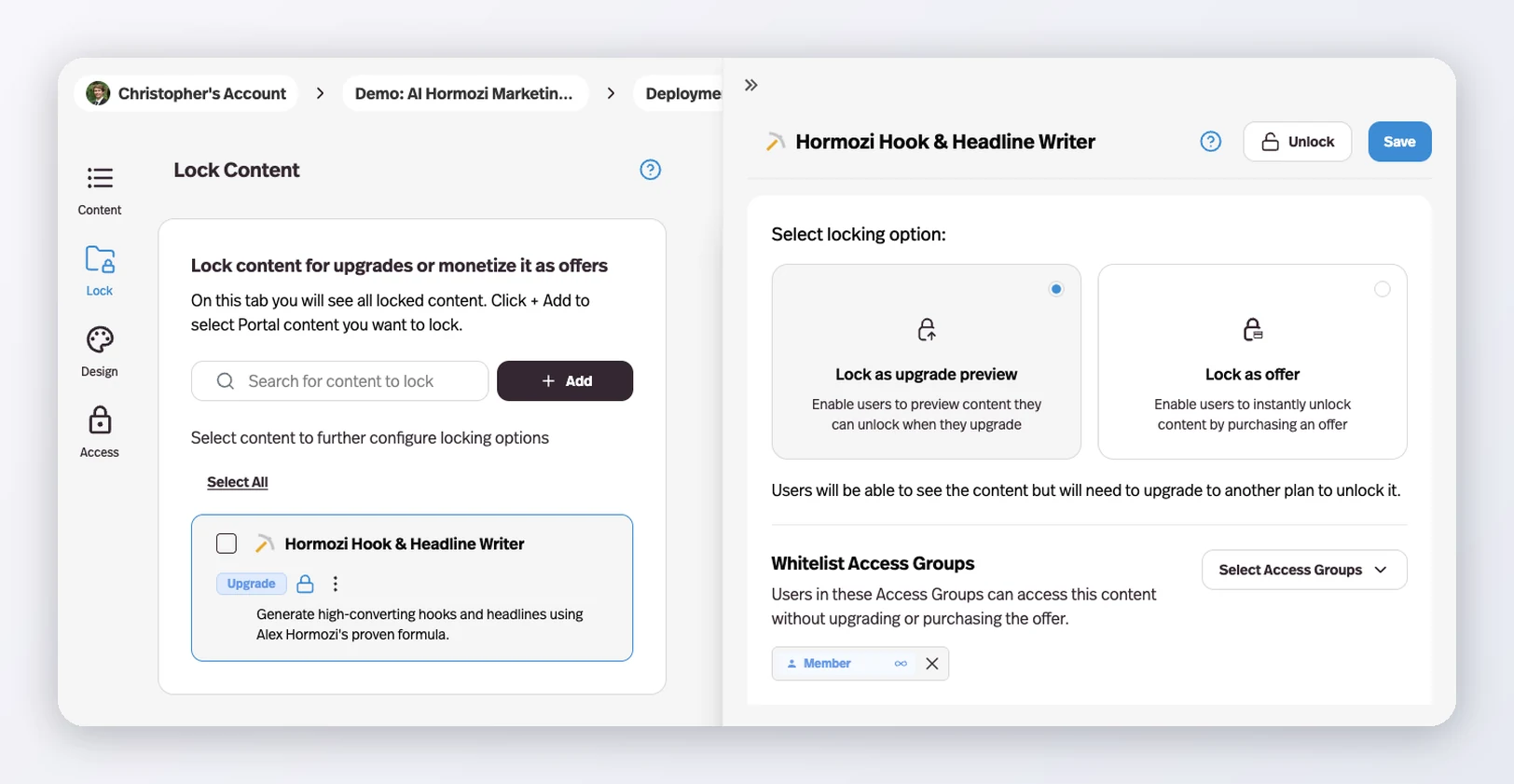
Locked Portal content now takes a Whitelist Access Groups list, so members of the groups you name reach it without upgrading or buying the offer.
Before this
An expansion. Locking content was already possible; letting a specific group past a lock without paying was not. The workarounds were a second unlocked copy of the portal or a comped purchase recorded against a real customer.
Why it matters
Founding members, comped clients, and your own team can be handed the paid tier without a fake purchase or a second unlocked copy of the Portal.
How it works
The control sits on each locked item in a portal's Lock tab, next to the lock type. Pick any access group already connected to the portal and its members reach that content without upgrading or buying the offer.
It works on both lock types — upgrade previews and one-off offers — so one group can hold full access while everyone else still sees the lock and the upgrade path.
The alternative before this was a second, unlocked copy of the portal, or a fake purchase recorded against a real customer. Both left you maintaining two things that had to stay in sync.