
Deployment webhooks
Choose the workspace you want to configure, then follow the steps below.
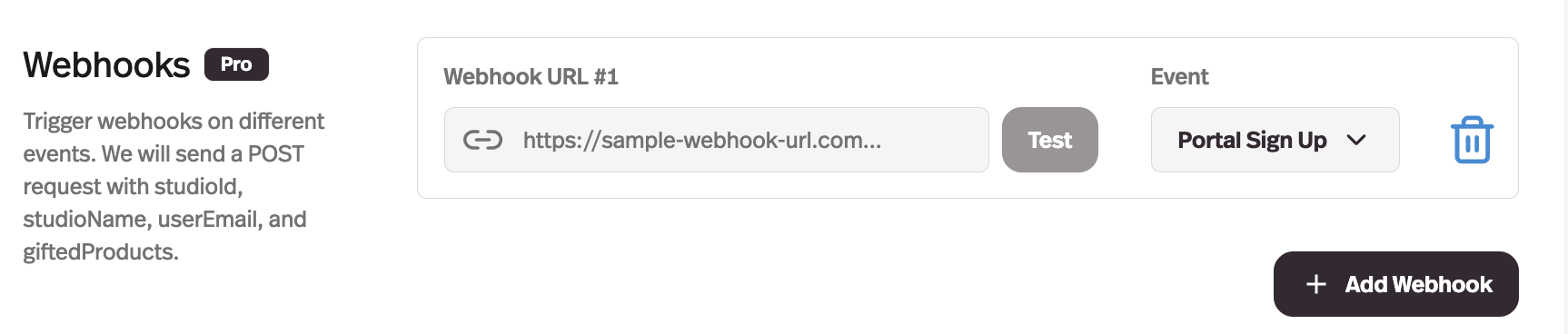
What it does
Deployments can fire webhooks on conversation events, so another system hears about them as they happen.
Before this
New. Nothing pushed. Anything that needed to know a conversation had happened had to poll the API and work out what had changed since last time.
Why it matters
Push a completed conversation into your CRM, your data warehouse, or a Make or n8n scenario without polling the API for changes.
How it works
Webhooks are configured in Settings → General → Webhooks. Each one is a URL plus an event; Pickaxe sends a POST with event-specific fields such as deploymentId, portalId, and sessionId.
- Portal
- Sign Up — someone signs up to your portal. Payment — someone pays within it.
- Workspace
- Membership — someone becomes a member of the workspace.
- Conversations
- Inactive — a conversation ends, defined as 30 minutes without activity.
- Deployment
- Session Initialized, and First Message Submitted.
The conversation event fires on inactivity rather than on an explicit end, because users do not close conversations — they wander off. Thirty minutes is the platform's definition of wandering off.