
ImprovementAccess ·
Ban users by email or IP
Open workspaces
Choose the workspace you want to configure, then follow the steps below.
What it does
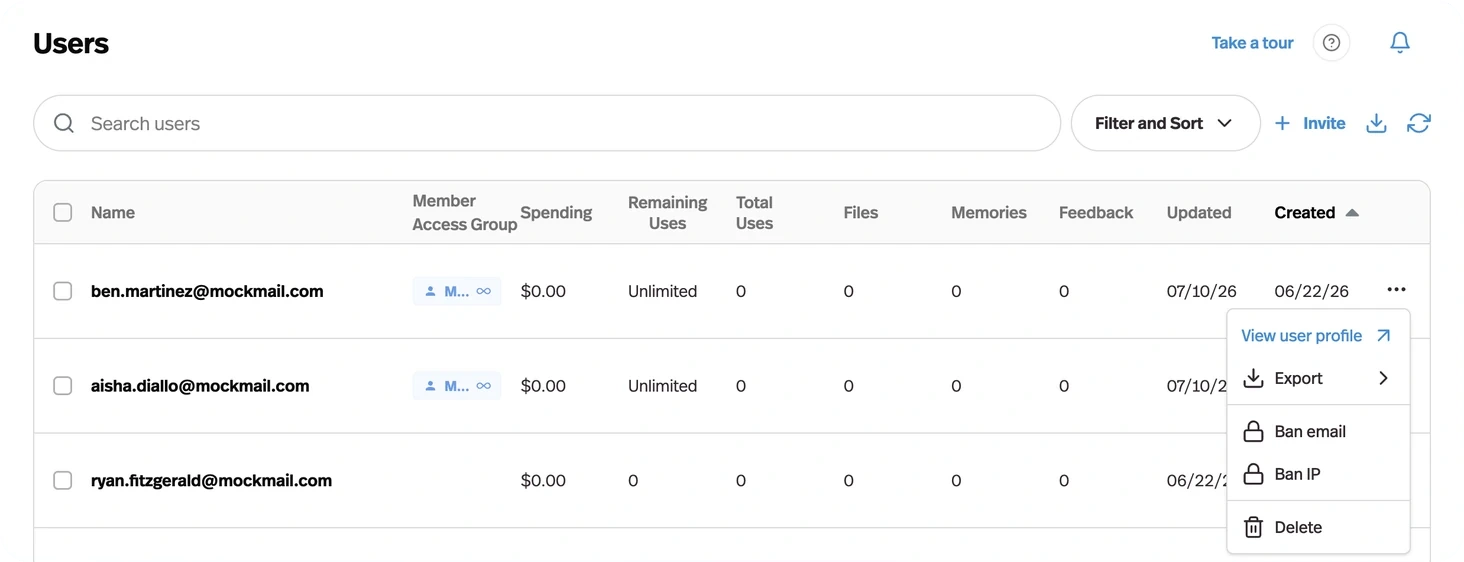
Problem users can be blocked by email address or by IP from the Users table.
Before this
An expansion. You could already delete a user, which removes the record without stopping the person coming back. Banning an email or an IP stops the return.
Why it matters
The lever you need when someone is abusing a public agent and burning your credits doing it.
How it works
From the ⋮ menu on any row in Manage Users: Ban email, Ban IP, or Unban. Selecting several rows bans them together.
Ban email stops that address; Ban IP stops the connection, which is the one that matters when someone is signing up repeatedly with new addresses to keep burning your credits on a public agent.