






Pickaxe CLI

Let AI Agents Manage Your Pickaxe Account

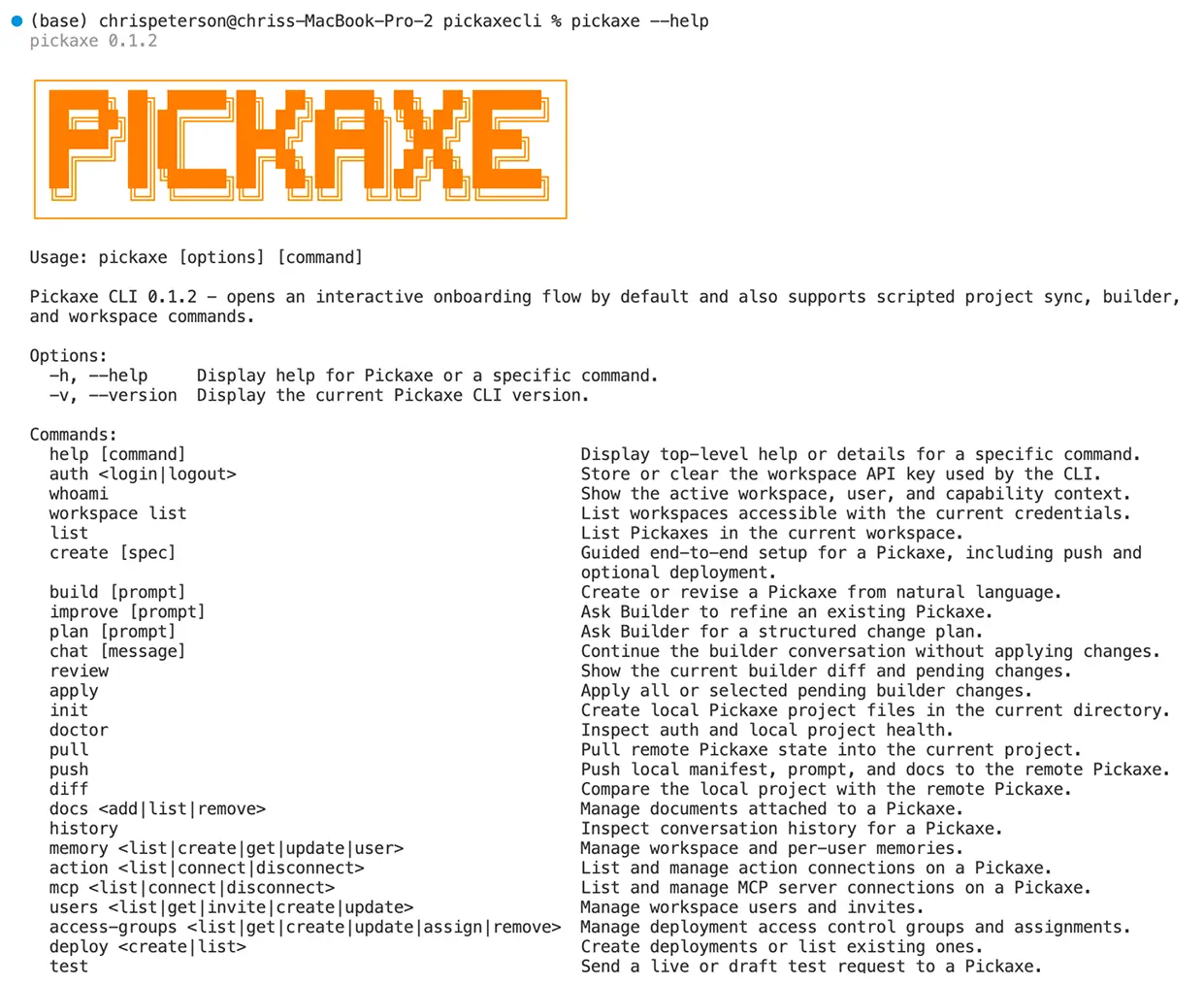
The Pickaxe CLI is built for AI agents to manage your account on your behalf. Give Claude Code, Cursor, or any coding agent the ability to create Pickaxes, update Studios, upload knowledge, and deploy — all programmatically.

Trusted by thousands of AI builders

The agent-first interface for managing Pickaxe

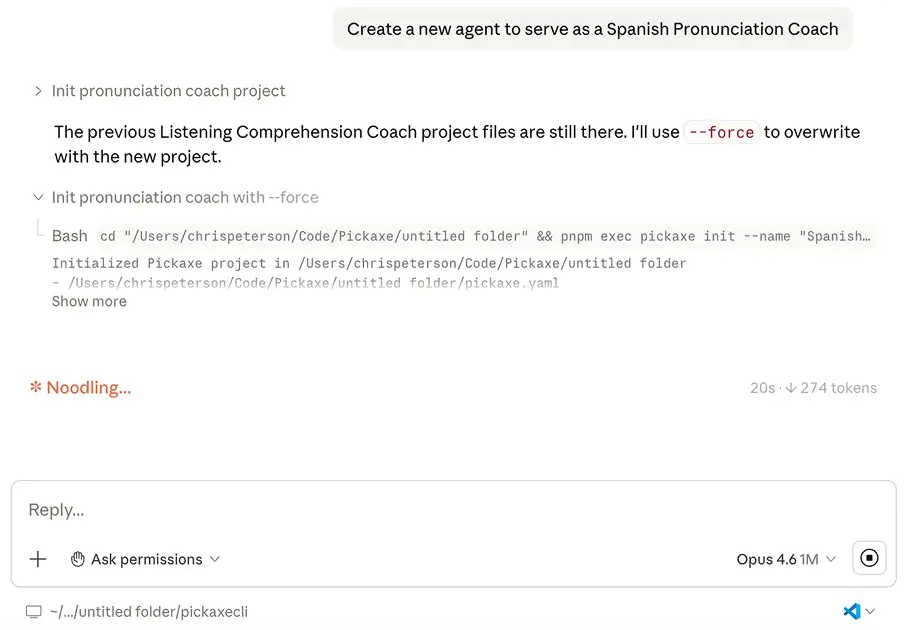
The Pickaxe CLI was designed from the ground up so AI agents can make changes to your Pickaxe account on your behalf. Tell your coding agent what you want — a new Pickaxe, updated knowledge base, a fresh deployment — and the CLI handles the rest. You stay in control while agents do the work.

The agent-first interface for managing Pickaxe

Built for AI agents

Purpose-built for AI coding agents like Claude Code, Cursor, Windsurf, and others. Your agent can create, configure, and deploy Pickaxes without you ever opening the web app.

You stay in control

Agents operate within your account permissions. Review changes before they go live, set guardrails, and maintain full visibility into what your agent is doing.

Natural language to action

Describe what you want in plain English to your coding agent. It translates your intent into CLI commands — creating tools, uploading docs, and configuring deployments automatically.

Iterate faster with agents

Agents can test prompts, review outputs, and refine your Pickaxes in a tight loop — what used to take hours of clicking through UI now happens in seconds.

Plus everything else you need to build and scale

Powerful features designed to help you create, deploy, and monetize AI tools that deliver real results.

Agent-Managed Workflows

Your AI coding agent becomes your Pickaxe admin. It can create new Pickaxes, write prompts, configure settings, and deploy — all by running CLI commands on your behalf. Just describe what you need.

Manage Studios & Tools

Agents can create and organize Studios, add or remove Pickaxes, update branding, and manage access — all through the CLI without touching the web interface.

Knowledge Base Sync

Let agents upload documents, sync websites, and keep your knowledge bases current. Your Pickaxes stay grounded in the latest data without manual intervention.

Bulk Operations

Agents can batch create, update, or deploy multiple tools at once — perfect for scaling across Studios or rolling out changes to dozens of Pickaxes simultaneously.

Prompt Testing & Iteration

Agents can test prompts, evaluate outputs, and iterate on your Pickaxes in a tight feedback loop — refining tools faster than any human could manually.

Account & Usage Monitoring

Agents can check your credit balance, review usage stats, and flag when you're approaching limits — keeping you informed without you having to look.

Deploy Anywhere

Push Pickaxes to any channel — direct links, embeds, Slack, WhatsApp, email, or API. Agents handle the deployment config so you don't have to.

See how others are building with Pickaxe

See how people are building, deploying, and monetizing AI agents with Pickaxe.

See our customers

Let agents manage your Pickaxe account

Install the Pickaxe CLI and give your AI coding agent the power to build, deploy, and manage your AI tools on your behalf.

Frequently Asked Questions

The Pickaxe CLI is the bridge between AI coding agents and the Pickaxe platform. It lets agents like Claude Code, Cursor, and others manage your Pickaxe account on your behalf — creating tools, updating knowledge bases, configuring deployments, and more.

Instead of manually clicking through the web app, you describe what you want to your AI agent in plain English. The agent translates your intent into CLI commands and executes them — turning hours of configuration into seconds of conversation.

The CLI is also a powerful tool for developers who prefer the command line. Integrate it into shell scripts, CI/CD pipelines, and automation workflows for programmatic access to every Pickaxe feature.

The Pickaxe CLI is free to use with any Pickaxe plan. Install it, authenticate, and start letting agents manage your AI tools today.