A new PHP vulnerability emergency has website owners, hosting providers, and security teams scrambling. Two critical flaws can allow attackers to execute code without logging in, and fixes arrived on October 21, 2026, after a disrupted disclosure process.
The issues are tracked as CVE-2026-109618 and CVE-2026-109619, with both rated 9.2 under CVSS v4.0. They have also become known as PHP2Shell.
If it feels like the internet is on fire, the reason is the reach of the software involved. This problem sits in a language runtime underneath many websites, so the same announcement becomes an urgent hosting question for businesses that have little reason to think about PHP on an ordinary day.
What happened with the PHP vulnerability
The roots of the story go back further than this week's warnings. In its account of the release, the PHP Foundation traces the memory-handling problem to work following a 2024 external audit; finding a fix involved difficult compatibility and performance tradeoffs.
The Foundation says the impact became clearer on August 11, when Calif and OpenAI independently reported remote code execution tied to the same root cause. Resolving it then became the security team's priority.
Disclosure was originally coordinated for October 22. After the CVE identifiers began circulating on October 20, PHP brought the release forward to October 21 at 14:00 UTC, allowing distributors some time to prepare packages.
A mistakenly published demonstration video and early distribution of images containing the fixes further disrupted coordination. The Foundation also acknowledged delays in its earlier decision process and described work to improve security staffing and escalation.
That sequence explains the urgency: security teams were preparing for a release while information was circulating ahead of it. CERT-EU urged organizations to identify PHP applications and prepare to patch, including isolating exposed systems where immediate remediation was unavailable.
By October 21, watchTowr reported observing exploitation attempts. That is a reason to act promptly; the public reports do not establish that every PHP website has been compromised.
What the two flaws actually do
CVE-2026-109618 concerns out-of-memory handling. PHP can be interrupted while internal request data is incompletely initialized, leaving cleanup code to process invalid state. The technical advisory describes confirmed remote code execution against Apache with mod_php, before application code begins running.
CVE-2026-109619 concerns stale internal state between requests. Memory belonging to one request can be freed while a worker retains a reference to it, and a later request can encounter that reference before initialization resets it. PHP's second advisory describes the affected paths and deployment conditions.
The practical concern is code running with the web worker's privileges. What an attacker could then access depends on that deployment's permissions, data, and connected services.
Who is affected: WordPress, Drupal, Joomla, and beyond
PHP's security advisory identifies installations serving web requests as at risk, including PHP-FPM, Apache with mod_php, php-cgi, FrankenPHP, and LiteSpeed. The project considers the risk highest for mod_php, although exposure varies with configuration and application behavior.
For website owners, the familiar names are WordPress, Drupal, and Joomla. All three depend on PHP, which means the runtime serving those sites needs attention alongside the CMS itself.
The scale is substantial. In its October 21, 2026 estimates, W3Techs reports the following shares of all websites in its survey:
WordPress alone accounts for roughly two in five websites in that survey. These figures measure website usage, rather than internet traffic or share of the identifiable CMS market, and they do not indicate how many sites have been compromised.
The same question applies to custom PHP applications, internal tools, and other PHP-based services. A theme that looks current, or a CMS dashboard showing no pending plugin updates, does not tell you whether the underlying runtime has received these fixes.
For agencies, the work can multiply across a portfolio. Different clients may have different hosts, PHP branches, maintenance agreements, and people responsible for making changes.
I would ask a concrete question: Have both October 21 PHP security fixes been applied to every runtime serving this website? The answer needs to come from whoever operates that infrastructure.
What website owners should do now
The fixed upstream releases are PHP 8.2.35, 8.3.36, 8.4.27, and 8.5.12. Linux distributions and hosting vendors may supply backported fixes in packages with different version strings, so confirm the patch status with the provider.
PHP says updating is the complete solution; configuration changes only reduce certain exposure paths. If the site is on an older branch, check vendor coverage and PHP's support lifecycle while planning the upgrade.
- Inventory the installation: include the public site, admin tools, staging sites, and background services that use PHP.
- Get the update applied: establish whether the host, an agency, or an internal developer owns that task.
- Verify the running version: confirm the serving processes have picked up the patched runtime.
- Check essential workflows: sign-in, forms, orders, and other important interactions should still work after the update.
I would handle that immediate work before making a platform decision. An existing site still needs protection while a replacement is being evaluated or built.
Why this adds to the pressure to leave traditional CMS stacks
Once the emergency is handled, the conversation gets bigger. For teams already frustrated with WordPress, Drupal, or Joomla maintenance, this is another reason to reconsider what they are operating.
A business can want a fairly simple website and still inherit a long list of responsibilities: hosting, runtime upgrades, CMS updates, extensions, backups, and the compatibility checks between them. An agency can end up repeating that work for every client.
This is the sort of incident that can turn “we should revisit our website stack” into an actual project. The frustration is understandable when maintaining yesterday's infrastructure keeps taking time away from improving the website.
Before moving, I would inventory the publishing workflows, extensions, and custom features the site actually uses. That gives the team a concrete list of what the replacement needs to support.
My expectation is that events like this will encourage more teams to explore hosted builders, static publishing, and managed infrastructure. The useful question is what responsibilities move to the provider and what the team still needs to maintain.
There are plenty of platforms to consider
A more modern setup can mean several things: a visual builder with hosting included, a commerce platform, a statically generated website, or a managed publishing platform. The right fit depends on the website's purpose and the people editing it.
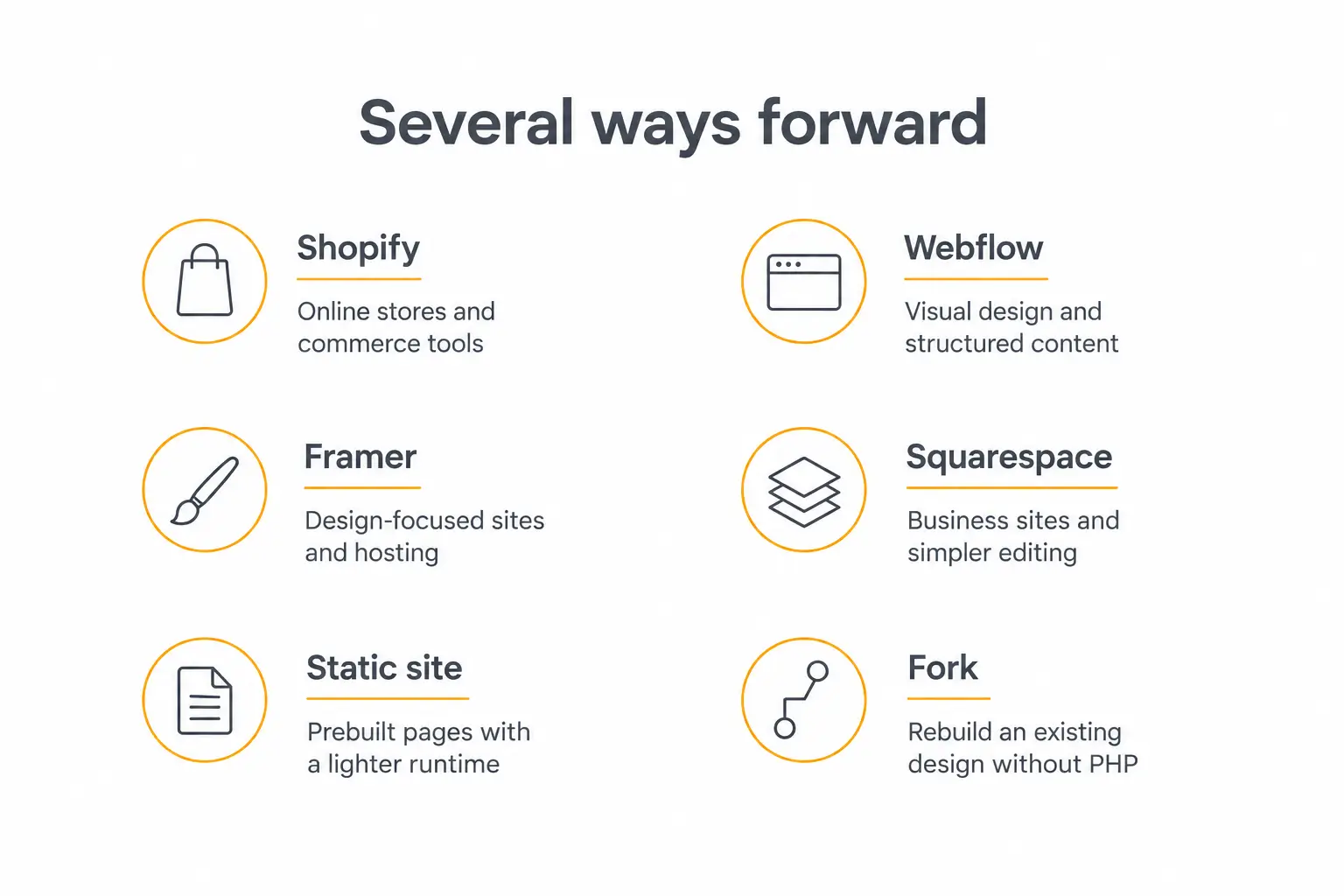
- Webflow combines visual design, structured CMS content, and hosting. I would consider it for marketing sites with articles, case studies, directories, or other repeatable content, then check how the team's publishing workflow and integrations fit.
- Framer brings a visual canvas, CMS, and hosting together. It is worth exploring for portfolios, landing pages, and design-focused marketing sites, especially when the team wants to work directly on layout and presentation.
- Squarespace offers another route for a business website with straightforward editing needs. Its WordPress importer handles several content types, but styles, CSS, and plugin content require separate work, so migration planning still matters.
- Shopify is worth considering when selling is the site's main job. Its website builder, checkout, hosting, and commerce tools belong in a store migration discussion; catalog, order, and customer workflows need their own review.
- Static sites and headless publishing give teams another architectural option. A tool such as Astro can produce a static deployment, with editing handled separately; the team needs a plan for content changes, forms, and dynamic features.
If you are comparing AI website and app builders as well, judge them on the same practical criteria: how the site is edited, where the code and content live, which integrations work, and what happens when you want to move again.
A hosted platform changes who maintains the infrastructure. A static deployment can remove the need to execute PHP for those pages, but keeping a PHP-powered CMS behind a new frontend still leaves that backend to maintain.
What I would preserve during a move
The biggest obstacle is often the investment already in the site. The design, copy, search traffic, forms, and connected services may all be valuable even when the underlying stack has become frustrating.
I would make a short migration checklist: preserve important URLs or map their redirects, check metadata and images, recreate essential interactions, and test the mobile experience. Stores, memberships, and custom workflows deserve a separate walkthrough before traffic switches.
Existing embedded tools belong in that review too. Our guides to embedding an AI agent on a website and integrating AI with website platforms cover common placements and integrations to account for.
For an agency, a good move should leave the client with a website they recognize and the team with a setup they can actually support. I would assess that outcome alongside the speed of the rebuild.
What we have been building for agencies
This is part of why we have been working on Fork, our new AI website builder for agencies. I want it to make moving an existing site and continuing to improve it a much more practical project.
It can rebuild an existing landing page or website pixel by pixel and move the rebuilt version onto the platform without PHP, with one click starting the process. That gives an agency a way to preserve the visual work a client already likes while changing the implementation underneath it.
The built-in AI agent works with the site's code, so the team can describe changes in plain language. Managed deployment, HTTPS, checkpoints, and rollback help with the work of running and iterating on that site.
The appeal for agencies is the combination: bring an existing design forward, spend less time recreating it by hand, and keep making client changes in the same environment. The pages, forms, integrations, and custom workflows still need to be checked before launch.
If you are coming from a PHP-based website and already reassessing the stack, I think this is a particularly good time to explore the move. There are more practical ways to rebuild while keeping what works, and this emergency makes the cost of maintaining the current setup easier to evaluate.
Apply the fixes to the PHP services you still run, and retire the original deployment once a replacement is tested and live. Then use the platform that gives the client the website they need and your team a better way to look after it.