
Microsoft sign-in for your users
Choose the workspace you want to configure, then follow the steps below.
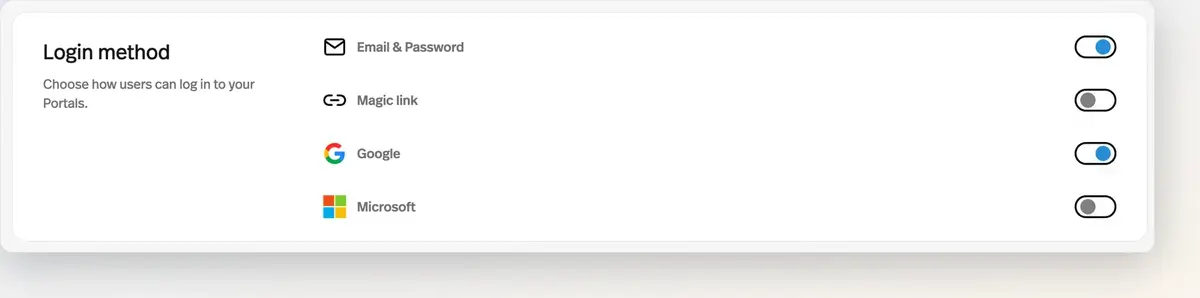
What it does
Microsoft joined the login methods your end users can authenticate with.
Before this
An expansion. Email and password, magic link, and Google were already there. Microsoft was the one missing for corporate audiences.
Why it matters
For corporate audiences on Microsoft 365, it removes the password step that quietly kills adoption inside big organisations.
How it works
Login methods are set per portal under Settings → Login method. Four can be toggled: Email & Password, Magic link, Google, and Microsoft. At least one always stays on, and Email & Password and Magic link are mutually exclusive — turning one on turns the other off.
Google and Microsoft sign-in work everywhere your users authenticate: portal login, sign-up, and the pricing page. Inside a Microsoft 365 organisation, that removes the password step that quietly caps adoption.