
Change the model on every agent at once
Choose a workspace and open Settings to change models across its agents.
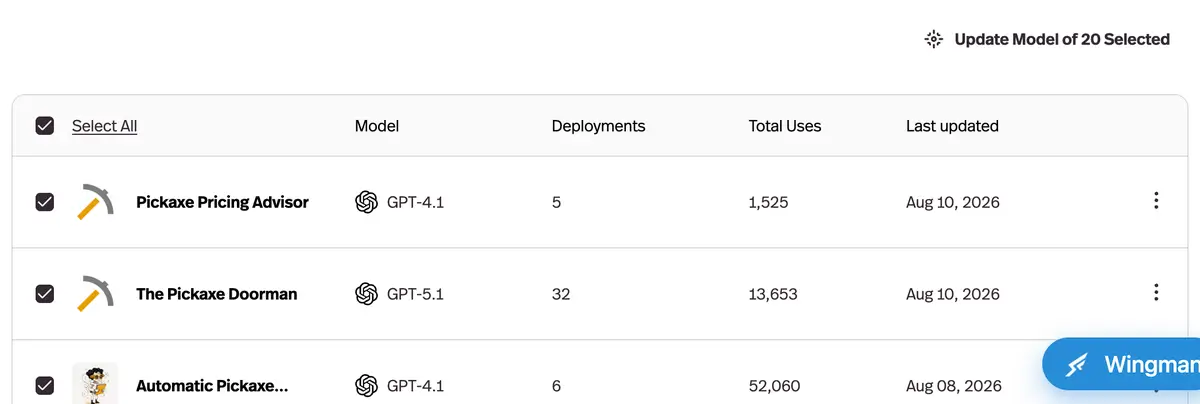
What it does
Select multiple agents — or all of them — and switch their AI model in a single operation.
Before this
An expansion. Switching a model was already one dropdown — but one agent at a time, which is the part that scales badly.
Why it matters
Three real uses: move off a provider that's down, roll out a new model to test it broadly, or cut costs across the board in seconds instead of an afternoon.
How it works
Select agents from the Agents list — some of them, or all of them — and change the model on all of them in one operation.
Three moments make it worth having: a provider goes down and you need everything off it now; a new model lands and you want a broad test rather than a single-agent one; or your credit burn is too high and the cheapest fix is a tier down across the board. Each of those used to be an afternoon of opening agents one at a time.