
Here's a number that should get every law firm's attention: lawyers using AI are saving up to 32.5 working days per year. That's according to a recent survey by Everlaw. And it tracks with what I'm seeing across the industry -- firms that have adopted AI tools aren't just working faster, they're taking on more clients and winning more business.
The legal AI market is moving fast. Harvey just raised $200 million at an $11 billion valuation. 55% of lawyers are already using AI in some capacity. And the tools have gotten genuinely good -- we're past the era of unreliable chatbots hallucinating case citations.
I looked into every major AI tool that's relevant for lawyers right now -- legal research, contract drafting, practice management, eDiscovery, and client intake. Some of these are purpose-built for law firms. Others are general-purpose platforms that happen to solve real problems for attorneys.
This is my breakdown of the top AI tools for lawyers in 2026, organized by what they actually do for your practice.
Quick Comparison: Top 15 AI Tools for Lawyers
Before we go deep on each one, here's the overview so you can jump to what matters most for your firm.
| Tool | Category | Best For | Starting Price |
|---|---|---|---|
| Pickaxe | Custom AI Agent Builder | Building client-facing legal AI tools | Free / $19/mo |
| Harvey | Legal AI Platform | Enterprise law firm AI across workflows | Custom pricing |
| Lexis+ AI (Protege) | Legal Research | Case law research & citation validation | ~$128/user/mo |
| CoCounsel | Legal Research & Drafting | Document analysis & research | ~$400/user/mo |
| Clio | Practice Management | All-in-one firm management with AI | $49/user/mo |
| Spellbook | Contract Drafting | AI contract drafting in Microsoft Word | ~$99/user/mo |
| Luminance | Contract Intelligence | Enterprise contract lifecycle management | Custom pricing |
| EvenUp | Personal Injury AI | Demand letters & medical chronologies | ~$300/demand |
| Relativity | eDiscovery | AI-powered document review | Custom pricing |
| Darrow | Justice Intelligence | Detecting legal violations from public data | Custom pricing |
| Lex Machina | Litigation Analytics | Judge behavior & case outcome prediction | Custom pricing |
| Clearbrief | Brief Writing | Citation checking & argument analysis | Custom pricing |
| ChatGPT | General AI | Drafting, brainstorming, summarization | Free / $20/mo |
| Smith.ai | Virtual Receptionist | AI-powered client intake & call handling | $285/mo |
| Smokeball | Practice Management | Automated time tracking & workflows | Custom pricing |
Now let's get into the details.
1. Pickaxe -- Build Custom AI Agents for Your Law Practice
Most of the tools on this list do one thing well -- research, contracts, eDiscovery. Pickaxe is the platform you use when you want to build your own AI tools, trained on your firm's specific knowledge, and deploy them to clients, staff, or the public.
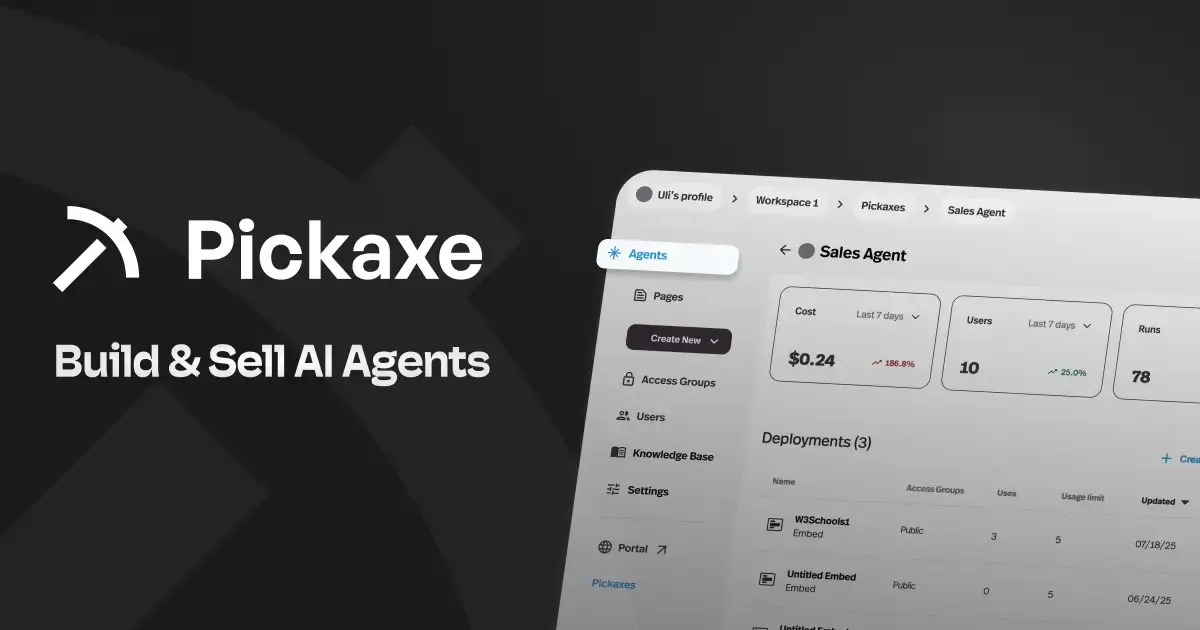
Here's why that matters for law firms. Every firm has institutional knowledge locked in partner brains, practice guides, template libraries, and internal memos. Pickaxe lets you take that content and turn it into an AI agent that answers questions, handles client intake, or walks someone through a legal process -- all without writing a line of code.
I've seen firms use Pickaxe to build client intake bots that qualify leads before they ever talk to an attorney. Immigration firms creating self-service visa eligibility checkers. Estate planning practices offering AI-powered will questionnaires that feed directly into their drafting workflow.
The thing that sets Pickaxe apart is built-in monetization through Stripe. You can charge clients for access to your AI agents -- subscription fees, pay-per-use, or one-time payments. It's positioned as the "Shopify for Agent-Powered Businesses," and for firms looking to productize their expertise, it's a genuine revenue opportunity.
For a broader look at building AI tools like this, check out this guide on how to start an AI agent agency.
Key features:
- No-code agent builder -- attorneys can create AI tools without developers
- Train agents on your firm's documents, templates, and knowledge base (PDFs, DOCX, URLs, and more)
- Deploy anywhere: your website, Slack, WhatsApp, email, or a branded portal
- Built-in Stripe integration for charging clients per-use or via subscription
- SOC2, GDPR, and CCPA compliant -- critical for legal applications
- Multiple LLM options -- choose the best model for your use case
- Actions to connect with external tools, CRMs, and APIs
- White-label portals so agents match your firm's brand (great for white-labeling AI for clients)
Pricing: Free plan to get started. Gold at $19/mo, Pro at $79/mo. Full details on the pricing page.
Who it's best for: Firms that want to create custom client-facing AI tools -- intake bots, self-service legal guides, FAQ agents -- and potentially monetize them. Also excellent for firms that need internal knowledge management agents.
What I like: The compliance certifications (SOC2, GDPR, CCPA) make it one of the few no-code AI platforms where you can confidently build client-facing legal tools. The monetization capability is unique -- every other tool on this list is an expense. Pickaxe can generate revenue. And the ability to train agents on your firm's specific documents means the AI actually knows your practice.
Limitations: It's a platform for building tools, not a ready-made legal AI solution. If you just want to plug in and start doing legal research, tools like Lexis+ AI or CoCounsel are more immediately useful. Pickaxe shines when you want to create something custom for your firm or clients.
2. Harvey -- The Most Well-Funded Legal AI Platform
Harvey is the legal AI startup everyone's watching. With $200 million raised at an $11 billion valuation in March 2026, it's the most well-funded player in the space by a wide margin. And it's not just hype -- over 100,000 lawyers across 1,300 organizations use Harvey for daily legal work.

What makes Harvey different from generic AI tools is legal domain training. It's not ChatGPT with a legal skin. Harvey's models are fine-tuned on legal data, understand legal reasoning patterns, and integrate directly into the workflows attorneys actually use.
The platform covers the full spectrum of legal work: research, contract analysis, due diligence, compliance, and litigation support. And with the latest funding round, Harvey is expanding into agentic AI -- tools that can independently complete multi-step legal tasks on a lawyer's behalf.
Key features:
- Domain-specific legal AI trained on legal data and reasoning
- Contract analysis, drafting, and clause violation detection
- Legal research with natural language queries
- Due diligence automation
- Agentic workflows that handle multi-step legal tasks
- Enterprise-grade security and data privacy
- Integration with existing legal tech stacks
Pricing: Enterprise pricing only. No public pricing -- you need to contact their sales team.
Who it's best for: Mid-to-large law firms and corporate legal departments. Harvey's enterprise focus means it's designed for organizations with real scale. Solo practitioners and small firms will find better value elsewhere.
What I like: The depth of legal domain expertise is genuine. Harvey doesn't just process text -- it understands legal concepts, jurisdictional nuances, and the specific patterns of legal reasoning. The investment from firms like Sequoia and the backing of OpenAI signal that the technology is legitimate, not vaporware.
Limitations: No public pricing is a red flag for smaller firms. If you have to ask how much it costs, it probably costs more than you want to spend. The enterprise-only model means there's no way to try it without going through a sales process. And while the technology is impressive, you're locked into their ecosystem.
3. Lexis+ AI (Protege) -- The Gold Standard for Legal Research
If you've practiced law for more than five minutes, you know LexisNexis. Lexis+ AI, recently rebranded to include the Protege assistant, represents the most significant evolution of legal research technology in decades.

The core value proposition is simple: ask a legal question in plain English, and get an answer grounded in LexisNexis's massive database of case law, statutes, and secondary sources. Every answer includes citations you can verify through Shepard's validation -- the same cite-checking system lawyers have relied on for over a century.
As of February 2026, the platform was rebranded to include Protege, an AI assistant that breaks complex queries into manageable tasks and provides access to both legal-tuned models and general-purpose LLMs (including GPT-5 and Claude Sonnet 4) within a secure environment.
A Stanford study found Lexis+ AI had a 17% error rate in legal citations, compared to 34% for Westlaw's AI. That's still not perfect, but it's a meaningful accuracy advantage for litigation work where citation accuracy is non-negotiable.
Key features:
- Natural language legal research across the full LexisNexis database
- Shepard's citation validation built into every answer
- Protege AI assistant for complex, multi-step research queries
- Document summarization and timeline generation
- Deposition question drafting and discovery request creation
- Access to multiple LLMs within a secure legal environment
- Integration with existing LexisNexis workflows
Pricing: Starts around $128/user/month for basic access. Full access with all features is estimated at $500-$1,000+/user/month. Pricing is custom -- you'll need to talk to a Lexis representative.
Who it's best for: Any firm that does significant legal research. If you're already a LexisNexis subscriber, adding the AI layer is a natural upgrade. Litigation-heavy practices will get the most value from the citation validation and case analysis features.
What I like: The Shepard's integration is the killer feature. Every other AI legal research tool asks you to trust its citations. Lexis+ AI validates them against the most authoritative citation service in the industry. The accuracy advantage over competitors isn't trivial -- in litigation, a bad citation can tank your credibility with the court.
Limitations: The pricing is opaque and expensive. Smaller firms may struggle to justify the cost, especially at the higher tiers. The LexisNexis ecosystem can feel locked-in -- once you're paying for Lexis+, switching costs are high. And while the AI is better than competitors at citations, a 17% error rate still means you must verify everything manually.
4. CoCounsel (Thomson Reuters) -- Legal AI With Institutional Authority
CoCounsel, originally developed by Casetext and acquired by Thomson Reuters, is a professional-grade AI legal assistant for research, document analysis, and drafting. It's the legal AI tool backed by the same company that owns Westlaw -- and that pedigree matters in a profession where trust is everything.

CoCounsel was one of the first legal AI tools to demonstrate postgraduate-level legal comprehension, and the Thomson Reuters acquisition gave it access to Westlaw's database and editorial analysis.
Key features:
- AI-powered legal research with cited authorities
- Document review and summarization
- Contract analysis and clause extraction
- Timeline creation from case documents
- Deposition preparation assistance
- Integration with the Thomson Reuters legal ecosystem
Pricing: Basic plan around $110/month. CoCounsel access at approximately $400/user/month with annual billing.
Who it's best for: Firms already in the Thomson Reuters / Westlaw ecosystem. The integration with existing Westlaw subscriptions makes CoCounsel a natural add-on for research-heavy practices.
What I like: The combination of Casetext's AI technology with Thomson Reuters's data and editorial analysis creates a product that's genuinely authoritative. The document analysis features are particularly strong for litigation teams handling large volumes of discovery material.
Limitations: At $400/user/month, it's one of the most expensive tools on this list. The Westlaw ecosystem lock-in applies here too. And while Thomson Reuters has institutional credibility, CoCounsel's AI accuracy isn't meaningfully better than Lexis+ AI's -- you still need to verify outputs.
5. Clio -- Practice Management That Actually Uses AI Well
Clio is the most widely used cloud practice management platform in the legal industry, and they've been layering AI capabilities throughout the product in a way that actually matters for daily firm operations.
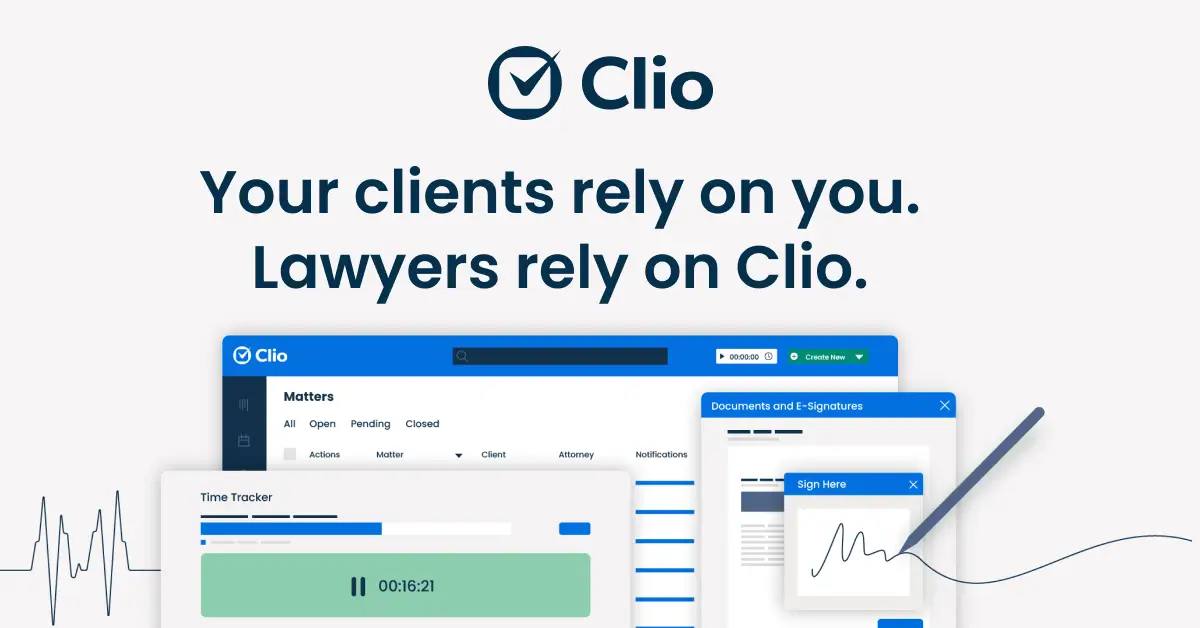
The recent additions include Manage AI (formerly Clio Duo) and Clio Work, powered by Vincent AI and Clio Library -- what they call the world's largest interconnected legal knowledge base. Together, these tools bring AI into the workflows lawyers already use for scheduling, billing, client communication, and case management.
Key features:
- AI-powered case management with intelligent matter prioritization
- Automated deadline extraction from court documents
- AI-assisted invoice drafting and billing management
- Vincent AI for legal research grounded in verified case law
- Document composition and summarization
- Client communication drafting
- SOC 2 Type 2, ISO 27001, GDPR, and HIPAA compliant
- Your data is never used to train external models
Pricing: Plans start at $49/user/month for Clio Manage. Manage AI add-on at $39/user/month. Clio Work pricing available on request.
Who it's best for: Small to mid-size firms that want AI embedded in their practice management workflow, not bolted on as a separate product. If you're already using Clio, adding the AI features is a no-brainer.
What I like: The automated deadline extraction alone justifies the cost for litigation firms. Missing a filing deadline is a malpractice claim waiting to happen, and having AI parse court documents and create calendar events automatically is genuinely valuable. The data privacy commitments are also strong -- no firm data is used for model training.
Limitations: The AI features are add-ons to an already-expensive practice management subscription. If you're paying $49/user/month for Clio Manage plus $39/user/month for Manage AI, that adds up fast for larger teams. And while the AI is helpful, it's more of an efficiency booster within Clio's ecosystem than a standalone legal AI powerhouse.
6. Spellbook -- Contract Drafting That Lives in Microsoft Word
Spellbook is a purpose-built AI tool for transactional lawyers that works as a Microsoft Word add-in. Instead of asking you to learn a new platform, Spellbook meets you where you already work -- inside the Word documents you're drafting and reviewing every day.
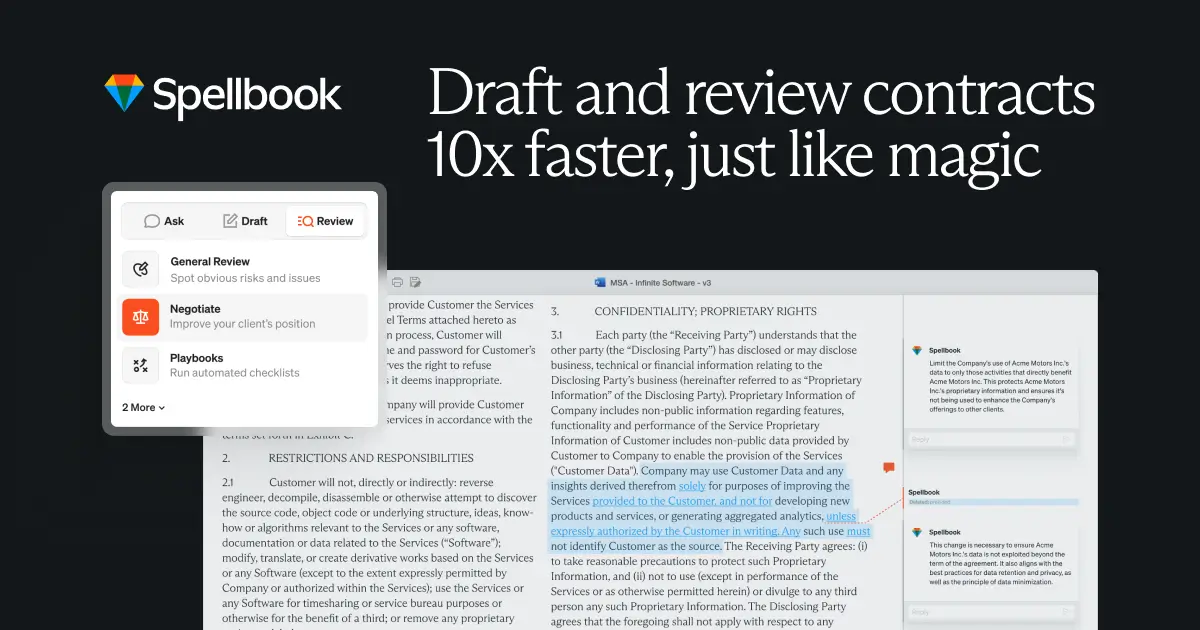
The approach is smart. Transactional lawyers live in Word. Switching to a separate AI platform for contract review creates friction that kills adoption. Spellbook eliminates that friction entirely.
Key features:
- AI-powered contract drafting, review, and redlining directly in Word
- Contract creation from scratch using natural language prompts
- Clause benchmarking against industry standards
- Multi-document AI agent for handling complex matters
- Contract search across your document library
- Uses GPT-4o and other leading LLMs
- 7-day free trial available
Pricing: Starts around $99/user/month. Professional tiers range from $329-$399/user/month for the full AI suite. Custom enterprise pricing available.
Who it's best for: Transactional lawyers who spend significant time drafting, reviewing, and negotiating contracts. If your day is M&A agreements, licensing deals, or commercial contracts, Spellbook was built for you.
What I like: The Word integration is genuinely seamless. You don't leave your document to use AI -- it's right there in the sidebar. The redlining feature is particularly useful for negotiations where you're going through multiple rounds of markup. The multi-document agent for handling matters with multiple related contracts is a recent addition that addresses a real workflow gap.
Limitations: It's exclusively a Word add-in, so if your firm uses Google Docs or another platform, you're out of luck. The pricing at the higher tiers gets expensive. And it's focused narrowly on contract work -- if you need research or litigation support, you'll need additional tools.
Build AI tools for your law practice
Pickaxe lets law firms create custom AI agents for client intake, document review, and legal research — all within your control.
7. Luminance -- Enterprise Contract Intelligence
Luminance takes a different approach to contracts than Spellbook. Where Spellbook helps you draft and review individual contracts, Luminance manages your entire contract landscape -- drafting, negotiation, analysis, compliance, and investigation at enterprise scale.
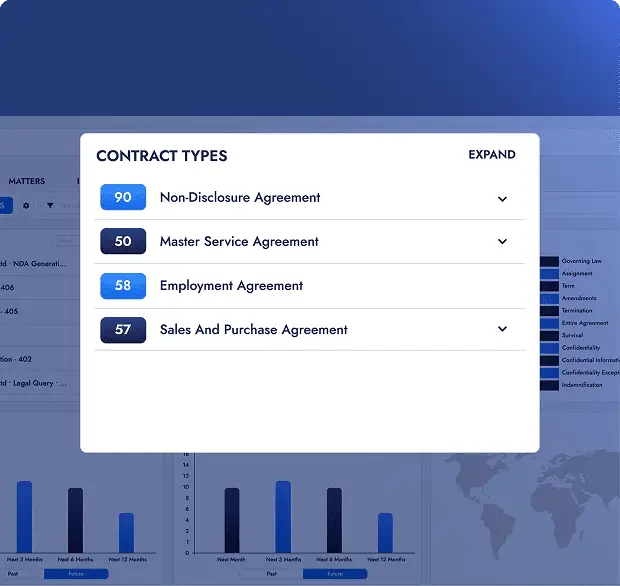
In January 2026, Luminance launched its largest platform upgrade in a decade, introducing institutional memory that reportedly cuts contract negotiation time by up to 90%. The system learns your organization's negotiation patterns and preferred positions, then applies that knowledge automatically to new contracts.
Key features:
- End-to-end contract lifecycle management: draft, negotiate, analyze, comply
- Institutional memory that learns your firm's negotiation patterns
- Microsoft Word integration for live negotiation support
- Portfolio-wide contract analysis dashboard
- Regulatory compliance monitoring against changing regulations
- eDiscovery and investigation document review
Pricing: Enterprise-only with custom quotes. No public pricing -- requires a procurement process.
Who it's best for: Large law firms and corporate legal departments managing high volumes of contracts. If you're handling hundreds or thousands of contracts per quarter, Luminance's portfolio-level analysis and institutional memory features justify the enterprise investment.
What I like: The institutional memory concept is brilliant. Instead of every lawyer at your firm negotiating from scratch, the AI captures your organization's collective negotiation intelligence and applies it automatically. For firms doing repeat deal types, the efficiency gains compound over time.
Limitations: Enterprise-only pricing puts it out of reach for most small and mid-size firms. The sales process is long and involves procurement -- you can't just sign up and start using it. And the platform's power is proportional to the volume of contracts you feed it, so smaller practices won't see the same returns.
8. EvenUp -- AI Built for Personal Injury Lawyers
EvenUp is one of the most focused AI tools in the legal space. It does one thing -- automates demand letter creation and medical record analysis for personal injury firms -- and it does it exceptionally well.
The numbers back up the focus. EvenUp reports that their AI-generated demands have a 69% higher likelihood of hitting policy limit settlements compared to manually drafted letters. For PI firms where settlement value is everything, that's a massive differentiator.
Key features:
- AI-drafted demand letters in your firm's exact tone and style
- Two options: Express Demands (instant, AI-only) or Expert-Reviewed (AI + human attorney oversight)
- Automated medical record parsing, ICD code assignment, and chronology creation
- Data-driven settlement estimates backed by 250K+ verdict and settlement data points
- AI Drafts Suite for complaints, interrogatory responses, negotiation sheets, and more
- Missing document flagging
Pricing: Per-case pricing model. Base fee around $300 per demand, with costs potentially reaching $500-$800+ depending on add-ons. EvenUp recently introduced simplified per-case pricing to address complexity complaints.
Who it's best for: Personal injury law firms, period. If PI isn't your practice area, this tool isn't relevant. If it is, EvenUp should be at the top of your evaluation list.
What I like: The vertical focus is its greatest strength. Instead of trying to be everything to everyone, EvenUp built exactly what PI lawyers need. The medical record analysis alone saves paralegals 5+ hours per claim. And the settlement data backing the demand amounts gives your letters empirical weight.
Limitations: The pricing model has been a pain point. Many users report confusion about add-ons and hidden fees, though the new per-case pricing model aims to fix this. It's also exclusively for PI -- the AI is trained on personal injury case patterns and won't transfer to other practice areas.
9. Relativity -- AI-Powered eDiscovery at Scale
Relativity is the dominant platform in eDiscovery, and for good reason. 198 of the AmLaw 200 use Relativity, and the AI capabilities they've built into the platform -- branded as Relativity aiR -- are transforming how document review gets done.
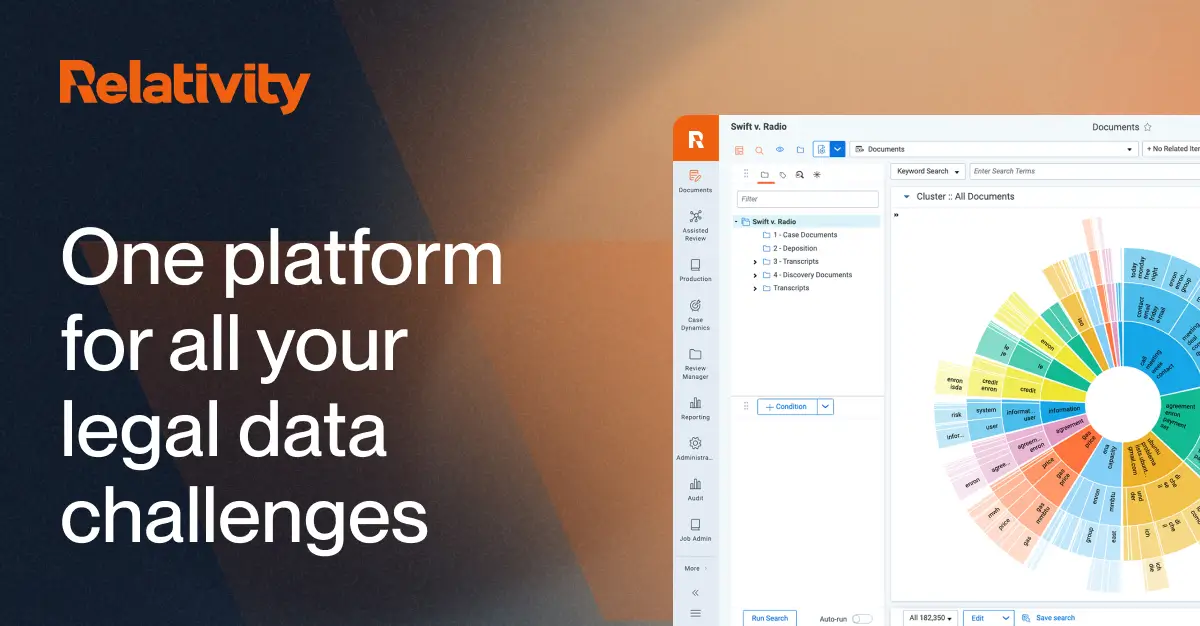
The scale of what Relativity handles is staggering. Their aiR product line has been adopted across over 2,000 projects with 190+ million review decisions as of early 2026, delivering time savings of 50-70% in certain review workflows.
Key features:
- AI-powered document review with intelligent prioritization
- Relativity aiR for Case Strategy: auto-extract facts, visualize chronologies, prepare depositions
- Automated privilege detection and review
- PII and PHI detection with high-volume redaction
- Concept clustering and intelligent search
- Document, witness, and transcript summaries
- Microsoft integration with data staying secure within RelativityOne
Pricing: Custom pricing through sales. Flexible models available.
Who it's best for: Litigation firms handling large-scale document review, data breach response, or internal investigations. If your practice involves any significant volume of eDiscovery, Relativity is likely already on your radar.
What I like: The aiR for Case Strategy tool is a genuine innovation. Automatically extracting facts from thousands of documents, generating chronologies, and preparing deposition summaries -- these are tasks that used to consume weeks of associate time. The privilege detection AI is also excellent, reducing one of the most anxiety-inducing aspects of document production.
Limitations: Relativity is enterprise software with enterprise pricing and enterprise implementation complexity. It's not something you sign up for on a Tuesday afternoon. Smaller firms may find the platform overkill for their needs, and the learning curve is steep.
10. Darrow -- Justice Intelligence That Finds the Cases
Darrow occupies a unique space in legal AI. Instead of helping you work on cases you already have, Darrow's Justice Intelligence Platform uses AI to find cases you didn't know existed.

The platform uses generative AI, NLP, and large language models to analyze publicly available data and detect potential legal violations -- data breaches, environmental violations, employment law issues, consumer fraud patterns. It's essentially an AI-powered case origination engine.
Key features:
- AI-driven detection of potential legal violations from public data
- Analysis across data breach, environmental, employment, and consumer protection law
- Case assessment and viability scoring
- Plaintiff identification and outreach support
- Market intelligence on emerging litigation trends
Pricing: Custom enterprise pricing. Contact their team for quotes.
Who it's best for: Plaintiff-side litigation firms, especially those focused on class actions, mass torts, or consumer protection. If your business model depends on case origination, Darrow is worth evaluating.
What I like: The concept is genuinely innovative. Most legal AI tools help you work faster on existing cases. Darrow helps you find new cases -- which is a fundamentally different value proposition. For plaintiff firms where deal flow is everything, this could be transformative.
Limitations: The platform is still relatively new and building its track record. Enterprise-only pricing limits accessibility. And the AI's ability to identify "potential" violations doesn't mean every flagged case is viable -- human legal judgment is still essential for case selection.
11. Lex Machina -- Litigation Analytics That Show You the Odds
Lex Machina, a LexisNexis company, takes a data-driven approach to litigation strategy. Instead of relying on intuition about how a judge tends to rule or how opposing counsel typically operates, Lex Machina gives you the actual numbers.
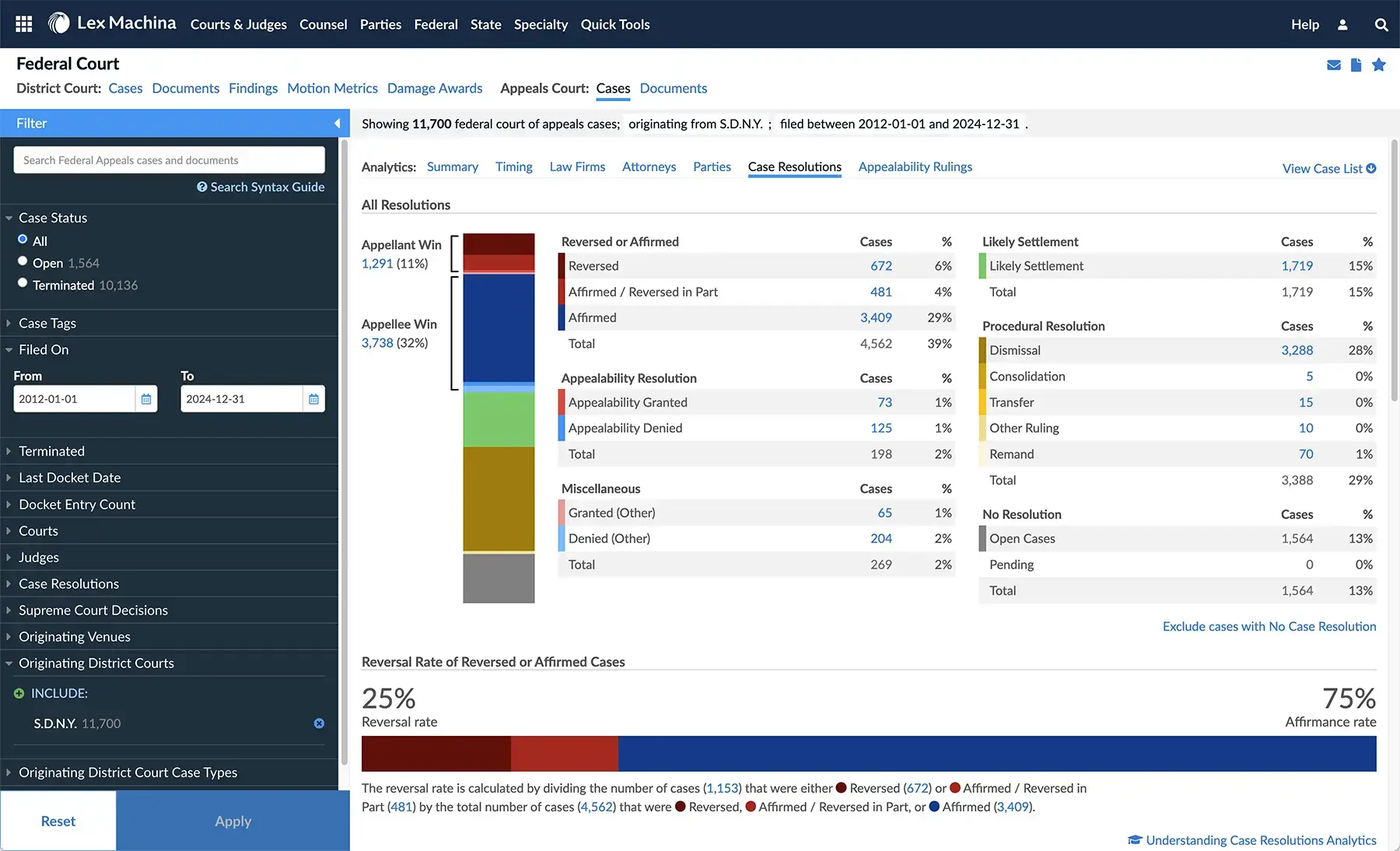
The platform crawls court databases including USPTO, PACER, and state courts every 24 hours, so you're always working with current data. That's important in a profession where a judge's recent rulings can significantly shift your case strategy.
Key features:
- Judge behavior analytics: ruling patterns, time to resolution, damages awarded
- Opposing counsel analysis: win rates, settlement patterns, litigation style
- Case outcome prediction based on historical data
- Damages analysis for setting realistic client expectations
- Case milestone tracking and timing analysis
- Daily database updates from federal and state courts
Pricing: Custom quotes based on firm size and usage. Demos available.
Who it's best for: Litigation firms that want to make data-driven strategic decisions. Especially valuable for IP litigation, employment law, and commercial disputes where judge behavior patterns matter significantly.
What I like: The opposing counsel analysis is my favorite feature. Knowing that your opponent settles 80% of cases before trial, or that a particular judge grants summary judgment at twice the national average, fundamentally changes your litigation strategy. This is the kind of intelligence that used to require decades of courtroom experience.
Limitations: Coverage varies by jurisdiction and practice area. State court data is less comprehensive than federal. The analytics are only as good as the underlying data, and not every case type has enough historical data points for reliable predictions. Custom pricing makes it hard to evaluate ROI before committing.
12. Clearbrief -- The AI That Checks Your Briefs Before the Judge Does
Clearbrief solves a specific, high-stakes problem: making sure the legal briefs you file are accurate, well-supported, and don't contain citation errors that could embarrass you in court.
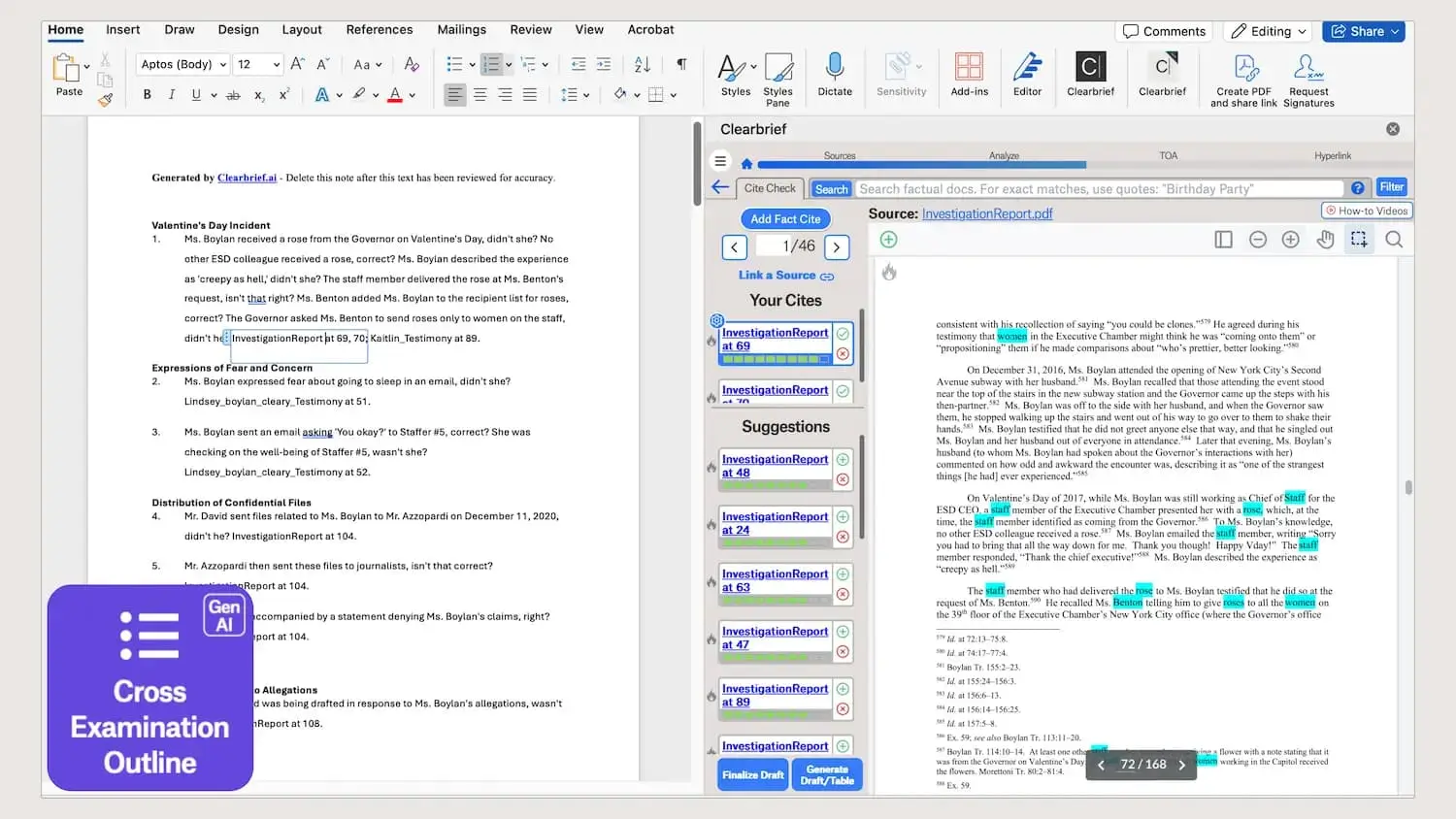
In the era of AI-generated legal text, this matters more than ever. Courts across the country are scrutinizing AI-assisted filings, and the lawyers who got caught submitting briefs with hallucinated case citations learned this lesson the hard way.
Key features:
- Automated citation verification against actual case law
- Argument analysis identifying weak points in your brief
- Evidence recommendation -- surfaces supporting quotes you might have missed
- Integration with Microsoft Word for in-line feedback
- Highlights unsupported claims and suggests improvements
Pricing: Custom quotes. Demos available on request.
Who it's best for: Litigation attorneys who file briefs, motions, and memoranda regularly. Especially valuable for appellate practices where the quality of legal writing directly determines outcomes.
What I like: The evidence recommendation feature is genuinely useful. When Clearbrief highlights a claim in your brief and says "here's a supporting quote from the record that strengthens this argument," that's the kind of second pair of eyes every litigator needs. It catches the holes in your argument before opposing counsel does.
Limitations: Narrow focus -- it's specifically for brief writing and won't help with contracts, practice management, or client intake. The custom pricing means you need to go through a sales process to evaluate it. And while it catches citation errors, it's not a substitute for understanding the law yourself.
13. ChatGPT -- The Swiss Army Knife Every Lawyer Should Use
You already know ChatGPT. But what most lawyers don't realize is how much more useful it becomes with intentional prompting. It's not just for "write me a demand letter" -- though it can do that too.
Used well, ChatGPT can help you draft client correspondence, summarize depositions, brainstorm case theories, create timelines from discovery documents, generate jury instructions, and outline CLE presentations. The key is treating it as a thinking partner, not an authority.
As legal tech expert Josh Kubicki noted on X, lawyers need to develop adaptive skills with AI tools rather than relying on a single tool -- "our work is indeed too nuanced and multi-step for that."
Key features:
- Natural language interaction for any legal task
- Custom GPTs for specialized legal workflows
- File upload for document analysis and summarization
- Advanced data analysis for processing case data
- Web browsing for current legal research
- Memory feature for maintaining context across conversations
- Voice mode for brainstorming
Pricing: Free plan with GPT-4o mini. ChatGPT Plus at $20/month for GPT-4o and advanced features. Team plans at $25/user/month.
Who it's best for: Every lawyer. Regardless of what specialized legal AI tools you use, ChatGPT should be in your toolkit for the hundred small tasks that don't justify a dedicated platform.
What I like: The Custom GPTs feature is underrated for law firms. You can build a GPT that knows your firm's memo format, your billing codes, or your client intake process -- and it stays consistent every time. At $20/month, it's the highest-ROI AI tool on this list.
Limitations: ChatGPT is not trained on legal databases and will confidently hallucinate case citations. Never rely on ChatGPT for legal research without independent verification. It doesn't have Shepard's, doesn't validate citations, and has no special legal training. Use it for drafting, brainstorming, and summarization -- not as a research authority. And unlike Pickaxe, you can't easily white-label or monetize custom GPTs for client-facing use.
Create AI agents that know your practice area
Train AI on your firm's documents and processes, then deploy branded tools your team and clients can use.
14. Smith.ai -- AI-Powered Client Intake That Never Sleeps
Smith.ai combines human receptionists with AI-powered call routing and client intake. For law firms where every missed call is a missed client, Smith.ai ensures someone always picks up.

The AI handles the initial screening -- determining whether a caller is a qualified lead, routing them to the right attorney, capturing intake information, and scheduling consultations. The human receptionists handle the empathy and nuance that AI still can't match, especially for clients calling during stressful legal situations.
Key features:
- 24/7 AI-powered call answering and routing
- Lead qualification and screening based on your criteria
- Client intake form completion
- Appointment scheduling with calendar integration
- Live chat for website visitors
- CRM integration (including Clio, Lawmatics, and others)
- Outbound calling for follow-ups
Pricing: Receptionist calls: $285-$1,950/month (30-300 calls). Web chat: $140-$600/month (20-120 chats).
Who it's best for: Small to mid-size firms that can't afford full-time reception staff but can't afford to miss client calls either. Especially valuable for PI, criminal defense, and family law firms where potential clients are often calling during emotional moments.
What I like: The hybrid AI + human approach is smart for legal. Pure AI receptionists can feel cold when someone is calling because they've been arrested or served with divorce papers. Smith.ai's model ensures the initial screening is efficient (AI) while the actual human interaction remains empathetic (real people).
Limitations: At $285/month for just 30 calls, it's not cheap. The per-call pricing can add up quickly for high-volume firms. And while the AI routing is good, it's not a substitute for a trained legal intake specialist who can identify the legal issues a caller is describing.
15. Smokeball -- Practice Management With Automatic Time Tracking
Smokeball is a practice management platform that uses AI to solve one of the legal profession's oldest problems: capturing billable time. The platform runs quietly in the background, tracking what you're working on and automatically logging your time.

For lawyers who bill by the hour, the math is simple. Studies suggest attorneys lose an average of 10-30% of billable time to poor time tracking. If you're billing $300/hour, that's $60,000-$180,000 in lost revenue per year per attorney. Smokeball's AI time capture aims to close that gap.
Key features:
- Automatic time tracking that runs in the background
- Activity tracking across email, documents, calls, and court filings
- Matter management with AI-powered workflows
- Document automation with templates and clause libraries
- Billing and invoicing with AI-suggested time entries
- Performance analytics and firm-wide productivity dashboards
Pricing: Custom pricing based on firm size. Contact their team for quotes.
Who it's best for: Small to mid-size firms (particularly in the 2-50 attorney range) that bill by the hour and want to capture more billable time without the burden of manual time entry.
What I like: The automatic time capture is the standout feature. Having the software track your activity and suggest time entries eliminates the end-of-day scramble to reconstruct what you worked on. The productivity analytics are also useful for firm management -- you can see where time is being spent and identify bottlenecks.
Limitations: Custom pricing makes it hard to compare against Clio upfront. The platform is more popular in Australia (where Smokeball was founded) than in the U.S., which means the community and third-party integration ecosystem is smaller. And while the time tracking AI is good, it can't distinguish between productive work and distractions on the same matter.
How AI Is Changing the Legal Profession (By the Numbers)
This isn't speculation. The data is clear.
According to a 2026 industry analysis, 55% of lawyers are already using AI in some capacity, and adoption is accelerating. The Wolters Kluwer Future Ready Lawyer Report shows that firms embracing AI tools are reporting meaningful competitive advantages.
The productivity gains are concrete. Everlaw's research found that lawyers save between 1-10 hours per week, with heavy users saving 260+ hours per year. That's over six weeks of full-time work recaptured.
And 82% of AI users say it increases their overall efficiency, freeing up time for higher-value work like client strategy, business development, and the complex legal analysis that AI still can't handle.
The investment follows the adoption. $1.9 billion was invested in legal tech AI startups in 2025 alone, up from $1 billion the year before. Harvey's $11 billion valuation is just the tip of the iceberg. The legal AI arms race is real, and it's accelerating.
As Andrew Arruda noted on X, "the world needs more lawyers, not less. The key is that the lawyers must be affordable AND high quality. AI helps make this a reality."
Recommended AI Tool Stacks by Firm Type
Not every firm needs all 15 of these tools. Here's what I'd recommend based on your practice type.
Solo Practitioners & Small Firms (Budget: $50-200/mo)
ChatGPT + Clio + Pickaxe
ChatGPT handles drafting, brainstorming, and daily legal tasks for $20/month. Clio manages your practice operations with AI-powered deadline tracking. Pickaxe lets you build custom client intake agents and FAQ bots trained on your specific practice area -- and potentially charge clients for access.
Mid-Size Litigation Firms (Budget: $500-2,000/mo)
Lexis+ AI + Lex Machina + Clearbrief + Clio + Pickaxe
Lexis+ AI powers your legal research with citation validation. Lex Machina gives you litigation analytics for strategic decision-making. Clearbrief catches errors in your briefs before filing. Clio manages firm operations. Pickaxe enables client-facing AI tools like case status checkers or legal FAQ agents for your website.
Transactional Practices (Budget: $500-1,500/mo)
Spellbook + Luminance (if enterprise) + ChatGPT + Clio
Spellbook handles contract drafting and review inside Word. Luminance manages portfolio-level contract intelligence if you're at enterprise scale. ChatGPT fills in the gaps for correspondence and analysis. Clio manages the operational side.
Personal Injury Firms (Budget: $500-2,000/mo)
EvenUp + Smith.ai + Clio + Pickaxe
EvenUp automates demand letters and medical chronologies. Smith.ai ensures you never miss a potential client call. Clio manages cases and billing. Pickaxe lets you build AI-powered case evaluators that screen potential clients before they talk to an attorney.
How to Choose the Right AI Tools for Your Practice
Before evaluating any specific tool, consider these factors:
Security and Compliance First
Attorney-client privilege is non-negotiable. Any AI tool you use must clearly state how client data is handled, whether data is used for model training, and what compliance certifications it holds. Look for SOC 2 Type 2, ISO 27001, GDPR, and HIPAA certifications. If a vendor can't clearly explain their data privacy practices, walk away.
Integration With Your Existing Stack
The best AI tool is the one your team actually uses. If it doesn't integrate with your document management system, your billing software, or your email, adoption will be low regardless of how impressive the technology is.
Start Small, Then Expand
Don't try to overhaul your entire practice with AI overnight. Pick one high-impact area -- research, time tracking, client intake -- and get comfortable with AI there. Then expand. For a deeper look at choosing the right platform for your needs, check out our comparison of the top AI platforms available right now.
Verify Everything
Every tool on this list can produce errors. AI hallucinations in legal work aren't just embarrassing -- they can lead to sanctions, malpractice claims, and harm to clients. Always verify AI-generated citations, legal analysis, and factual claims before relying on them.
FAQ: AI Tools for Lawyers
Is it ethical to use AI in legal practice?
Yes, with important obligations. The ABA's Model Rule 1.1 on competence includes a duty to understand technology relevant to your practice. Many state bars are issuing guidance that using AI is permissible -- even expected -- as long as lawyers maintain competence, verify outputs, and protect client confidentiality.
The key obligations: disclose AI use when required by your jurisdiction's rules, verify all AI outputs before submitting them to courts or relying on them for legal advice, and protect client data by choosing tools with appropriate security measures.
Can AI replace lawyers?
No. AI is excellent at processing information, identifying patterns, and drafting text. It's terrible at legal judgment, client counseling, courtroom advocacy, and the human relationship skills that define great lawyering. AI replaces tasks, not lawyers. The lawyers who will struggle are those who refuse to adapt -- not because AI took their jobs, but because competitors who use AI will serve clients faster and at lower cost.
What's the best free AI tool for lawyers?
ChatGPT's free plan is the most versatile free option for general legal tasks like drafting, summarization, and brainstorming. For building custom client-facing AI tools, Pickaxe offers a free tier that lets you create and deploy AI agents trained on your firm's knowledge.
How should I handle AI-generated citations?
Verify every single one. Even the best AI legal research tools have error rates -- Lexis+ AI at 17%, Westlaw's AI at 34%. Always confirm citations exist, check that they say what the AI claims they say, and Shepardize them for current validity. Courts have sanctioned lawyers for submitting AI-generated briefs with fabricated citations. This is non-negotiable.
What about AI and attorney-client privilege?
This is an evolving area. The core question is whether uploading client data to an AI tool constitutes a waiver of privilege. Best practices: only use AI tools that don't train on your data, ensure the tool has appropriate confidentiality agreements, and understand where your data is stored and processed. When in doubt, consult your state bar's ethics guidance on cloud computing and AI.
The Bottom Line
Legal AI in 2026 isn't experimental anymore. It's a competitive necessity. The firms adopting these tools are serving clients faster, capturing more billable time, finding cases they would have missed, and building new revenue streams.
Every tool on this list addresses a real pain point in legal practice. Harvey and CoCounsel bring institutional AI expertise. Lexis+ AI makes research faster and more reliable. Clio and Smokeball automate the operational grind. EvenUp and Relativity transform practice-specific workflows.
But if there's one takeaway from this roundup, it's this: the most interesting opportunity isn't just using AI tools -- it's building your own. Platforms like Pickaxe let you turn your firm's expertise into custom AI agents that serve clients, generate revenue, and differentiate your practice. There's a free tier to get started, and you don't need to write a line of code.
The question isn't whether AI will change the legal profession. It already has. The question is whether you'll be one of the lawyers leading the change or playing catch-up.