
See the exact chunks your agent retrieves
Choose a workspace, then open Knowledge Base.
What it does
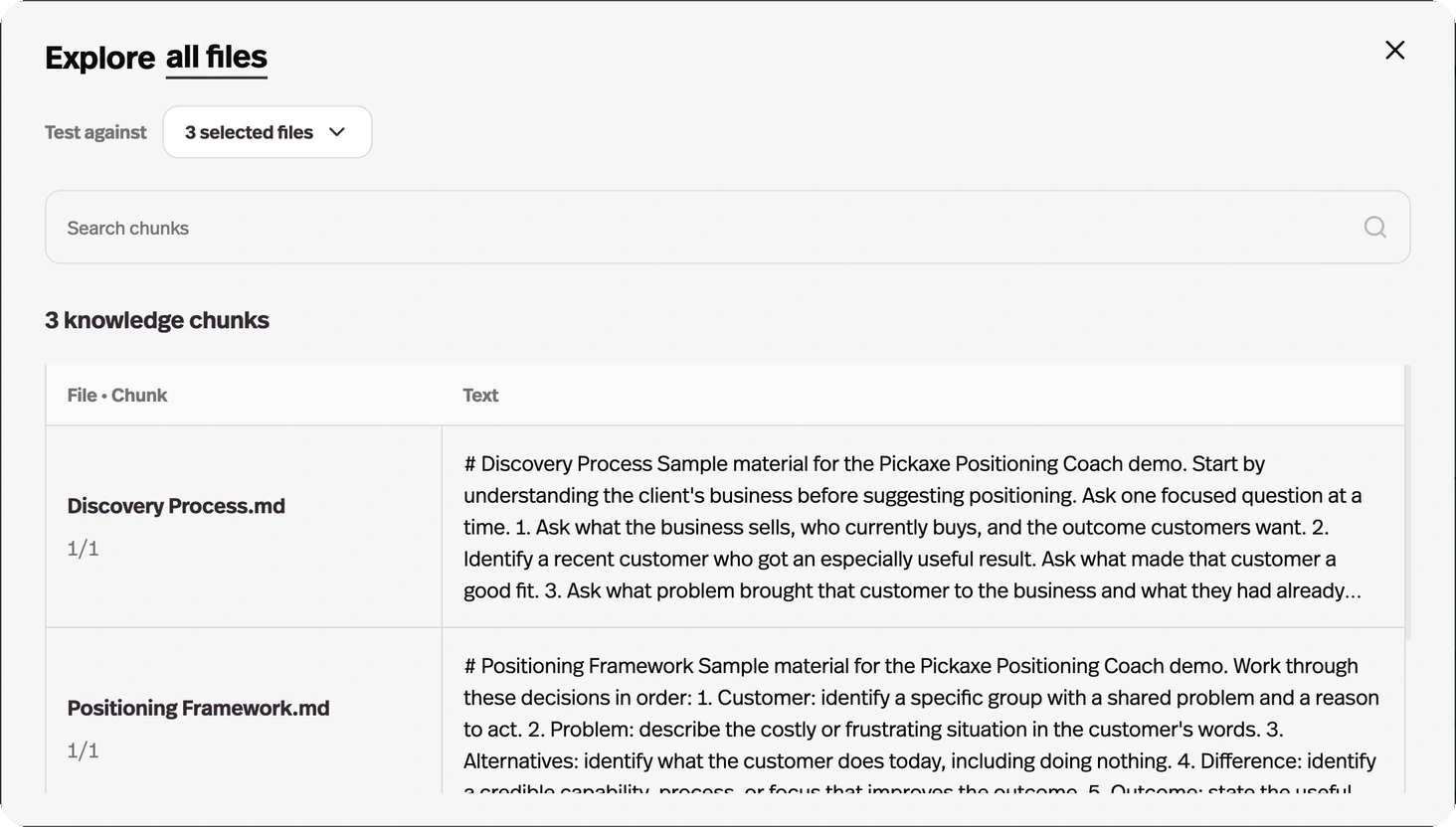
The Knowledge Explorer shows the individual chunks a document was split into and which ones came back for a given query.
Before this
New. There was no way to see what retrieval actually returned. You inferred it from the agent's answers, which is the one signal that cannot tell a bad document from a bad prompt.
Why it matters
When an agent answers from the wrong passage, this is how you find out whether the problem is your document, your chunking, or your prompt.
How it works
The Knowledge Explorer button at the top of the Knowledge Base tab opens the retrieval layer your agents actually see.
- Browse chunks
- Every document with its chunk count. Pick some or look at everything, and read the text of each chunk as it was split.
- Test a query
- The Search chunks bar runs the same semantic search your agents run, and shows which chunks come back.
- Relevance and cost
- Each result carries how relevant it scored and how many tokens it would consume.
It answers the question you cannot answer from the outside: when an agent gives a vague or wrong answer, was the right passage retrieved and ignored, or never retrieved at all? Those two problems have completely different fixes.