
Users can buy more credits
Choose the workspace you want to configure, then follow the steps below.
What it does
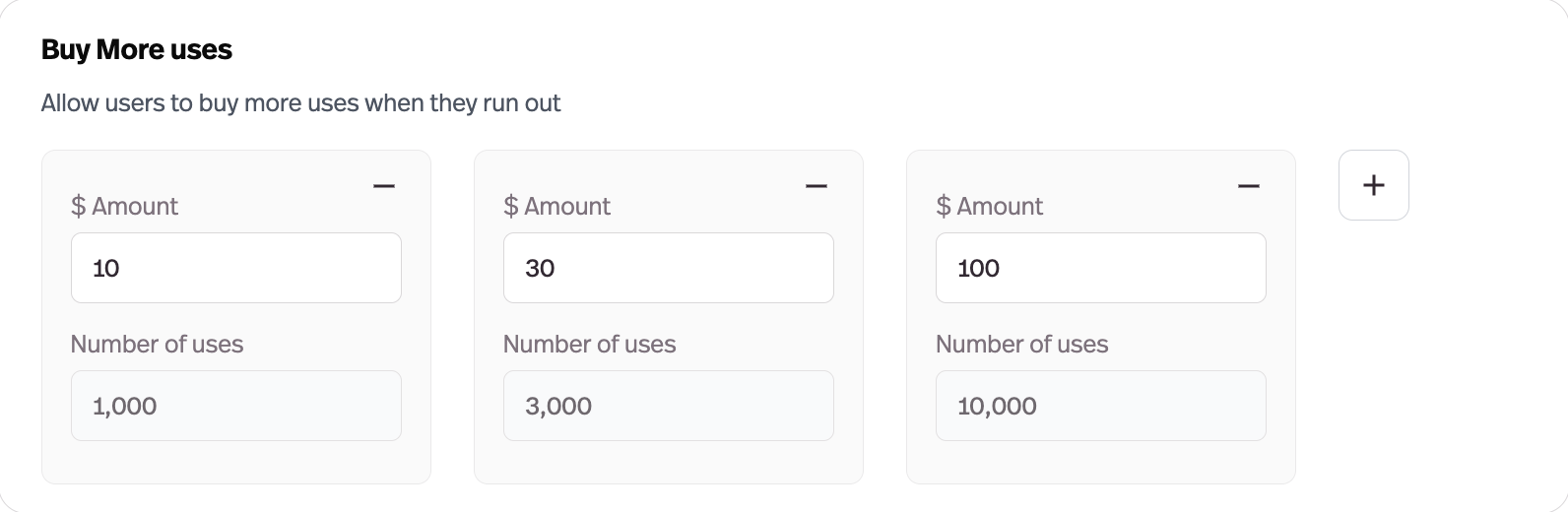
An extra-uses checkout flow lets end users top up when they hit their limit, presented as a carousel of options you configure.
Before this
An expansion. Hitting a limit already produced a message and an upgrade prompt. What it could not do was sell more usage at the tier the user was already on.
Why it matters
Hitting a limit becomes a purchase instead of a dead end — and the users who hit limits are the ones who value the agent most.
How it works
Turned on per access group from its Upgrade tab, as an alternative — or an addition — to upgrading a tier. The packages and their prices are configured once in Settings → User → Usage Cost and presented to users as a carousel when they hit a limit.
The users who hit limits are the users getting the most out of the agent. Before this, that moment ended in a wall; now it ends in a checkout, and the tier they are on does not have to change.