Do you want to use your own API key for Claude models? You're in the right place.
In this post we'll walk through what a Claude API Key is, how you can get your own API key, and how to use it on platforms.
Main Takeaway
To get a Claude API key, you must create an Anthropic account add securely generate your key within the Anthropic Console. The key is shown only once so store it safely. Claude’s API is pay-as-you-go, but you can start with free credits.
Video Walkthrough
Want to see the entire process in action? Watch our complete video tutorial where we walk through each step:
What is a Claude API Key
If you use many AI products, you've probably come across the term "a Claude API key" and wondered what it is, why it's important, and how you get one. An API key serves as a unique identifier that lets you connect to your Anthropic account (the company that created Claude) and access their models like Claude Sonnet and Claude Opus. While it may seem like a hassle, it’s often cheaper in the long-run to use your own API key rather than relying on third-party platforms that act as middle-men. A Claude API key plugs you right into the source so you can pay as you go.
For example, Pickaxe's no-code AI app builder allows users to enter their own API key. This allows them to enjoy near unlimited usage of their embedded AI tools and AI studios not worry about having enough credits or usage.
In this step-by-step guide, we'll walk you through the process of finding, generating, and using your own Claude API key.
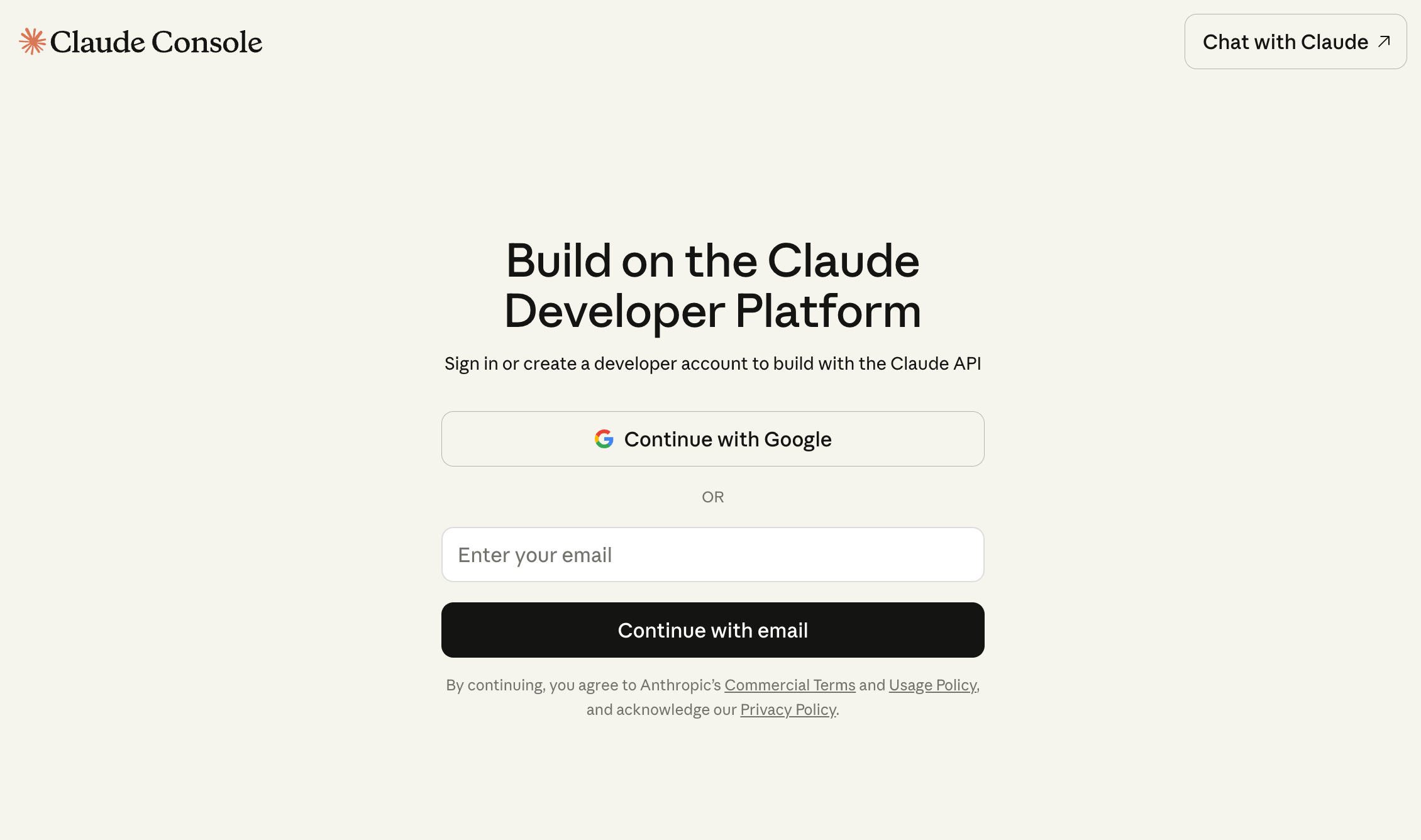
Step 1: Go to Anthropic console & Create Account
Anthropic is the company that created Claude. To get an API key, you'll want to go the Anthropic console website and create an account if you don't already have one.
Step 2: In Dashboard Page, Click on API Keys
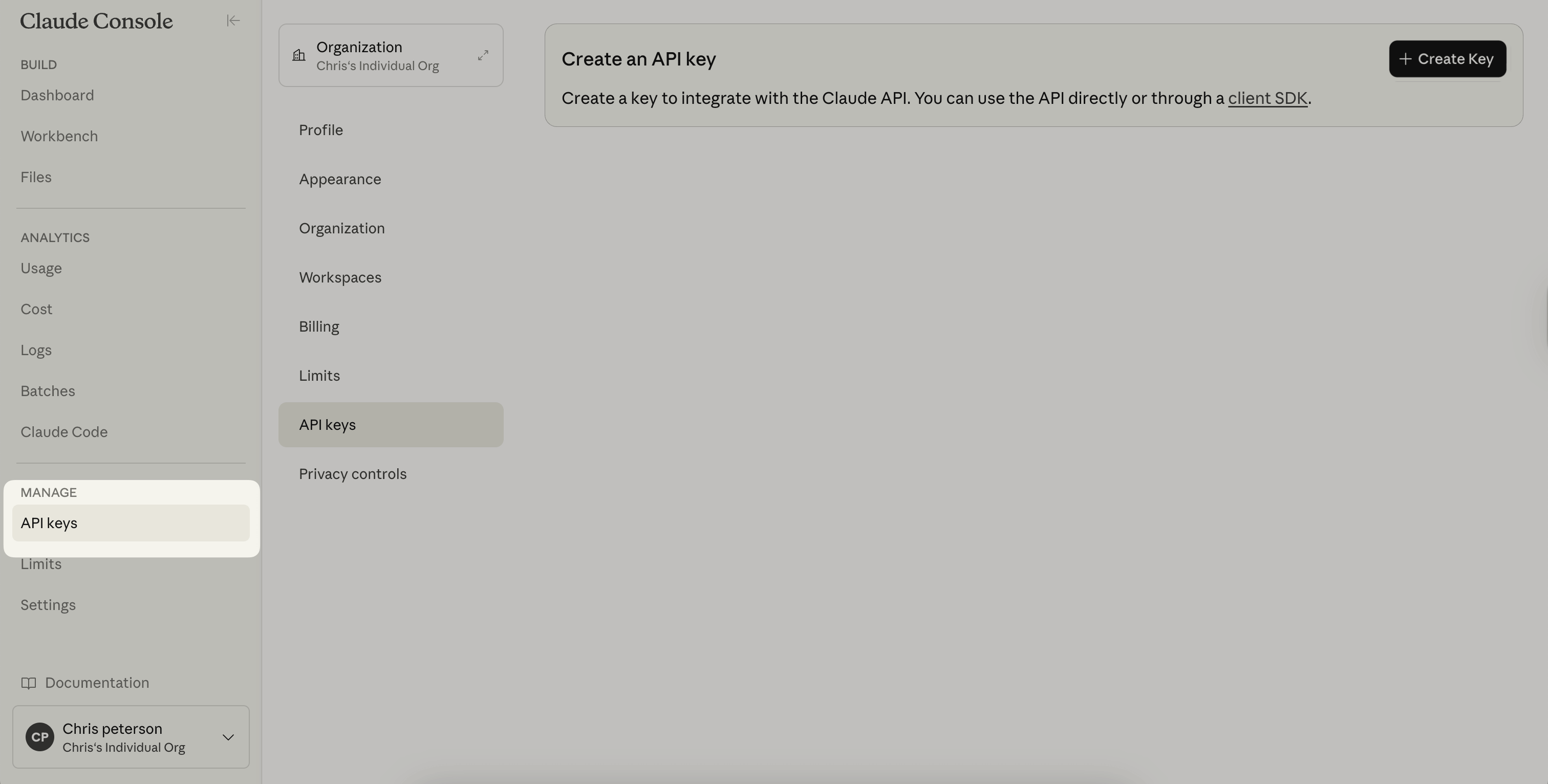
After logging in or creating an account, you'll be redirected to your dashboard page
After you click the "Start Building" button and signed in, you'll be redirected to your dashboard page. This is your home page for all things related to your Anthropic account. You can check billing, usage, save prompts, etc.
Next, you'll want to click on the button that says "API Keys".
Step 3: Create a New Claude API Key
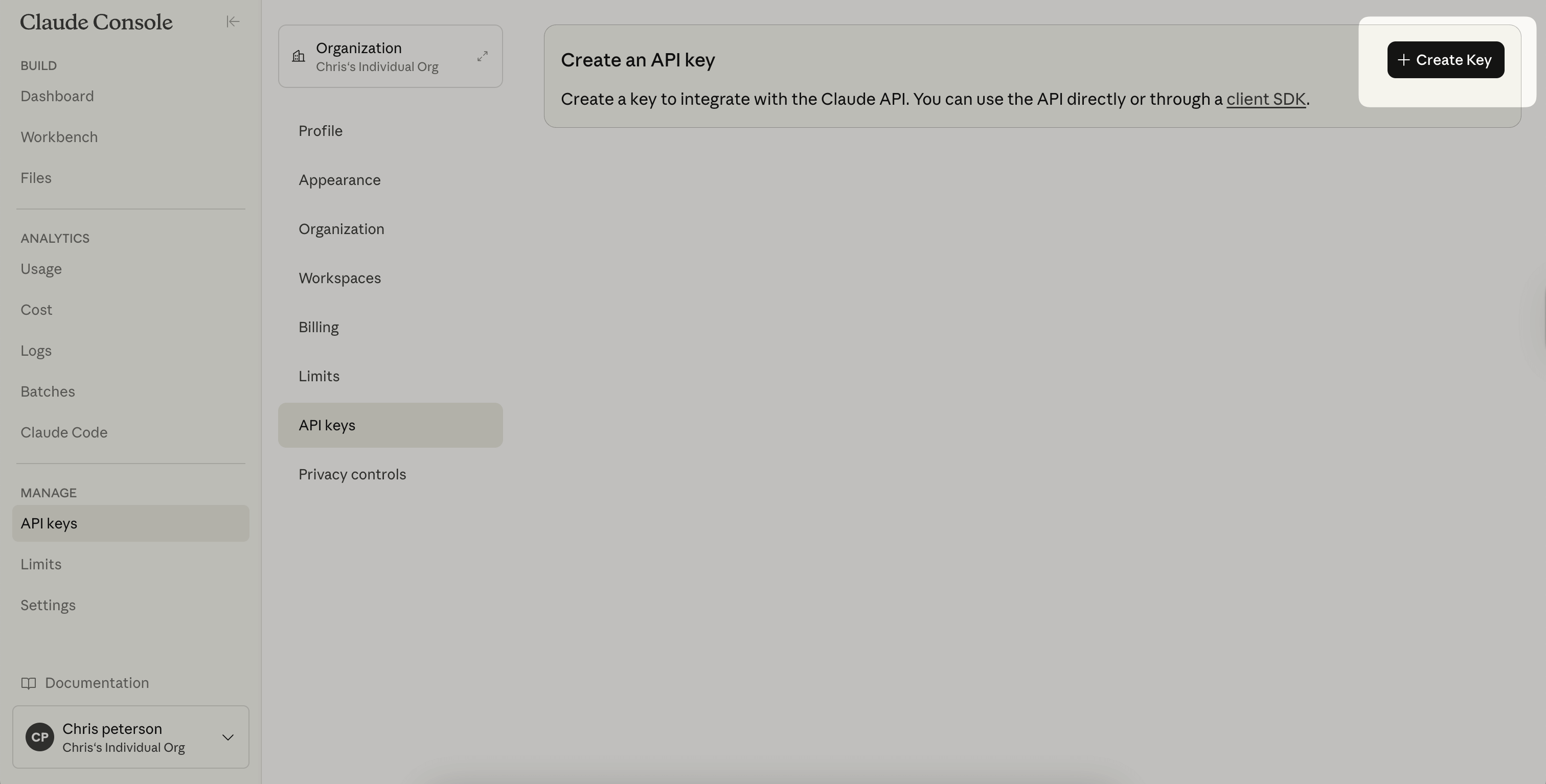
Now you're in the API Keys tab of your Anthropic dashboard. If you have existing API keys, you'll see a list here, including their nickname and the date they were created. If you don't have any keys, it will be empty.
Look for the “+Create Key” button on the top right corner and click on it.
Then you'll be prompted with a pop-up to name and create a new Claude API key. Write in the nickname you want for your API key. This nickname is strictly to help you organize and remember these keys. If you're using the Claude API key for a certain project, name it after that project. When you're ready, click "Create Key" to create the key.
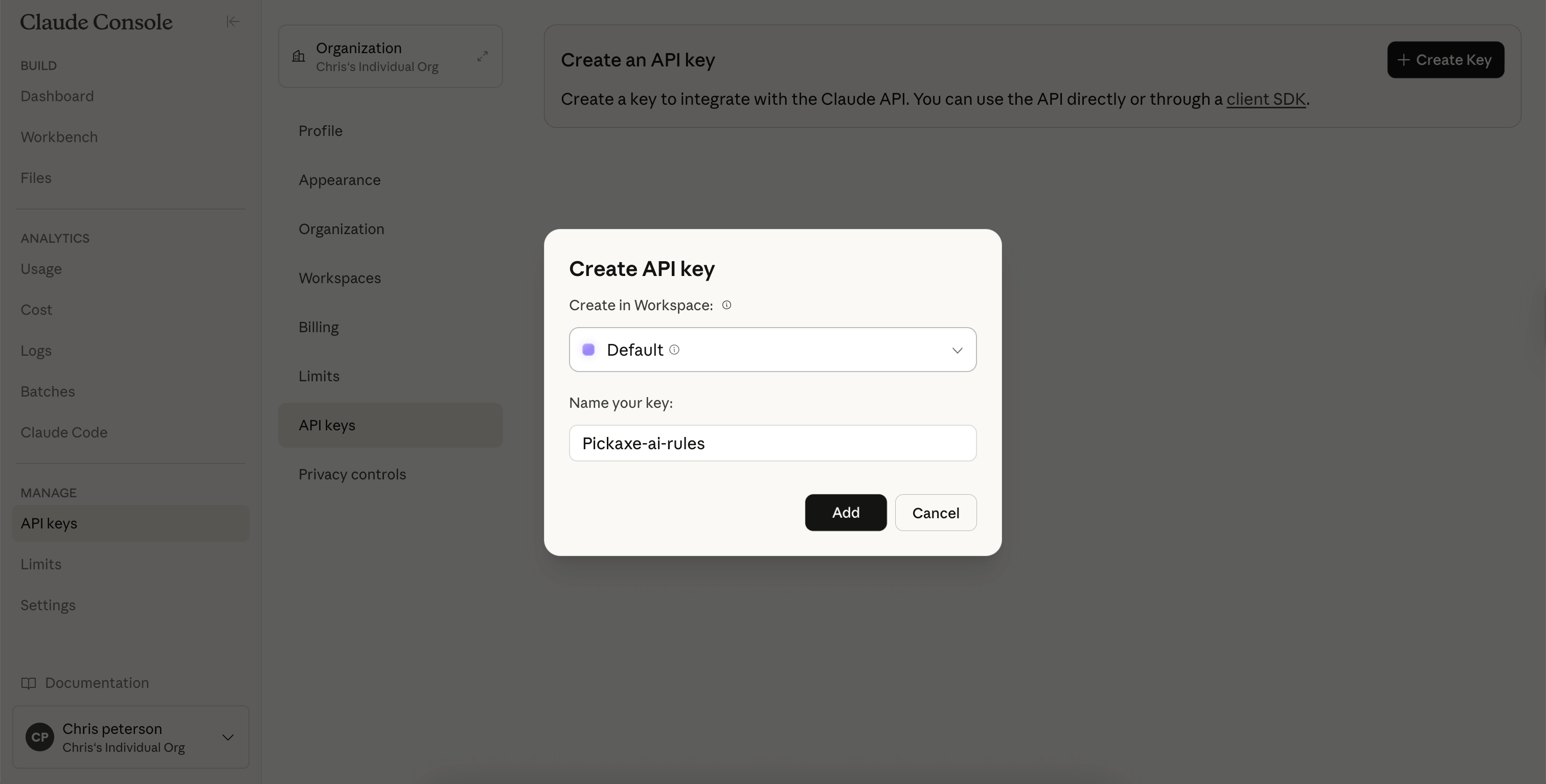
Step 4: Save Your Key!
Next you'll see a window that lists out your entire API key. It will be a long string of nonsensical characters.
This is important. Save your Claude API Key! Copy it down somewhere secure you can access later. Once you've generated a Claude API Key, you will not be able to view it again,
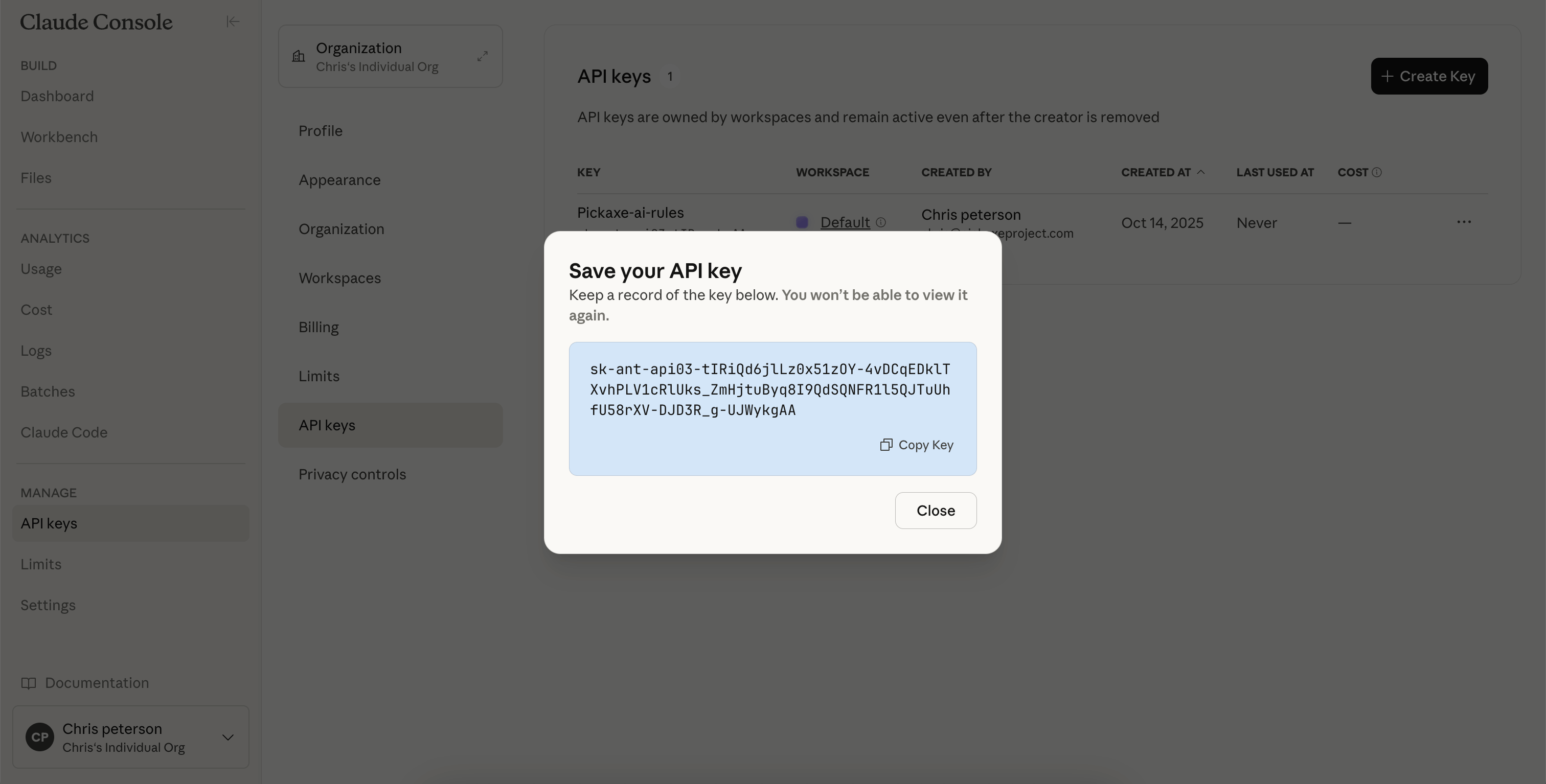
This key is shown only once for security reasons. If you lose it, you'll need to create a new one. Also do not share your Claude API key with other people unless you really trust them. This key has the ability to charge your account.
Step 5: Enter your Claude API key into your Studio
With your API key copied, you can now use in your applications for unlimited usage. For instance, you can enter this key into any of your AI Studios on Pickaxe to use the Claude models and enjoy unlimited usage of them. If you're curious about how API usage differs from credits, you can read this guide on credit systems and API keys.
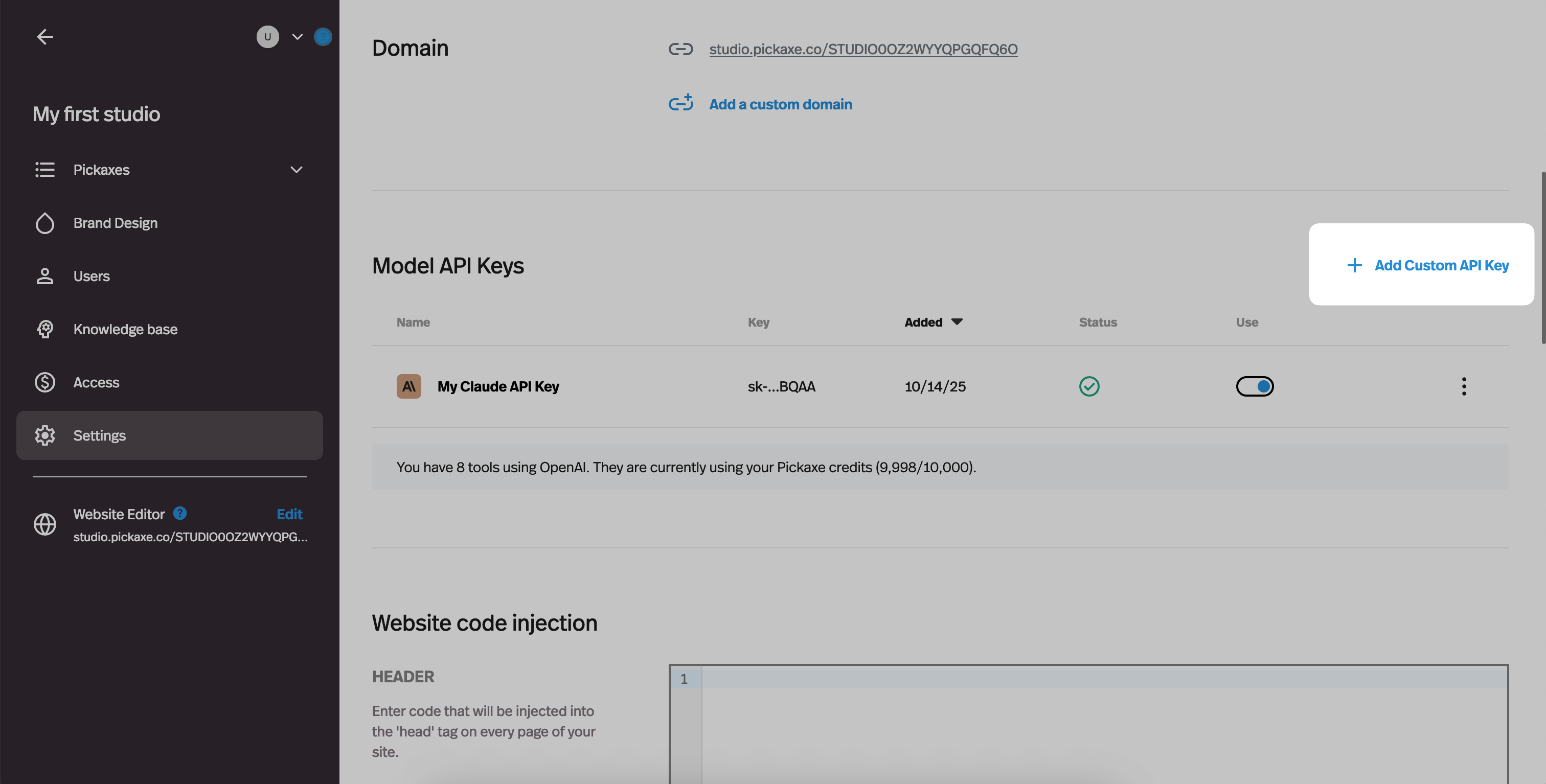
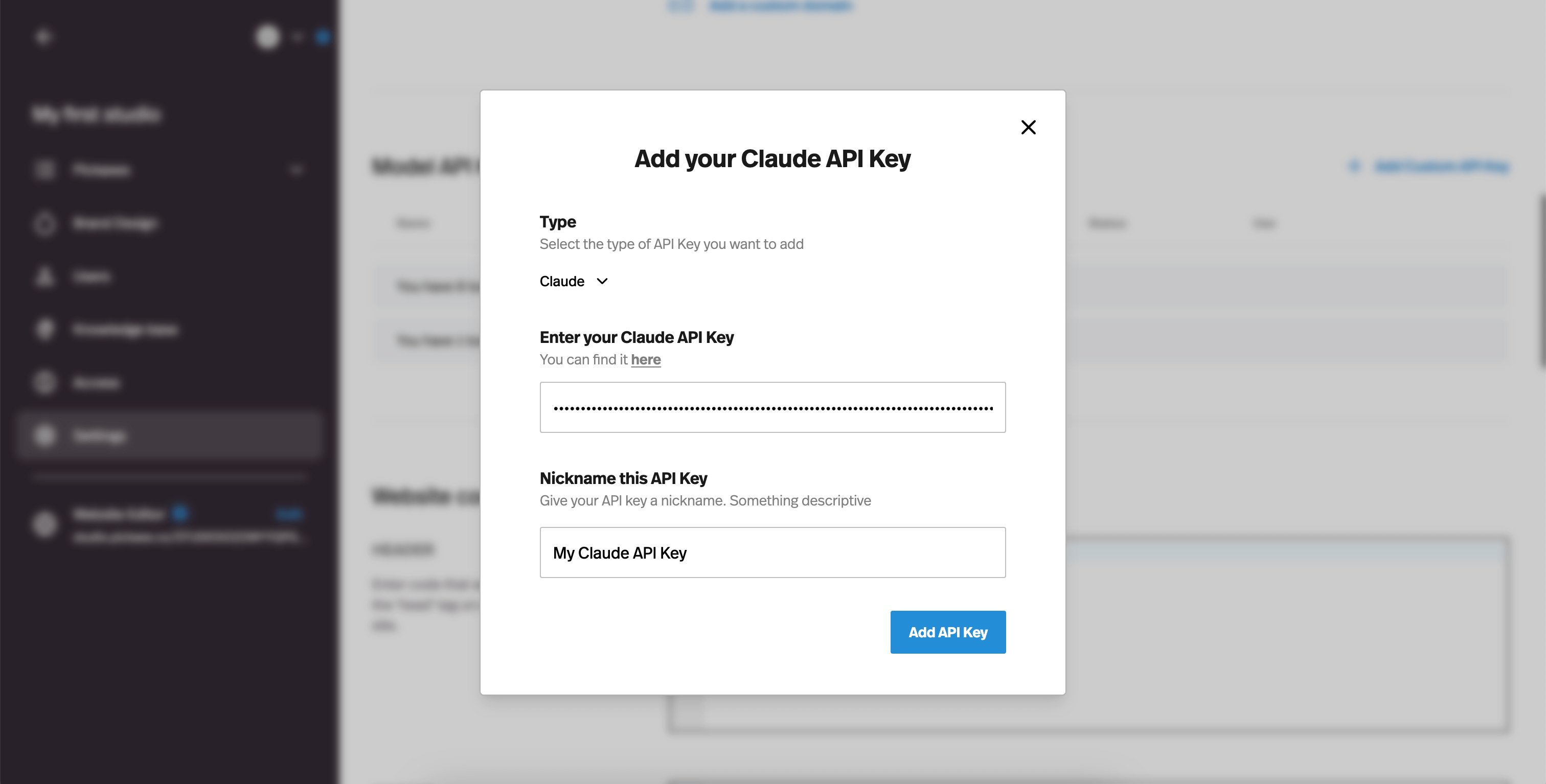
To add your API key go to the studio settings and then under Model API Keys click on "Add Custom API" the select Claude as the as the model type and then add your api key.
Managing Billing
To manage billing on your Claude API key, you can visit your Claude API keys dashboard. There you can see how much your API key has been used, the cost of the usage, all your existing API keys and much more. To view your billing & usage, in the left-hand nav bar just click on the Cost or Usage.
Deleting an Claude API key
If for whatever reason you want to delete a Claude API key, you can always navigate to the Claude API Keys management tab, find the API key you want to delete, click on the three dots in the far right, and then click "disable" or "delete"

Conclusion & other questions
Claude is a powerful model that many users are starting to prefer over OpenAI models like GPT-4. It's a great way to power AI apps that you want embed into your website as a chatbot or form.
Or if you want to make money with AI by selling AI tools in A studio, Claude Sonnet 3.5 is a great choice for business use cases.
If you have any other questions, feel free to reach out in our AI entrepreneur community forum where people starting AI businesses discuss best practices and answer each other's questions.



.png)
.png)