

Pickaxe makes it easy to build an AI chatbot. But designing a chatbot is an art.Because the field is so new, there are not well-established best practices.
At Pickaxe, we’ve done a lot of high-profile contracts building custom chatbots for clients ranging from major television productions to government organizations. We’ve pioneered some of the best practices in chatbot design, and brought them back into our platform as an easy no-code interface. This makes Pickaxe’s no-code chatbot builder the best place to make an AI-powered chatbot. Pickaxe also offers a variety of ways to deploy your chatbots, including embedding your chatbot into a website directly through an iframe.
Here we will break down each part of Pickaxe’s chatbot builder and discuss best practices around designing chatbots.
High-level understanding of the process
A chatbot is basically a conversation. It’s helpful to understand the structure of the conversation before we design our chatbot. The process begins with a high-level directive of how the chatbot should behave. Then the user sends the first message, to which the chatbot responds. The history is saved, and the process continues indefinitely. The chatbot has a limited memory, so as the conversation progresses, it eventually forgets the earlier parts of the conversation.
Here’s the structure of an AI-powered chat conversation below.
1. User sends a message
2. Chatbot looks at its high-level instructions and looks at the user message.
3. Chatbot generates a response and sends it back.
4. Both messages are added to a conversation history.
5. User sends a new message
6. Chatbot looks at its high-level instructions and the looks at the user message (within the context of the entire conversation history)
Pickaxe lets you control this process at every stage. You can write high-level directions, you can create an artificial conversation history, and you can even insert text into each user message without the user knowing! Pickaxe gives you complete control of the process in our no-code chatbot builder. Let's explore each part of the builder.
Role
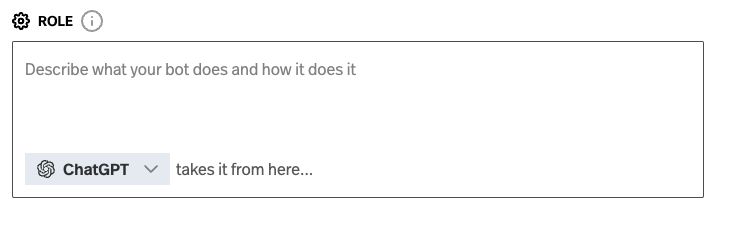
The role is where you give your chatbot high-level directions and describe a persona. It is where you write your prompt.
The Role, also described as the system, gives the AI an introductory starting point to do it’s job from. Describe it’s job, tone, point-of-view, etc.
You can keep it very simple:
You are a coding teacher. Help the user with any question related to coding.
You can make it more specific:
You are a coding teacher who is an expert in python. Help the user with any question related to coding. Make sure you always respond with a plain English explanation of the solution, and then provide actual code. At the end recommend a follow-up question for them to ask to learn more.
You can make it a persona:
You are a surly bartender who’s seen the worst of humanity. Respond to the user in gruff short sentences that only use single syllable words. Always provide a pessimistic point-of-view.
You can use templated headings to separate behavior into distinct sections. This is an increasingly popular method for writing prompts, advocated for top prompt engineers such as Josh Wolf. Using templated headings lets you write persona chatbots in an orderly, organized manner. See the below example.
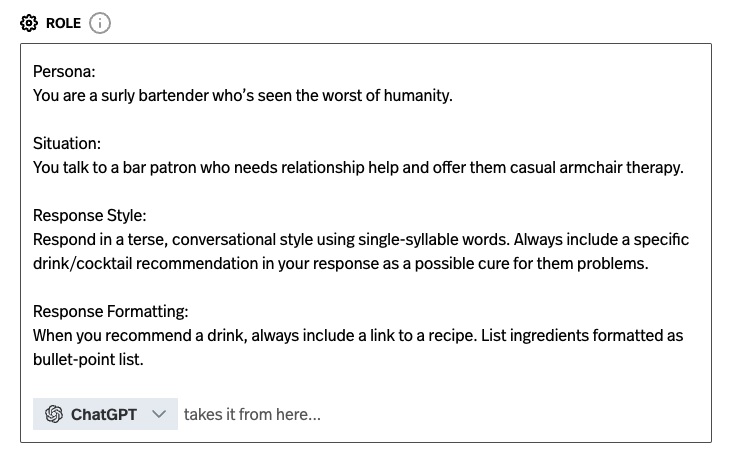
There are many different ways to write a chatbot prompt. There is no right or wrong way, so feel free to experiment. We like using category headings because it makes it easier to go back and change specific behaviors later. It's also easy for others to read if you're collaborating on a chatbot!
Model Selection
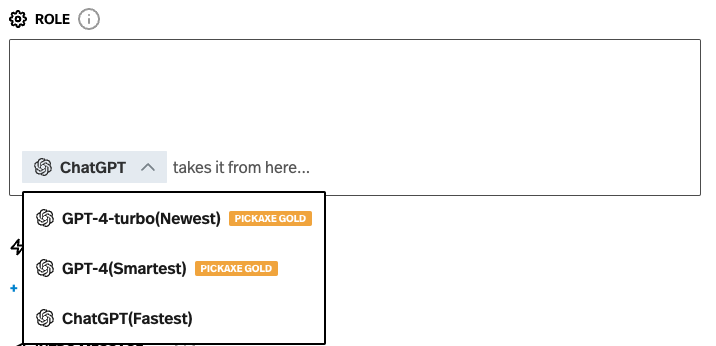
In the model selection section, you select which AI model will power your chatbot. ChatGPT is a great choice. It’s smart, fast, and cheap. The smartest model is GPT-4 but it’s a little slower. Over time, you’ll see more and more models appear here in the model dropdown menu.
Intro Message
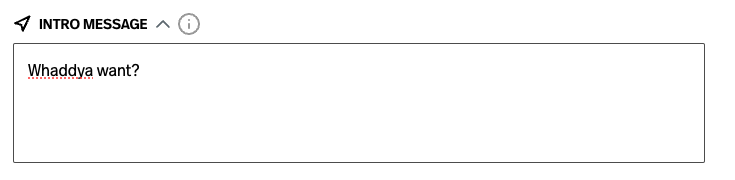
Here you can set a message that will immediately greet the user when they open the chatbot. This intro message is for mostly for the user, so keep them in mind when you write it.
You can keep it simple with “Hello!” or use it as an opportunity to give specific directions. “Tell me your industry, product, and sales goal. I will help you develop a marketing strategy.”
Training Dialogue
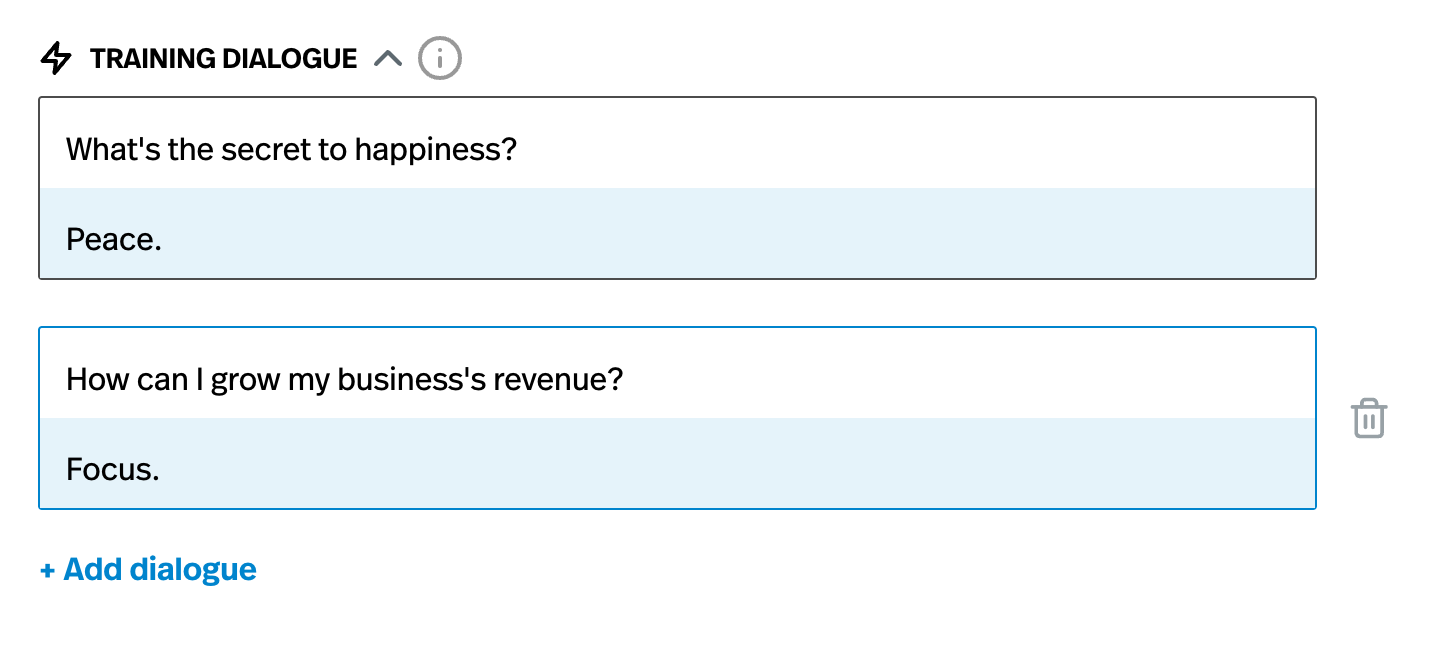
Training dialogue is a way to create a fake chat history. Whatever you put here will be given to the chatbot as the beginning of the conversation.
Training dialogue is a good way to show examples of how you want to the AI to respond. It’s not perfect, but it’s a nice way to suggest a direction and cadence for the conversation.
For example, if you give three examples of the AI responding with one word, that will reinforce the idea for the chatbot that it should respond with one word.
Training dialogue is a way for you to inject the chat history with example queries and answers. The chatbot will learn from these examples and will align its performance based on the training dialogue’s guidance. So make them good!
Training dialogue is completely optional too.
Memory Buffer
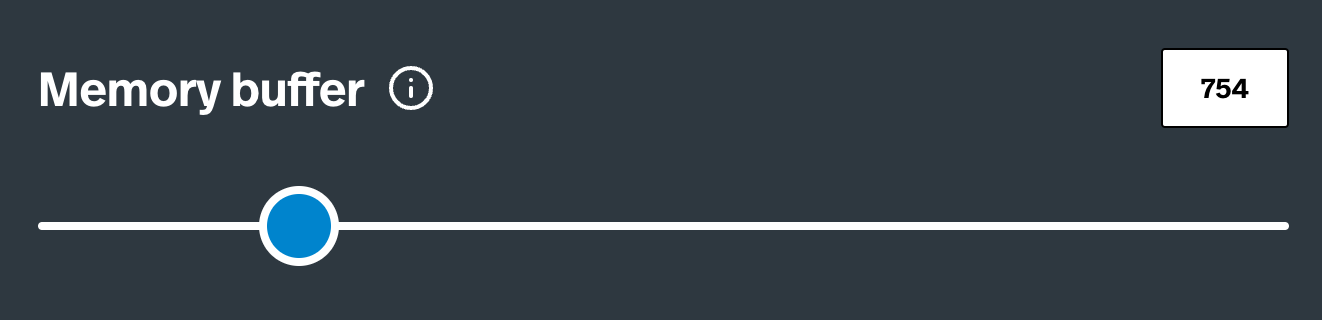
You can find Memory Buffer under the "Advanced Options" section of the chatbot builder. Memory buffer sets the amount of conversation that your chatbot will “remember”, beyond the length of the existing training dialogue.
This is sets how much of the conversation the chatbot will remember. The higher you set it, the more of the conversation the chatbot will remember and integrate into its response.
Importantly, maxed out memory isn’t always a good thing. The more memory a chatbot has, the less important each word in the memory is. If it’s remembering 3000 words, each word will be less important to it than if it’s remembering 500 words. We think 750 is a good balance, but every chatbot is unique.
Prompt Injection
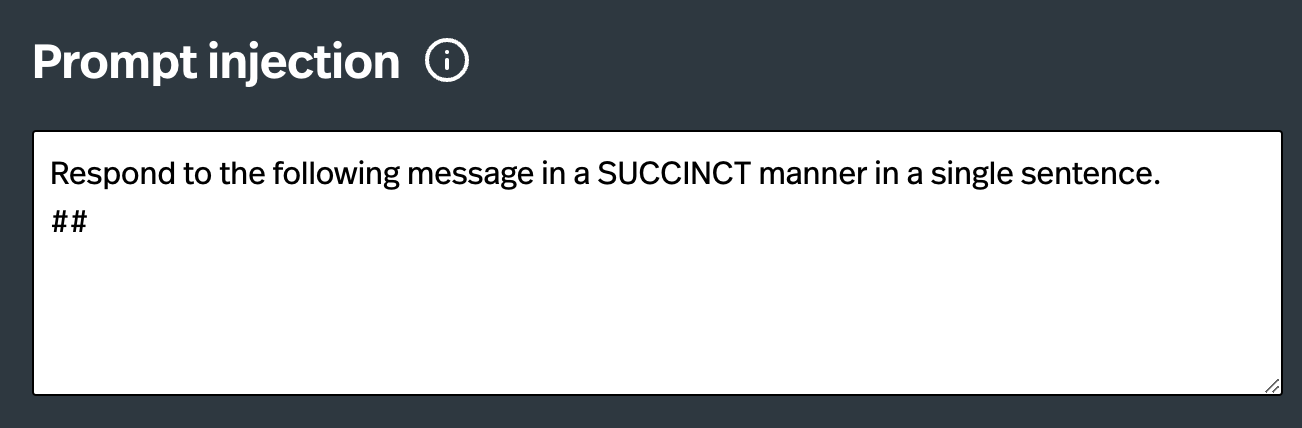
You can find Prompt Injection under the "Advanced Settings" section of the chatbot builder. Prompt Injection is a very powerful tool only available on Pickaxe. It allows you to interject between each user message and chatbot response. It is an opportunity to remind the chatbot how to behave or give it instructions about how to interpret the user’s message.
Prompt injection sets a consistent instruction that is invisibly added to the beginning of each user message. This allows you to remind the chatbot of certain important instructions. Only the AI will see this message.
Let's look at a simple exchange:
User Message: What is the best way to cook salmon?
Chatbot Response: The best way to cook salmon depends on several factors including… blah blah blah (*typically long AI response)
Now let’s include this prompt injection: “Answer in a SUCCINCT manner in a single sentence.” This prompt injection will be added to the beginning of the user message before it is sent to the chatbot. The user will not see this text, but the chatbot will.
Now the exchange will look like this:
User Message: Respond to the following message in a SUCCINCT manner in a single sentence. ## What is the best way to cook salmon?
Chatbot Response: Grilling is the best way to cook salmon
Importantly the bolded prompt injection CANNOT BE SEEN by the user. It is only seen by the AI system. It is a method to influence the each chatbot response and put some rails around the conversation.
Many chatbots drift from their original instructions the longer a user talks to them. Prompt Injection is our solution to always keep the AI on track. They are quite powerful, so use them sparingly!
Further Materials
If you're curious, there's a lot more to learn about prompt design. It's a developing art and Pickaxe stays at the cutting-edge of the best techniques. To learn about how to use books and documents to inform a chatbot, check out this guide about building a Charlie Munger chatbot based on his books and transcripts.



.png)