No-code businesses are flocking to AI app builders to create GPT-powered apps. Brancher.ai is one of the most popular no-code AI app builders. Its slick design gives users the ability to launch their own AI apps in minutes. Pickaxe is another popular no-code AI app builder that offers chatbot interfaces and the ability to embed apps onto your website.
In this article, we’ll talk about the pros and cons of each no-code AI platform, comparing their features. By the end, you’ll be able to find the right platform for you.
But first, here’s a high level of each AI app building platform’s pros and cons.
Brancher.ai
Pros
✅ Launch slick standalone websites
✅ More control over look/styling
✅ Chain prompts together
✅ Big library of cool templates
✅ Supports image models
Cons
❌ Can’t create chatbots
❌ Can’t embed apps into websites
❌ Slow load times because doesn’t support text-streaming
❌ More expensive
Pickaxe
Pros
✅ Embed apps directly into your website
✅ Chatbot and form interfaces
✅ Cheaper and allows you to use your own API key
✅ Access to latest models (like GPT-4)
✅ Answers load instantly with text-streaming
Cons
❌ Can’t chain prompts together
❌ Can’t style app as much
🥱 TLDR:
Brancher.ai is great if you want to launch your AI app as a standalone webpage. Pickaxe is focused on creating AI apps to embed into your website. Brancher’s functionality to chain prompts together allows for a lot of customization, but Pickaxe’s chatbot interface allows for more flexible user experiences.
Let’s jump into the nitty and gritty and look at each app’s features in depth.
Accessibility
Which app is more accessible? Are they easy to use for first-time users? Brancher.ai has a friendly wizard that walks you through the process. Pickaxe throws you in and offers example buttons that fill out the form for you as a test.
Brancher.ai
❌ Must sign up for an account to make an app
❌ Users must sign up for an account to use your Brancher app (unless you sponsor them with credits)
Pickaxe
✅ Can create an app without signing up for an account
✅ Users can use your apps without making an embed
App Building Flow
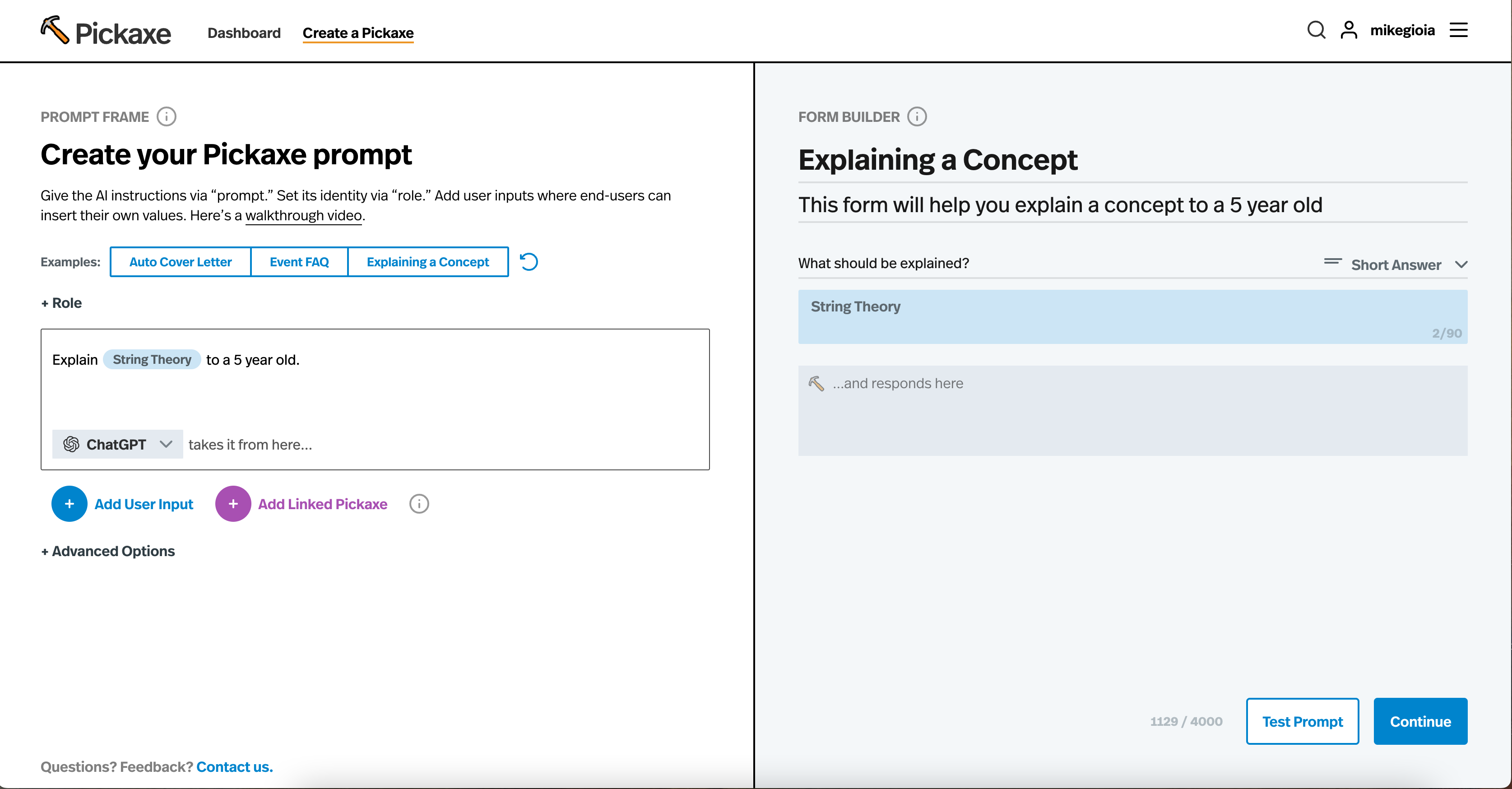
The builder page is the meat of the app for both Brancher.ai and Pickaxe. In the builder. You write your prompt, design your app, and fine-tune the performance of it. Brancher has a noticeable emphasis on designing your app. Their builder begins with filling out the title, description, and color scheme of your app. Pickaxe has an emphasis on prompt design. The Pickaxe builder begins with writing a prompt first.
Brancher.ai
✅ More design customizations
✅ Prompt Chaining allows you to chain together prompts, using the output of one prompt as an input to another prompt
✅ Supports image models like DALL-E
❌ Does not support GPT-4 or non OpenAI models
❌ Does not expose prompt hyperparameters
Pickaxe
✅ Offers GPT-4 (most powerful model) and non OpenAI models like Google Flan
✅ Can customize hyperparameters (output length, randomness, user input limits, system message).
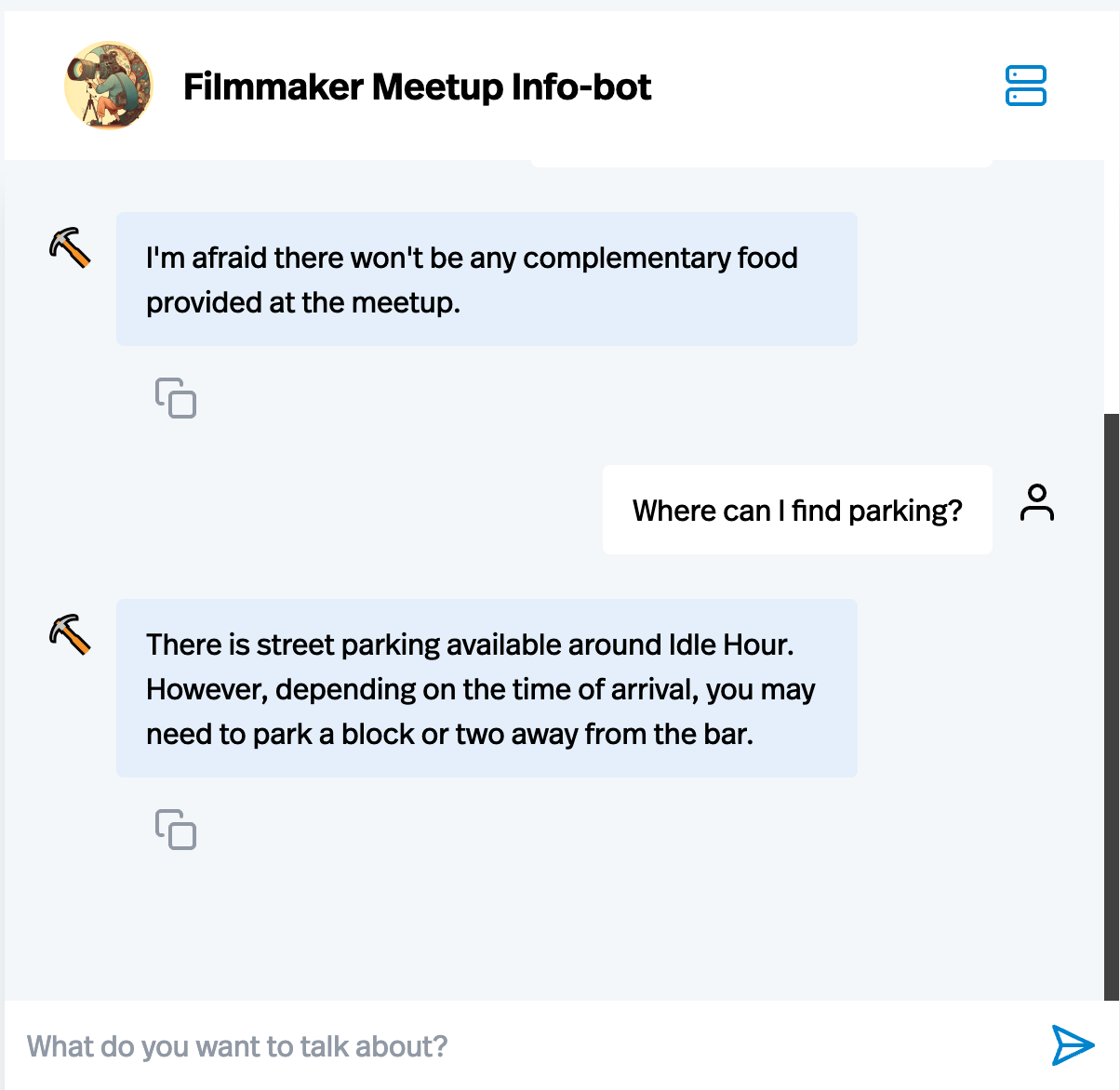
✅ Offers a chatbot builder with features like training dialogue
✅ Exposes advanced prompt settings like "system message" and "training dialogue" for detailed prompting
❌ Does not support prompt-chaining
❌ Does not offer image model
Form Customization
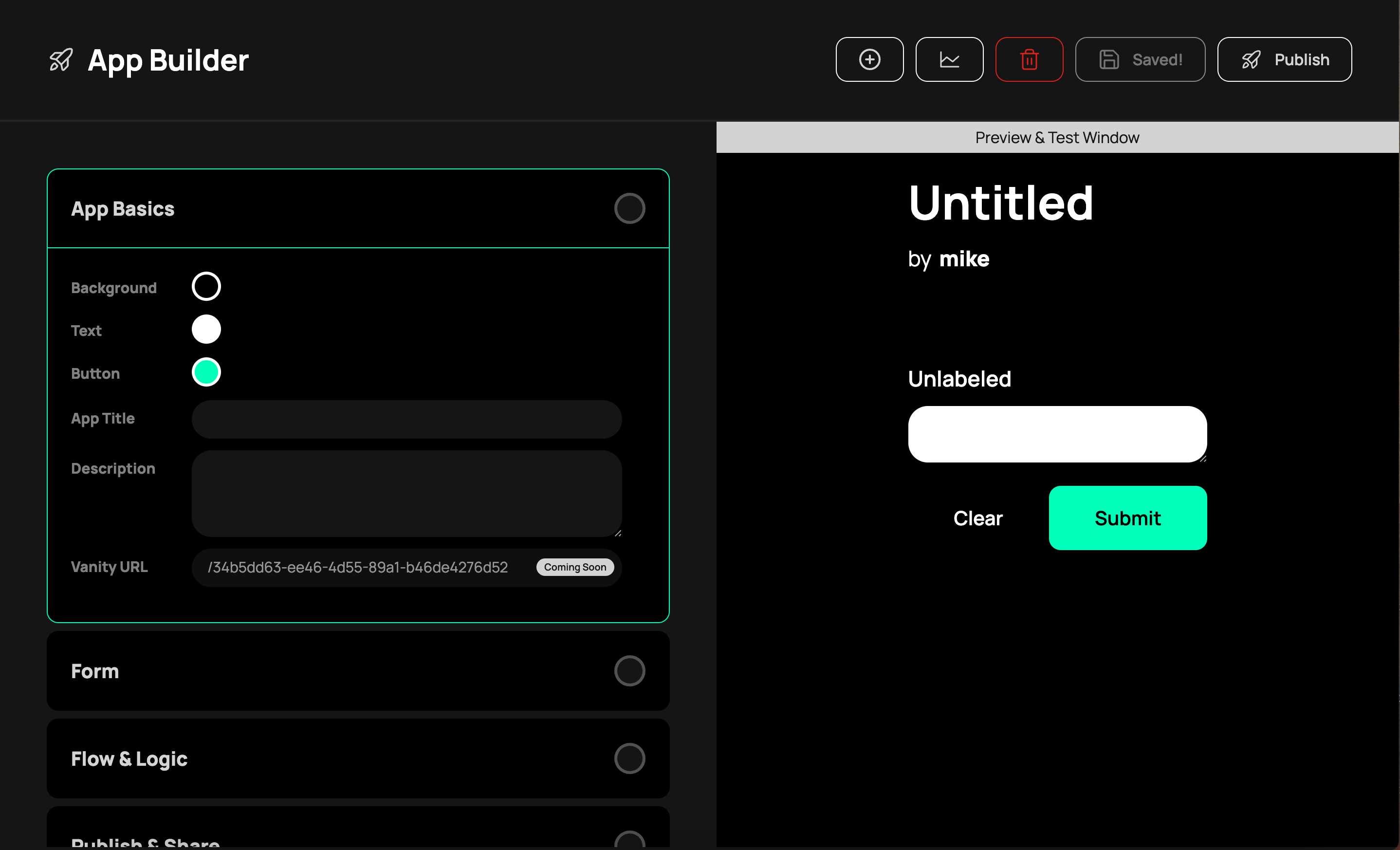
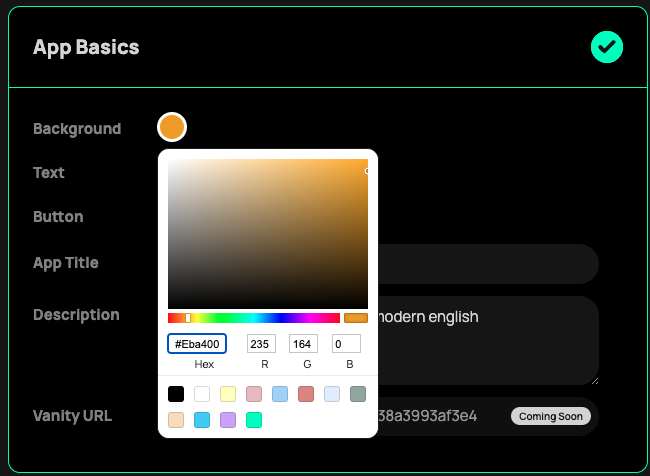
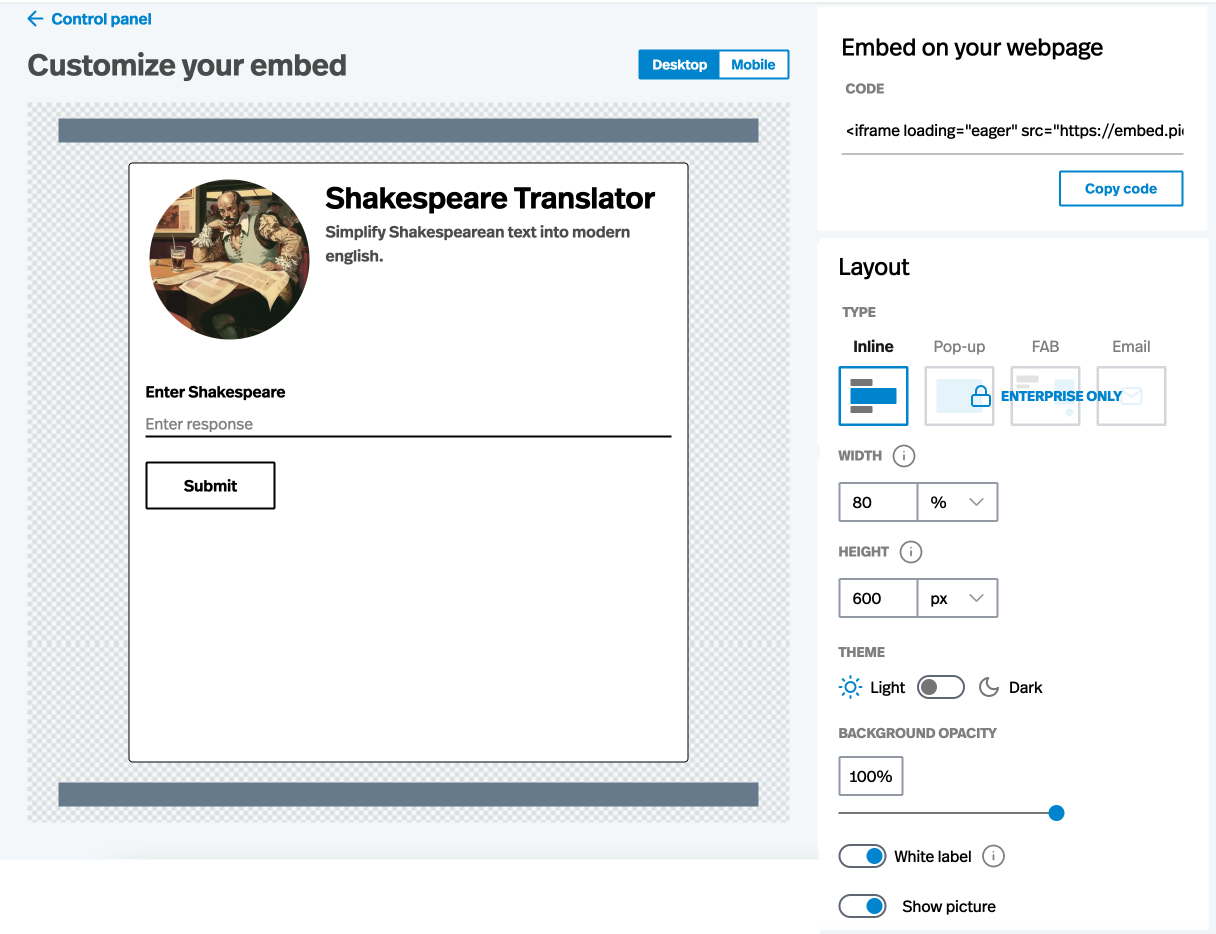
Brancher.ai offers many ways to customize your AI-powered form, including custom color options by hex code. Pickaxe offers less customization options regarding color but offers more customization options when embedding forms into your own website such as sizing, transparency, light/dark mode.
Brancher.ai
✅ Write-in responses, multiple choice, and dropdown menus
✅ Hex-code color customization
✅ Vanity-urls
❌ No chat interface option, only form interface
Pickaxe
✅ Write-in responses, multiple choice
✅ Chat interface & form interface
✅ Upload cover photo
✅ Can customize size, transparency, and more of embedded apps
❌ Cannot customize color scheme
Deployment
After you've created an app, where can you deploy your app and how easily? Brancher.ai offers a powerful solution for launching apps as standalone webpages. However, if you want to embed an app inside a website, a notion doc, a Kajabi course, or anywhere else you aren’t able to. Pickaxe can deploy your app as a standalone website with less customizations, but also allows you to add your chatbot or app anywhere on the web with embed code. People can only use your Brancher app if they sign up for an account (unless you sponsor the app), while Pickaxe apps are available for anyone to use.
Brancher.ai
✅ Can launch app as styled, standalone webpage
❌ Third-party users must sign up for brancher and pay to use your app (unless set up sponsorships)
❌ Can’t embed app into a website
❌ Can't deploy app as a chatbot
Pickaxe
✅ Can launch app as a plain, standalone app
✅ Third-party users can use your app for free 10 times (unlimited times if app is embedded on your own website)
✅ Can embed your app into a website
✅ Can deploy an app as a chatbot
Billing / Pricing
The pricing structures and tiers of AI apps are very important. Most AI apps provide "credits" which equate to running an AI model once. For example, if you use OpenAI's image generator DALL-E, each image generation is a "credit". Brancher.ai offers a free and paid plan to use their interface and then sells credits separately. Pickaxe sells their interface and credits in a single package, and also sells additional credits. Brancher only allows users to buy credits. Pickaxe sells credits but also lets users use their own API key which is much cheaper.
Brancher.ai
✅ Has a free tier, $8 tier, and $24 tier.
✅ You get 100 free credits to start
❌ Paid tiers do not come with credits, you must buy credits additionally
❌ Additional credits cost $15 for 100, or $0.15 a credit
❌ No option to use your own API Key. For reference 100 credits from OpenAI would be about $0.20.
Pickaxe
✅ Has a free tier and $20 tier.
❌ You get 25 free credits to start (refresh every month)
✅ Paid $20 tier comes with 1000 credits
✅ Additional credits cost $15 for 1000, or $0.015 a credit
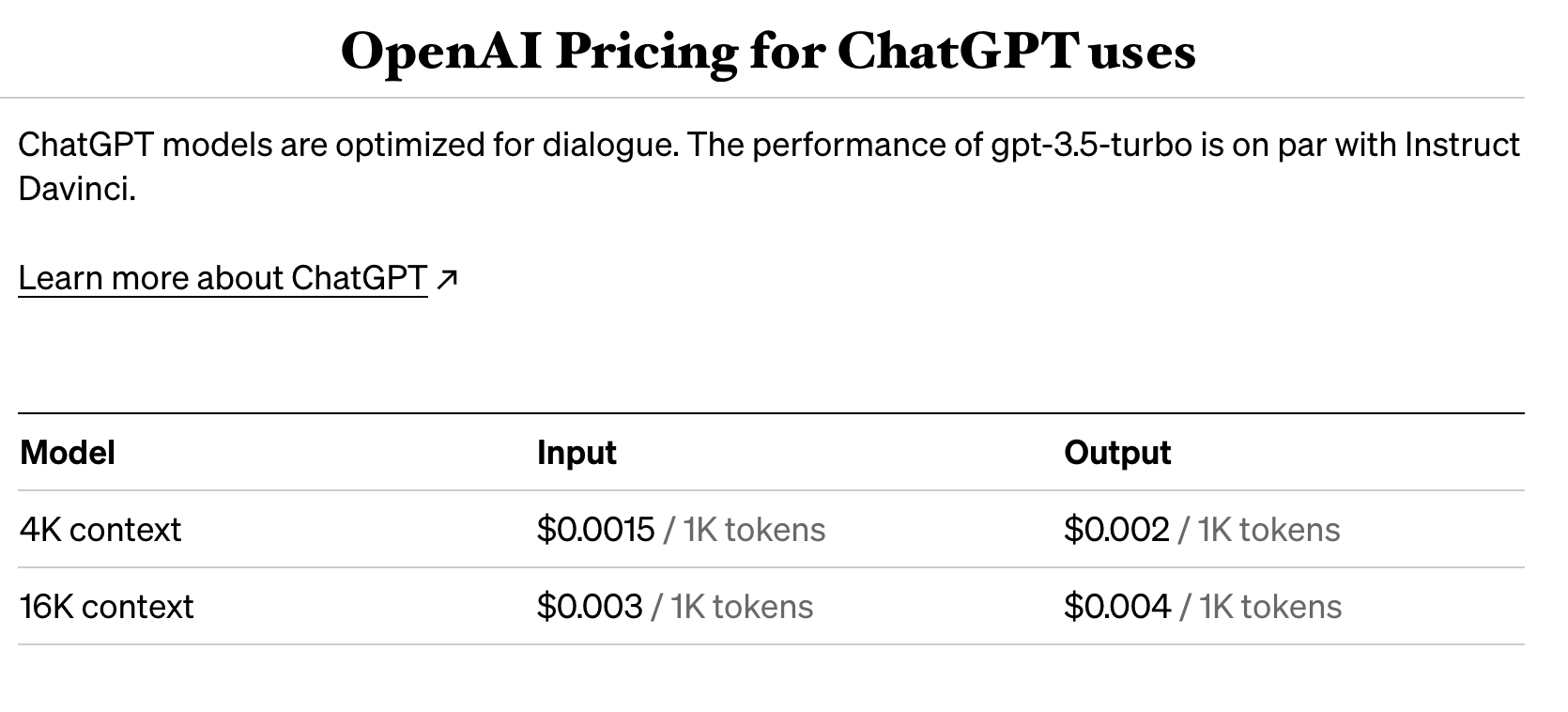
✅ Option to use your own API key from OpenAI instead of buying credits ($0.002 a credit or 5 credits for $0.01).
Management
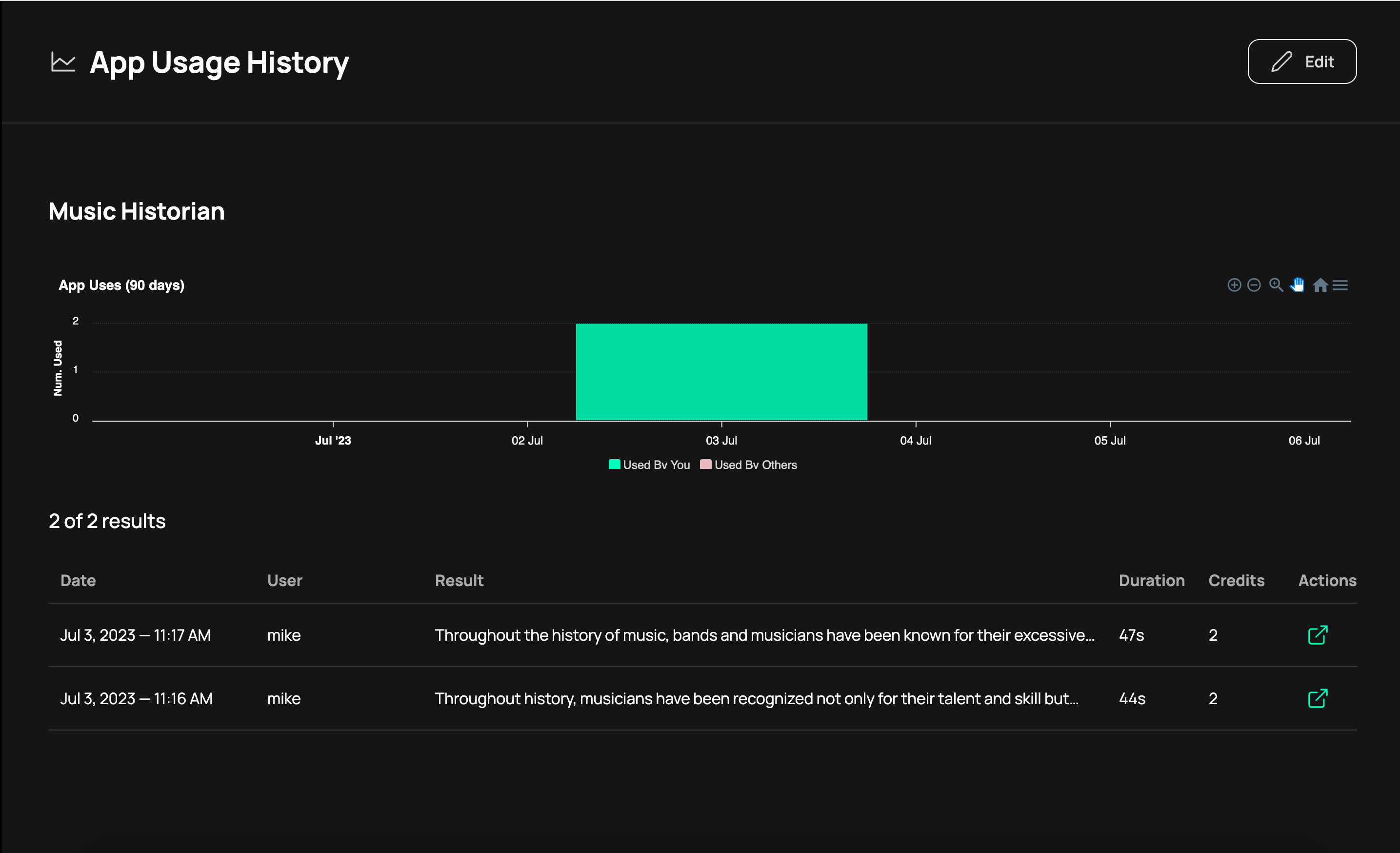
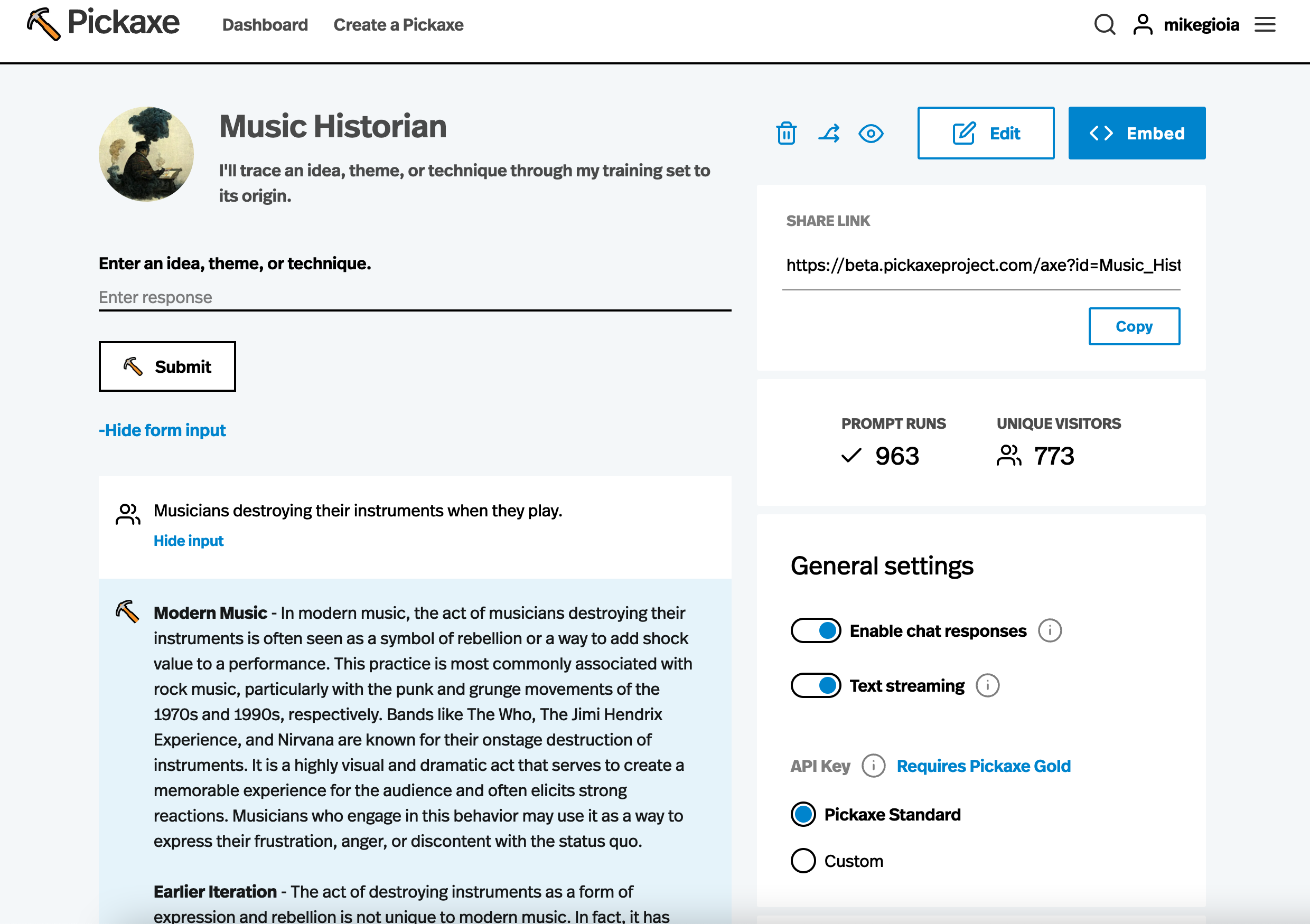
Managing and monitoring your AI apps is important, especially if you're running a business with them. Brancher.ai offers a slick dashboard for managing and viewing your apps, including charts and metrics for app usage and history. Pickaxe offers a less flashy dashboard for managing your apps that includes the full history of each one’s responses but no charts.
Brancher.ai
✅ Dashboard to view all apps
✅ Log of uses (the inputs and the outputs)
✅ Charted analytics with usage history
✅ Analytics on response time speed
✅ Saves drafts
Pickaxe
✅ Dashboard to view all apps
✅ Log of uses (the inputs and the outputs)
✅ Analytics on usage, but no history or chart
❌ No analytics on response time speed
❌ Does not save drafts
Speed / Performance
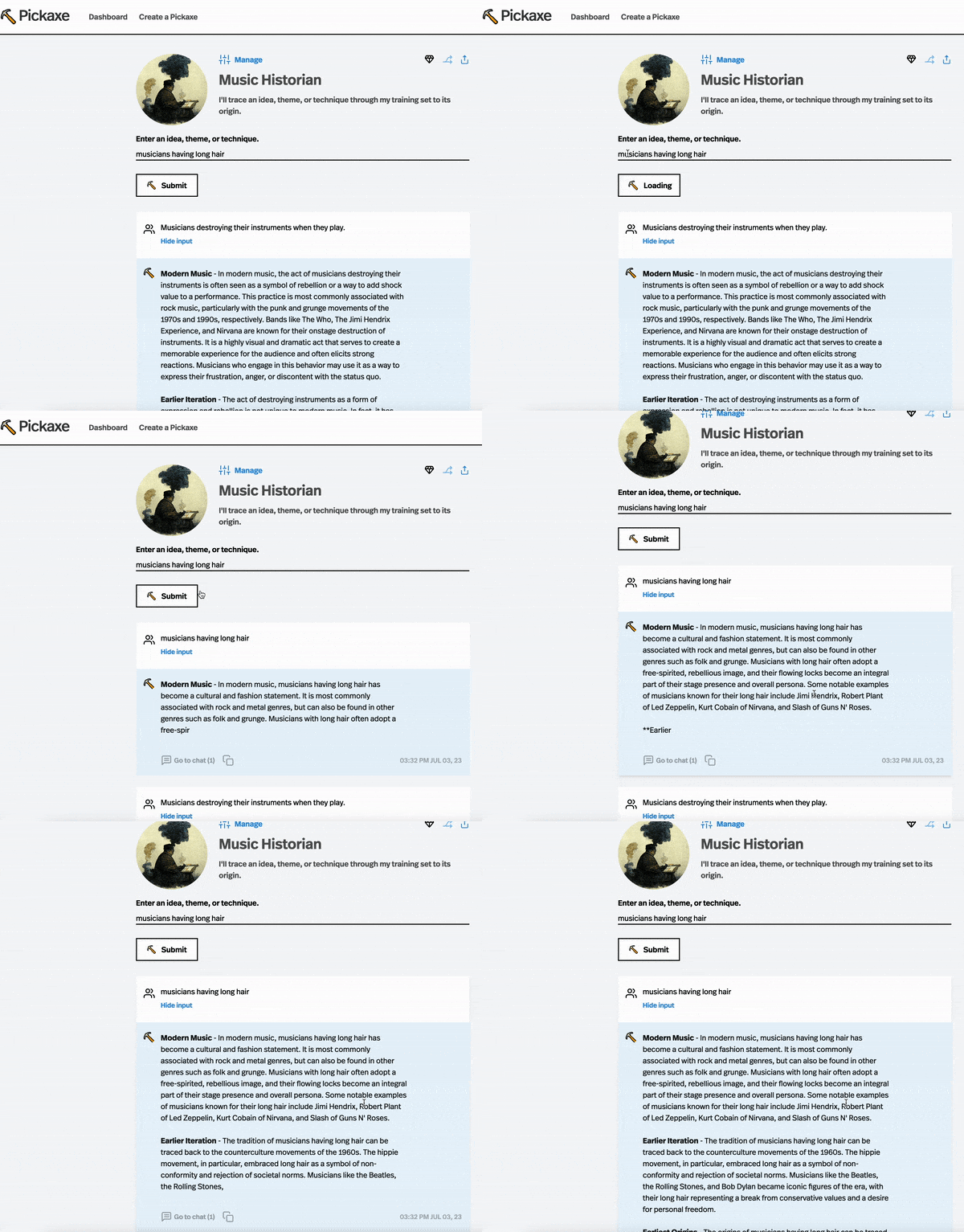
Because AI models dynamically generate text, they can sometimes be slow or bogged down by a lot of requests. Brancher.ai’s website is fast, responsive, and easy to navigate. However, the AI model results load slowly because they wait for an entire response to be generated and then render it. Pickaxe supports text-streaming so results load instantly, word-by-word, as they're produced.
Brancher.ai
❌ No text-streaming, wait for answer to load
❌ Answers can take upwards of 30+ seconds to load
❌ Load time varies depending on result length
Pickaxe
✅ Text-streaming, answers load in real-time
✅ Answers take 4-seconds to start loading, despite
✅ Load time is constant for long and short outputs

Conclusion
In this article, we compared and contrasted two popular no-code AI app builders: Brancher.ai and Pickaxe. Both platforms offer the ability to create GPT-powered AI apps using prompt templating.
Brancher.ai
Brancher.ai excels in providing a stylized and easy interface, allowing users to launch sleek standalone websites with more control over look and styling. It offers the flexibility to chain prompts together, enabling advanced customization options. The platform also provides a wide library of cool templates and supports image models. However, Brancher.ai falls short in some areas. It lacks the ability to create chatbots, has slower load times due to the lack of text-streaming support, cannot embed apps into websites, and is relatively more expensive.

Pickaxe
Pickaxe focuses on embedding AI chatbots and apps directly into websites, making it a preferred choice for users looking to integrate apps seamlessly into their existing web presence. Pickaxe offers chatbot and form interfaces, allowing for more flexible user experiences. The platform is also more cost-effective, offering the option to use your own API key and providing access to the latest models like GPT-4. Additionally, Pickaxe's text-streaming feature ensures instant loading of answers, enhancing performance. However, it lacks the ability to chain prompts together and does not provide as much app styling customization compared to Brancher.ai.
Which should you use?
In conclusion, the choice between Brancher.ai and Pickaxe depends on your specific requirements. If you prioritize launching a standalone webpage with your app and need advanced prompt chaining functionality, Brancher.ai is a suitable option. On the other hand, if you aim to embed AI apps into your website and prefer a chatbot interface with more customizable prompt settings, Pickaxe is the preferable choice.
Ultimately, both platforms have their strengths and weaknesses, so it's important to carefully consider your needs and preferences when selecting the right no-code AI app builder for your project.