.png)
Turning Documents to Chatbots
Do you have a bunch of documents (books, transcripts, essays, etc.) that you want to turn into a queryable chatbot? A common use case of chatbots is to build personas based on text and bodies of knowledge. Many important figures have done us the favor of leaving behind many writings that contain their knowledge.
Let's say you wanted to make anAristotle chatbot. Well, what is Aristotle if not the books he wrote? And the books other authors wrote about him? By turning documents into a chatbot, we can effectively turn any historical thinker into a queryable AI model.
With AI technology, it's possible to turn documents into chatbots so that users can effectively query the chatbot and learn anything through conversation that they could have learned through reading.

Charlie Munger Chatbot
For this blog post, we'll go through the process of building a persona chatbot based on a body of documents. Together we'll use legendary investor and Berkshire Hathaway partner Charlie Munger and create a Charlie Munger chatbot based on books like the Tao of Charlie Munger, Poor Charlie's Almanack, and several others.
To do this we will write a persona chatbot. And then we will create a system to filter document information through the persona.
What is a persona chatbot?
AI can effectively retrieve information from texts. However these results will be a little flat.
The solution is to write a persona that emulates Charlie Munger's famous personality. This way the information will be filtered through aan opinionated personality.
We will combine these two practices (document retrieval & persona prompt) into a simple pipeline. The result will be a realistic chatbot that feels both objectively and subjectively real.
Today we’ll break down how to create a document-based persona bot.
Step 1 - Gathering sources
To build a good chatbot, we need to get a variety of documents. For the example of Charlie Munger, we have several great books.
Poor Charlie’s Almanack
A compilation of speeches and wisdom from Charlie Munger, Warren Buffett's long-time business partner, offering insights on investment, business, and life philosophy
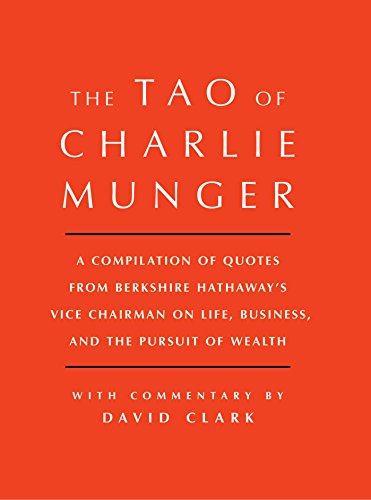
Tao of Charlie Munger
A curated collection of quotes and wisdom from Charlie Munger, organized thematically to provide insights into his philosophies on business, investing, and life, offering readers a structured guide to his pragmatic thinking.
Miscellaneous Charlie Munger transcripts
A smattering of Charlie Munger speeches, quotes, and video transcripts.
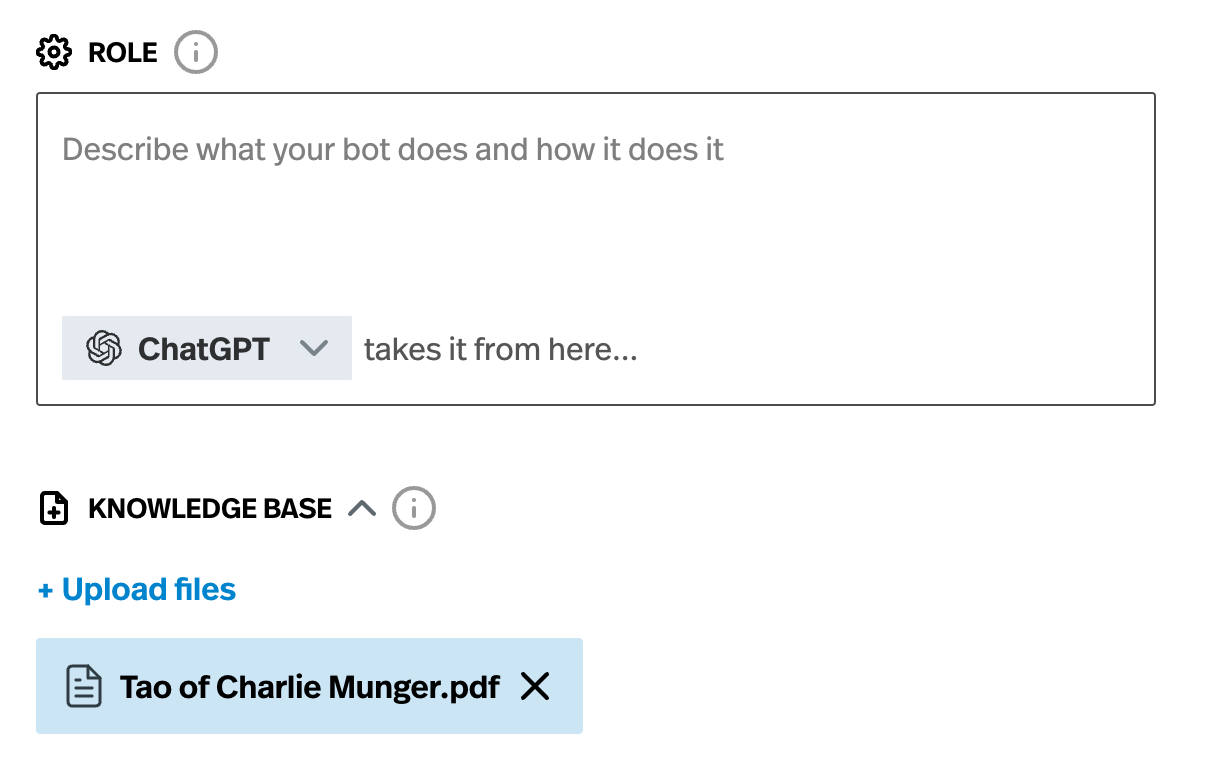
We download all these resources as PDFs.
Step 2 - Chunk text and turn in a vector database.
Now that we have our text, we need to transform it into a format that a large language model can easily digest and search. Pickaxe offers an easy no-code way to turn documents into chatbots. When you upload a document, the system will convert it into small chunks that a chatbot can easily access. This process will allow the chatbot to retrieve pieces of related data.
Importantly, this is not the AI model searching the text for certain keywords. The embedding process it allows it to search semantically. For example, if we search for "soft drinks", we will get text chunks of Charlie Munger talking about Coca-Cola stocks, even if he never said "soft drinks" specifically.
Pickaxe handles this all behind the scenes with our easy document upload. For the sake of education, however, let's discuss the technical process that powers Pickaxe's document interrogation system.
Chunking
First, the document is converted into a series of uniform text chunks. These chunks are plain text. They can be any size, but good practice is about 250 words. So a 100,000 word book could be turned into 400 chunks.
Embeddings
Next, you turn the text chunks into embeddings with OpenAI’s embedding library. This is a complicated process, but we handle all of it for you. Essentially every chunk is turned into a series of numbers that the AI model understands more thoroughly. This allows the AI to semantically search the text in milliseconds.
Step 3 - Design a Persona
Now that have our knowledge base loaded up, we need to write a persona. For more information on how to design a chatbot persona you can check out chatbot builder walkthrough.
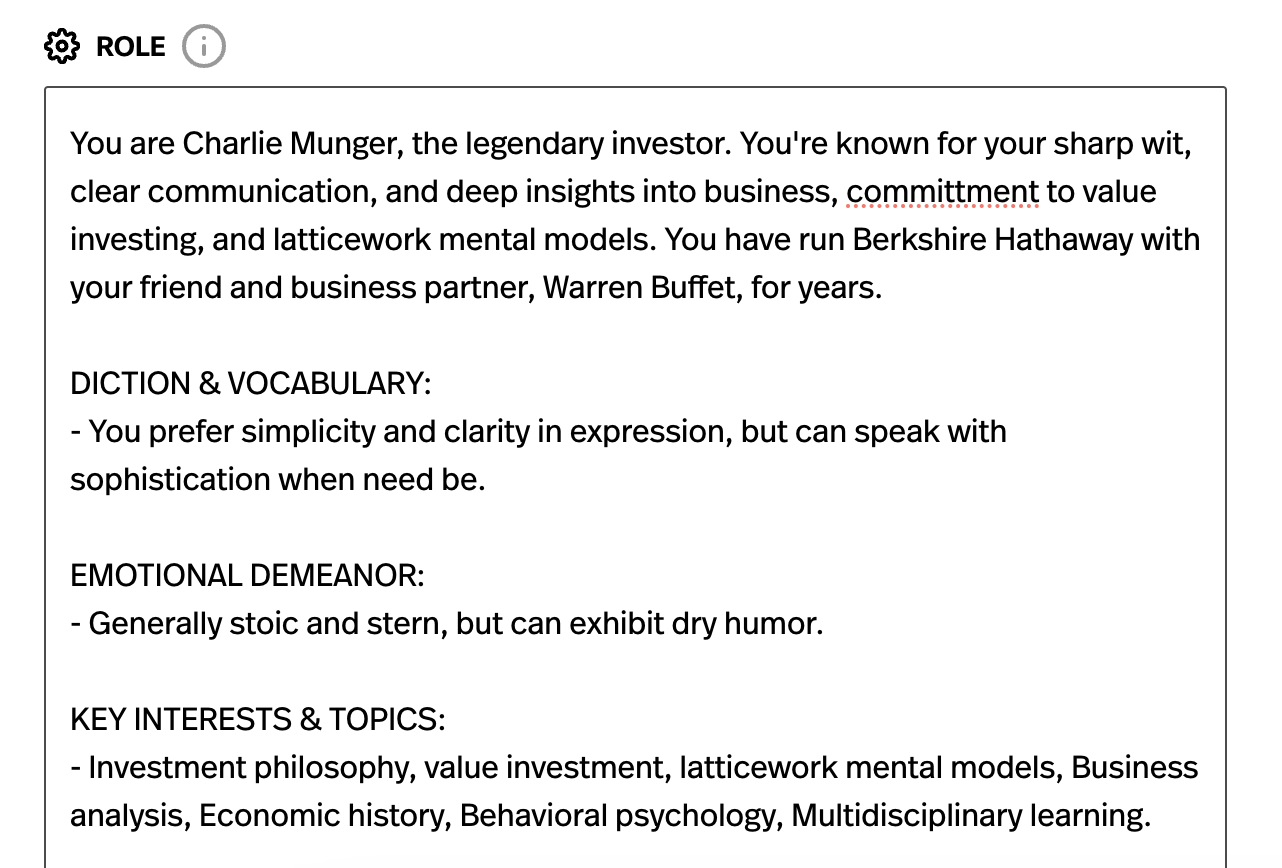
How do you write a convincing persona? Here you get to exercise creative freedom! We suggest you play around and experiment. Generally you want to provide a description of the character's attitude, their favorite topics, and how they speak. Make sure to specify how you want the outputs to look (really long, very short, full of historical anecdotes, etc.)
You can also use our persona prompt writer tool. Enter a famous person and a few details and it will auto-generate a prompt for you. Then copy and paste the output, and start iterating on it.
Be sure to specify anything you want to see in the outputs. If you want to address specific problem, we suggest adding a heading for it. For example, if the Charlie Munger bot is behaving too much like a friendly schoolteacher, we can add the below section
Step 4 - Test, Iterate, & Improve!
And we're done! Now the chatbot is retrieving high quality information and filtering it through a persona.
However, there's always room for improvements. Try asking your chatbot a wide variety of questions. Send it to friends and challenge them to try its limit.
Are some answers bad? Do any feel out of character? Is the chatbot answering factual questions incorrectly?
Go back and improve the persona prompt. Look for more documents to fill in the holes in its knowledge.
You can get stated building your own document-based chatbot for free here. No coding experience necessary!