
Setting Up Stripe for Pickaxe Studio
If you're building a Studio in Pickaxe, you may want to create a paid subscriber tiers so you can monetize your chatbots and AI tools. You're in luck! Pickaxe's Stripe integration makes the process easy, fast, and completely no-code. To do this, you'll want to set aside about 3-5 minutes and make sure you have some information about your bank account ready.
Then you can start accepting payments through your Pickaxe Studio!
Step 1 — Build a Studio
(If you've already done this, feel free to skip to Step 2)
In order to set up monetization, you'll need an existing Pickaxe Studio. Setting up a Studio is free and quick.
To create a new studio, just go here or click "Studio" in the Pickaxe nav bar.
Then give it a name, add one or more Pickaxes, and write a description for it. For a detailed walkthrough, check out our full guide about setting a Studio.
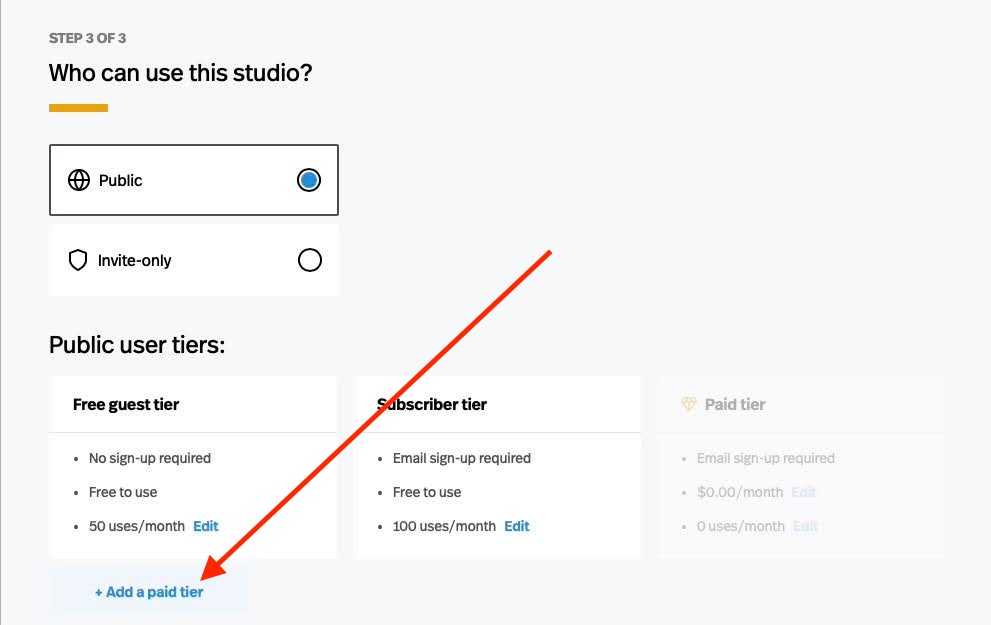
After you select whether your studio is Public or Invite-Only, you'll have the option to set up a paid tier. Click “+ Add a paid tier” at the bottom. Then decide how many uses each tier should get.
Step 2 - Register with Stripe
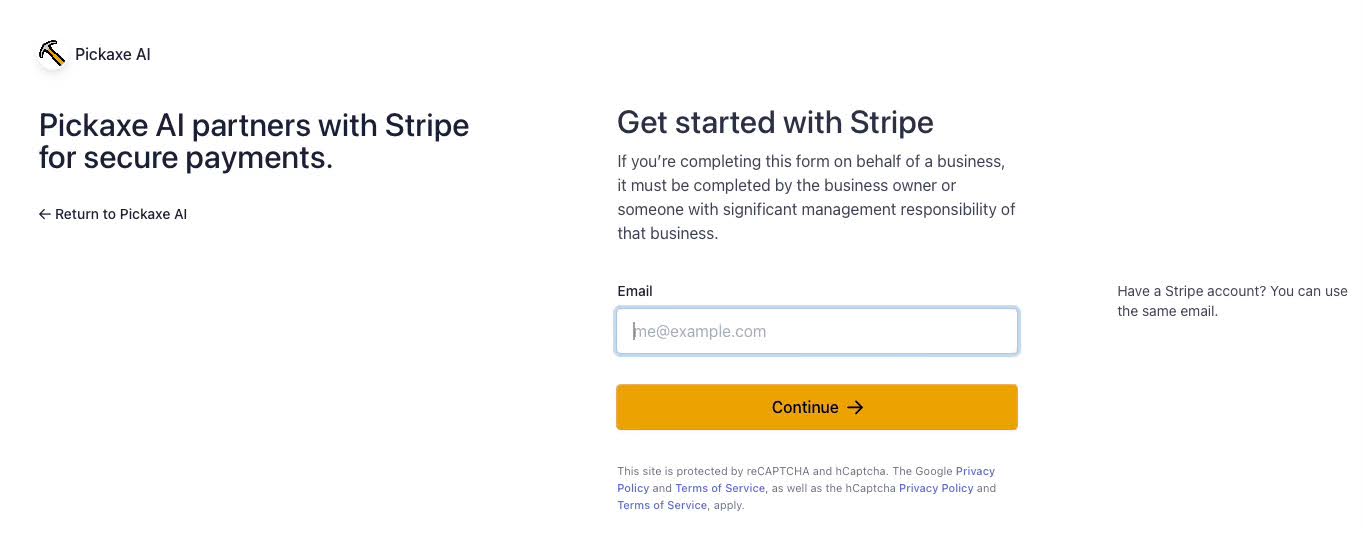
After creating your studio you will be asked to connect a Stripe account to activate payments. Stripe is a payment processor that is easy to use and trusted by many of the biggest websites and services. For example, OpenAI and Pickaxe both use Stripe to power all of their paid subscriptions. So you're in the best, most trusted hands of online payment processing.
In order to get started using Stripe you will need to provide and verify your e-mail address and phone number. Make sure to use good contact info, because Stripe will use these details in case of fraud and other account issues.
When you successfully verify your account you’ll be provided an important retrieval code that you’ll want to put in a safe place.
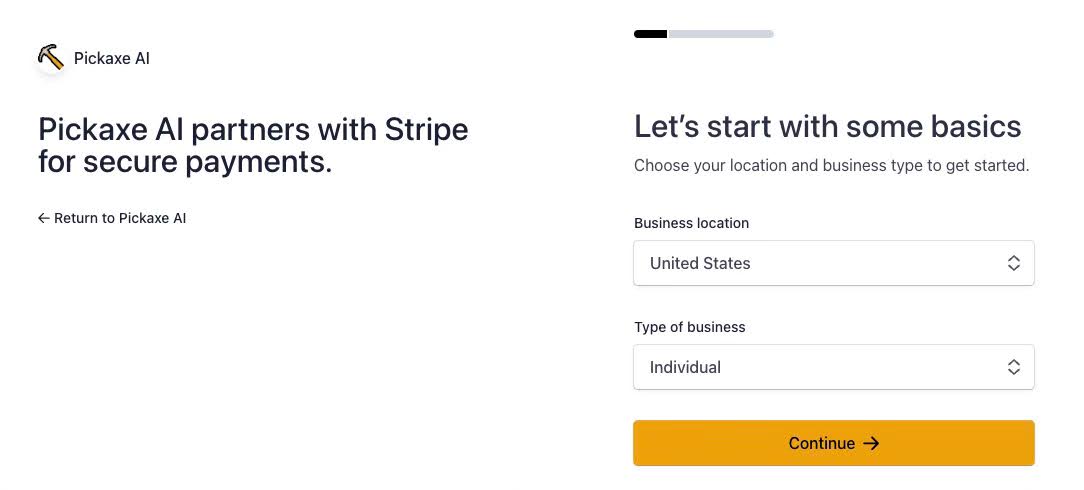
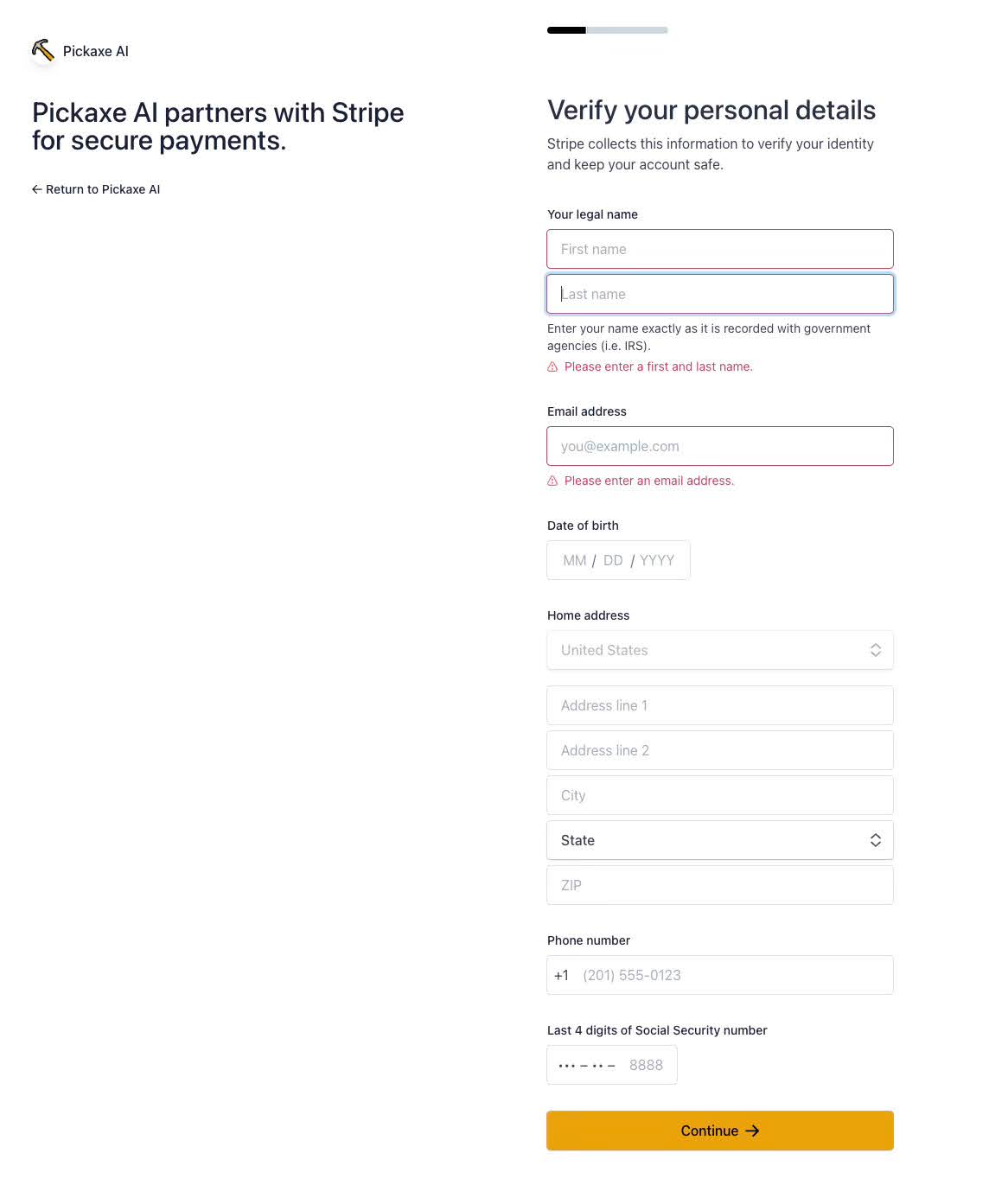
Step 3 - Fill out Business & Personal Details.
Next you’ll be asked a series of questions about how you intend to use Stripe.
Stripe will also ask for various personal information including your address, birthday, and the last four digits of your SSN. This information is handled securely via Stripe. Pickaxe does not store any of this information on our servers.
Step 4 - Connect a Bank Account
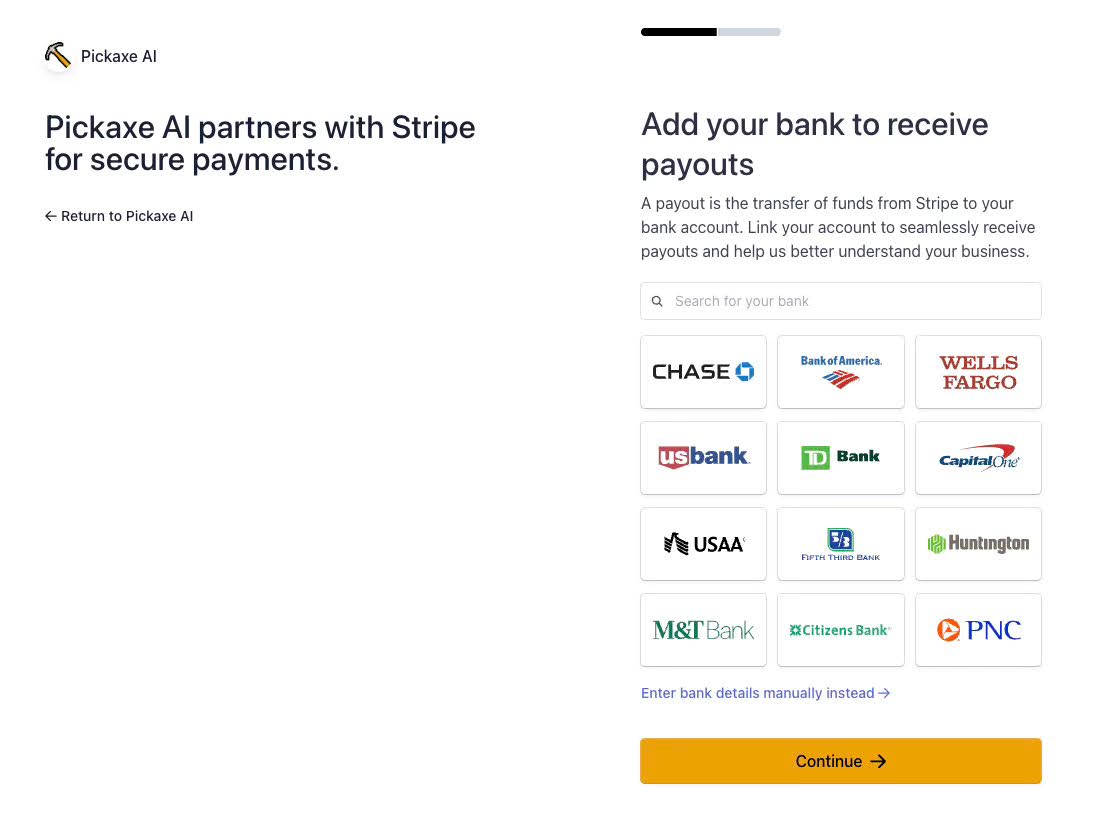
Once you have finished creating your account, the next step is to connect a bank account to your Stripe account.
All your earnings in Stripe will automatically deposit into this destination bank account at regular intervals. Stripe will not pull money from your account. It will only deposit earnings from your Pickaxe Studio into your bank account.
Depending on who you bank with you’ll either be able to log in through the sign on screen you’re used to using with your bank, or you may have to look up your account number and routing number and enter them in manually.
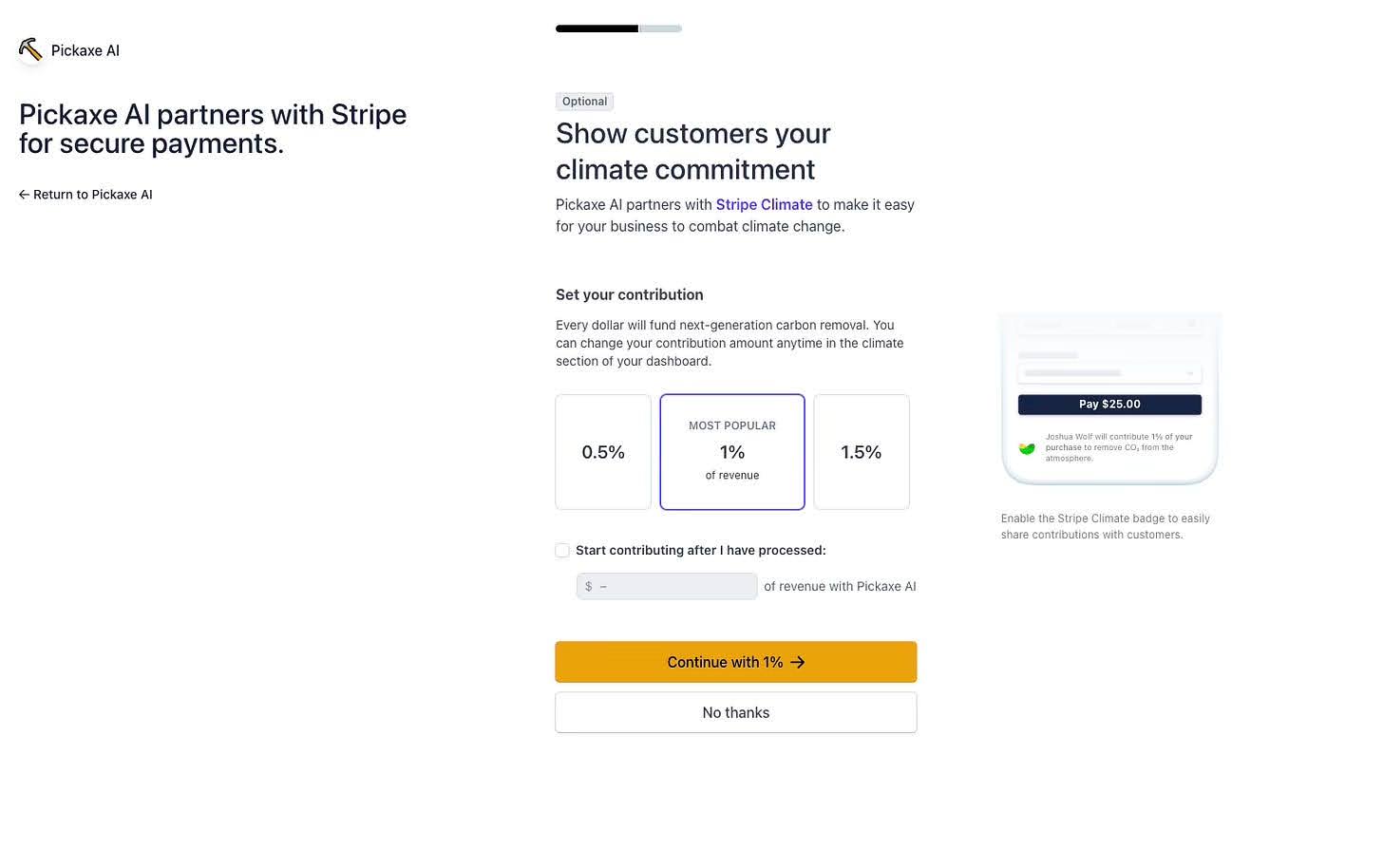
Step 5 - Set optional charity donation (OPTIONAL)
The last step to register your Stripe account is to decide whether or not you’d like to donate a portion of your earnings to remove carbon from the planet. Though this may seem mandatory, but please note it IS OPTIONAL. You can skip it by clicking "No thanks".
As soon as you complete the process you’ll be redirected back into your Studio where you can continue to refine and manage your creation.
Does Stripe Have Fees?
Stripe is free to set up, but charges a fee based on all processed revenue. Pickaxe also charges a fee for revenue processed through Studio subscriptions.
The fees break down as follows.
From Pickaxe:
- 10% of each transaction .
From Stripe:
- 3% of each transaction
- $0.30 flat fee for every transaction.
This means if you are charging $10/month subscriptions to your Pickaxe Studio, you will make $8.40 from each subscription ($10.00 minus $1.30 in revenue-based fees + $0.30 flat fee for the transaction). Please be mindful that this $.030 flat fee does not change whether the transaction is $1, $5, or $25.
You can read more about Stripe's pricing here and Stripe's terms of service here.
Further Questions
And there you have it! Now your Pickaxe Studio has monetization enabled. All the money you earn through your Pickaxe Studio subscriptions will automatically go through your Stripe account and deposit into your connected bank account. No more set up required!
If you have questions regarding this process you can always email the Pickaxe team at info@pickaxeproject.com.