

If you're interested in getting better results from ChatGPT, GPT-4, and other language models, you're interested in "Prompt Design". Also called "prompt engineering", prompt design is the quickly emerging field of how to best structure, phrase, and think about prompts for AI models. Good prompt design is very important in getting AI models to behave. If you want high quality outputs that fit very specific requirements, then you'll want to study how to write a good prompt.

While some argue about the legitimacy of prompt design as a field, it is undeniable that different prompts get different results. Don't believe us? Try out some experiments for yourself. Run a basic prompt like "write a blog post", and then run the same prompt with a specified audience, tone, style, goal, and reference to a famous blogger. You will get very different results.
In this blog post, we delve into the nuances of prompt design through the insights of Josh Wolf, a leading prompt designer and owner of the AI consulting agency Intellibotique. Pickaxe became aware of Josh early on with his involvement in some online prompt design communities. His idiosyncratic and thoughtful approach to writing prompts and exploring the capabilities of AI models instantly stood out. Josh is a longtime writer and journalist, and has been thinking about the ethical commercial applications of technology for years. He even ran for mayor of San Francisco in 2007 on the platform of wearing a livestream camera while performing all mayoral duties. At the time, the App Store didn't even exist and Youtube was barely a year old. Suffice to say, Josh Wolf has been exploring human-machine interfaces long before the recent AI boom.
In the Striking Gold blog, we will increasingly feature thought leaders in the prompt design space. Today, we explore some key takeaways about writing good prompts from Josh Wolf.
Let's dive into some specifics.
What Makes a Good Prompt?
Writing a prompt is like writing precise instructions to a reasonably smart, very literal college intern. Expect diligence but not brilliance. At Pickaxe, we always encourage clear instructions in the prompt. The models are smart, but they can't read your mind! Your intentions must be clear. Writing precise instructions to a model ensure that it will understand what you want.
Having a good mental picture of a how a model works is helpful. Josh Wolf elaborates below in his own words.
"In thinking about my philosophy to writing a good prompt, my first thought is the value of precise communication. Just as computer programs need proper syntax in order to work as intended, subtle changes in the way a prompt is written can have a surprisingly large impact on how a prompt performs."
Josh next provides a helpful metaphor to frame the ideal approach to instructing AI models through prompts.
"Pulling back further, I approach my communication with GPT and other LLMs much as I would in engaging with some folks within the neurodivergent community. While the interface sometimes seems almost human, its way of “thinking” is notably different from the way most people actually think. Learning to predict and adjust for this hyper-literal approach inherent in LLMs seems to be one of the key factors in yielding success within the burgeoning would of prompt craft."
What's the Process of Writing a Prompt?
There are three stages to writing the prompt— the persona, the dataset to focus on, and the task. When writing a prompt, think about:
1. What do you want the model to do?
2. Where should it draw the knowledge?
3. And how should it behave and think?
Josh breaks it down beautifully below:
I tend to look at prompts — particularly in regards to the kind that I’d build for BotPress —as three key components. The persona of the bot, the knowledge base for it to draw from, and the task that it is intended to perform. In some cases that task involves the output of content, in which case, I suppose there becomes two different personas being crafted through the creation of the prompt. By and large though, when creating tools with specific use cases, it seems that the persona crafting is secondary to refining the output.
How Do You Test a Prompt? What's Prompt Quality Control Look Like?
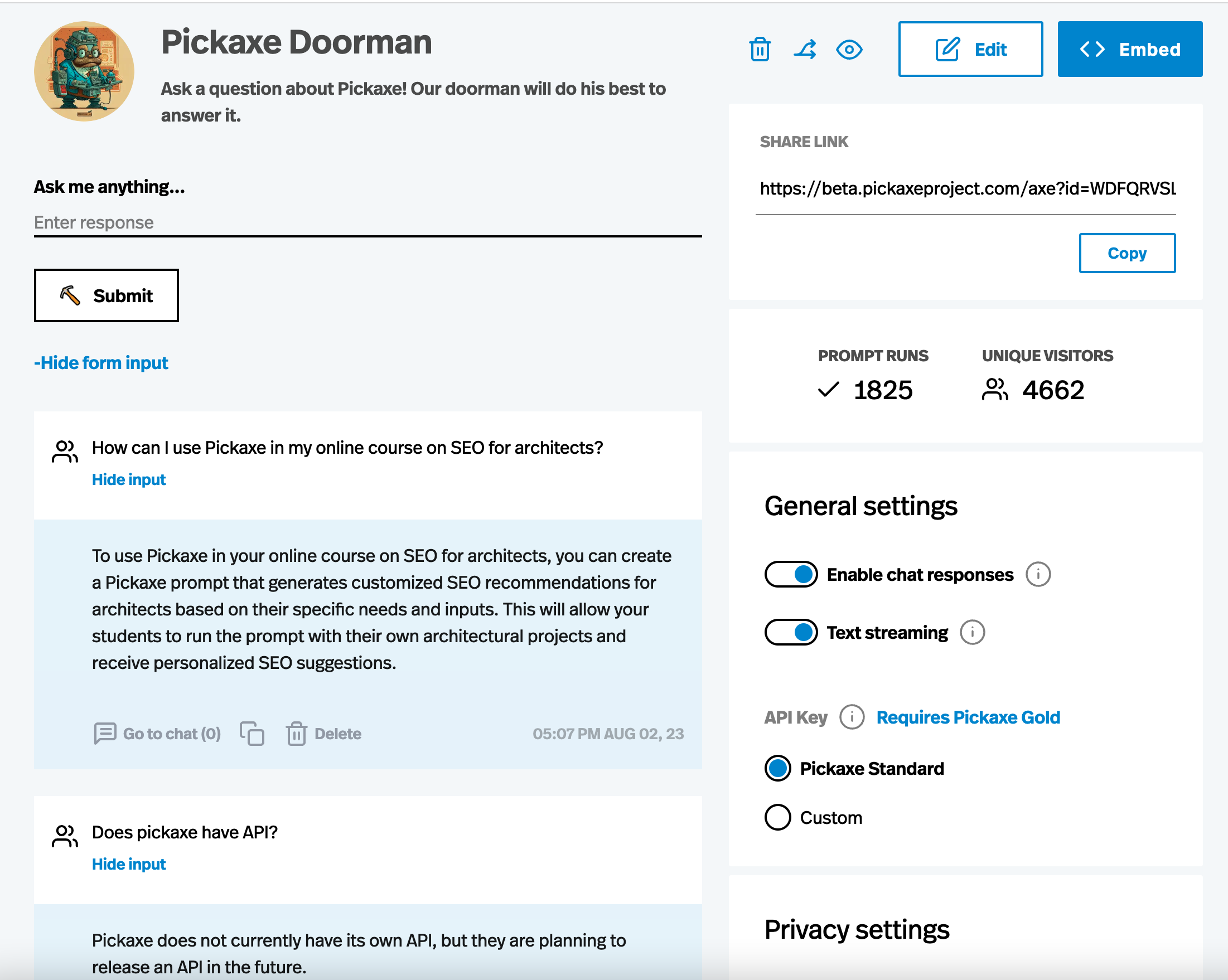
The short answer is you can test a prompt by running a large and diverse set of real-world use cases through it. Especially if you plan to actually deploy it publicly for your business. While a prompt may work well with the inputs you expected, you may discover that it doesn't handle certain types of inputs well. You may also uncover certain hallucinations or behavior that the model needs to be specifically instructed against.
For example, if you have a chatbot on your website that provides information about your business's services but it often generates links to pages on your site that don't exist, you should specifically instruct it to give out links from a hard-coded list that you provide in the prompt.
Pickaxe is a great way to publish your prompt as a usable app without exposing the prompt to users. You can share your prompt with friends, co-workers, customers, and online communities who can all use it. Then you can visit a dashboard to view all the usage-- both the inputs people gave your prompt and the outputs your prompt produced. With this knowledge, you can more deliberately iterate on your prompt to move it closer to a desired behavior.
Everyone has their own strategy for iterating and improving prompts. Josh explains his own iteration process here.
"I almost always find myself reiterating on the prompt. While I have a knowledge of basic approaches to benchmarking and red-teaming the performance of a prompt, I usually find myself using a more intuitive process while to improve and iterate its performance. In some cases, I have used GPT itself to generate sample responses to test how the prompt behaves. Realistically there is no substitute for real-world testing, but getting enough traffic to really understand how these tools perform in the wild has been a struggle."
What Are 5 Tips for Writing Better Prompts?
Josh has written some truly intricate, detailed, and impressive prompts. Josh is especially attentive to creating prompts with well-defined personas that can carry out specific tasks. Writing good personas for your prompt is not intuitive, but Josh definitely knows how. You can check out some of his best chatbots at Intellibotique, ranging from his Solace bot which provides therapy and guidance, his Job Genie which assists with resume evaluation, salary negotiation guidance, and job market advice, and his Entrepreneurial Intelligence Suite which provides a whole suite of chatbots to assist with building a business.
Josh has a lot to say about this constantly evolving space. Here are five tips he recommends to anyone seeking to write better prompts.
Tip #1 - Define a persona
Describe the type of person you’d like to have a conversation with. This can be an actual person — real or fiction — or it could be based on a particular archetype or just the persona you have cultivated through your imagination or business development process in identifying your customer avatars.
Tip #2 - Identify a knowledge set
Identify the appropriate source of information that GPT should draw upon for the task you are asking it to do. While it seems more powerful to allow GPT to tap into its near-infinite knowledge, if you can identify for the LLM what vertical of expertise to draw from, I’ve found that the results improve immensely. I suppose one could reverse this principle to intentionally cripple GPT's knowledge base for humorous effect, but I have yet to experiment with that.
Tip #3 - Coach your prompt with training dialogue
Specifically identify the features your tool is designed to do and coach the model to drive the conversation around those features. This can make for a more effective and intuitive tool. While this isn’t particularly useful for general prompt design, when it comes to Pickaxe's chatbot builder, this is helpful to keep in mind with the training dialogue feature.
Tip #4 - Label sections of prompt (Advanced)
By creating a prompt that is broken into different labeled categories, it becomes much easier to tune the tool. Not only are you likely able to immediately identify where the “bug” is located, but you can much more easily enhance future version of your bot using such a structure. From my experience this approach also tends to be more conservative when it comes to token usage; it also makes it easier to identify the easiest ways to shorten the prompt without breaking it.
Tip #5 - Write your prompt as JSON (Advanced)
Translating a common language prompt into JSON will sometimes help to overcome challenges that can’t otherwise be navigated. It’s not necessary to actually know much about JSON for GPT to assist in the process, but it’s important to have the JSON constructed with multiple sections and not just have the mass of instructions lumped together in one section within the code.
For more news on prompt design, follow this blog. And if you want to publish your prompts as interactive apps or chatbots, check out the Pickaxe no-code prompt frame builder.


.png)